
Form Fields Guide#
The Form Fields Guide (CITApp-Form-Fields-Guide.pdf) documents all form field specifications organized by entity type, with Required/Optional markers for each field.
PDF Output#
The Form Fields Guide is organized by entity type. Each entity section contains subsections for different form areas (Info, Addresses, Legal, etc.), and each subsection shows a table of fields with their Required/Optional status.
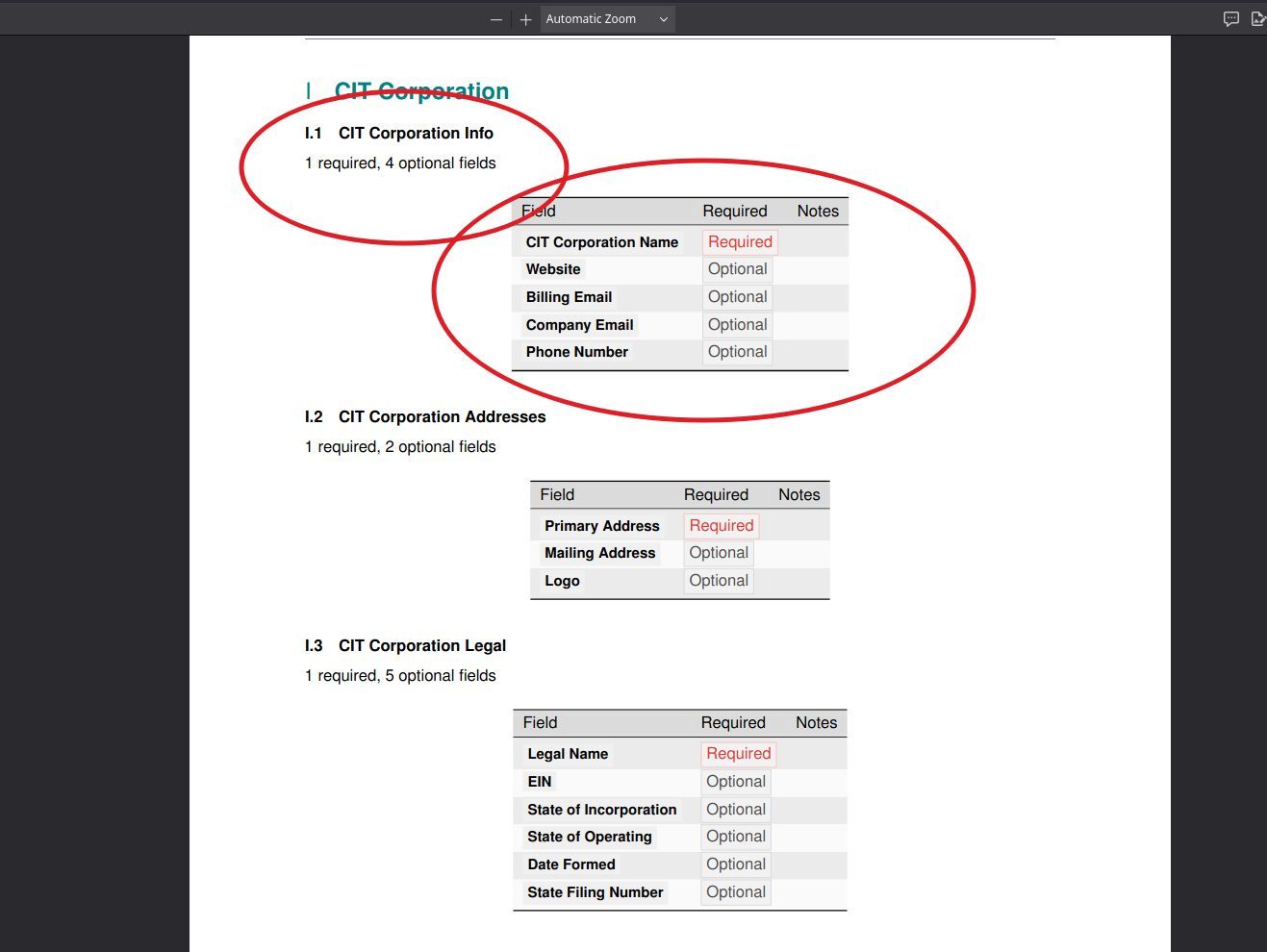
The CIT Corporation section showing form categories (Info, Addresses, Legal) with field tables. The annotated view highlights the category heading (“CIT Corporation Info”) and the field table showing Required/Optional markers. “CIT Corporation Name” is marked Required; Website, Billing Email, Company Email, and Phone Number are Optional.#
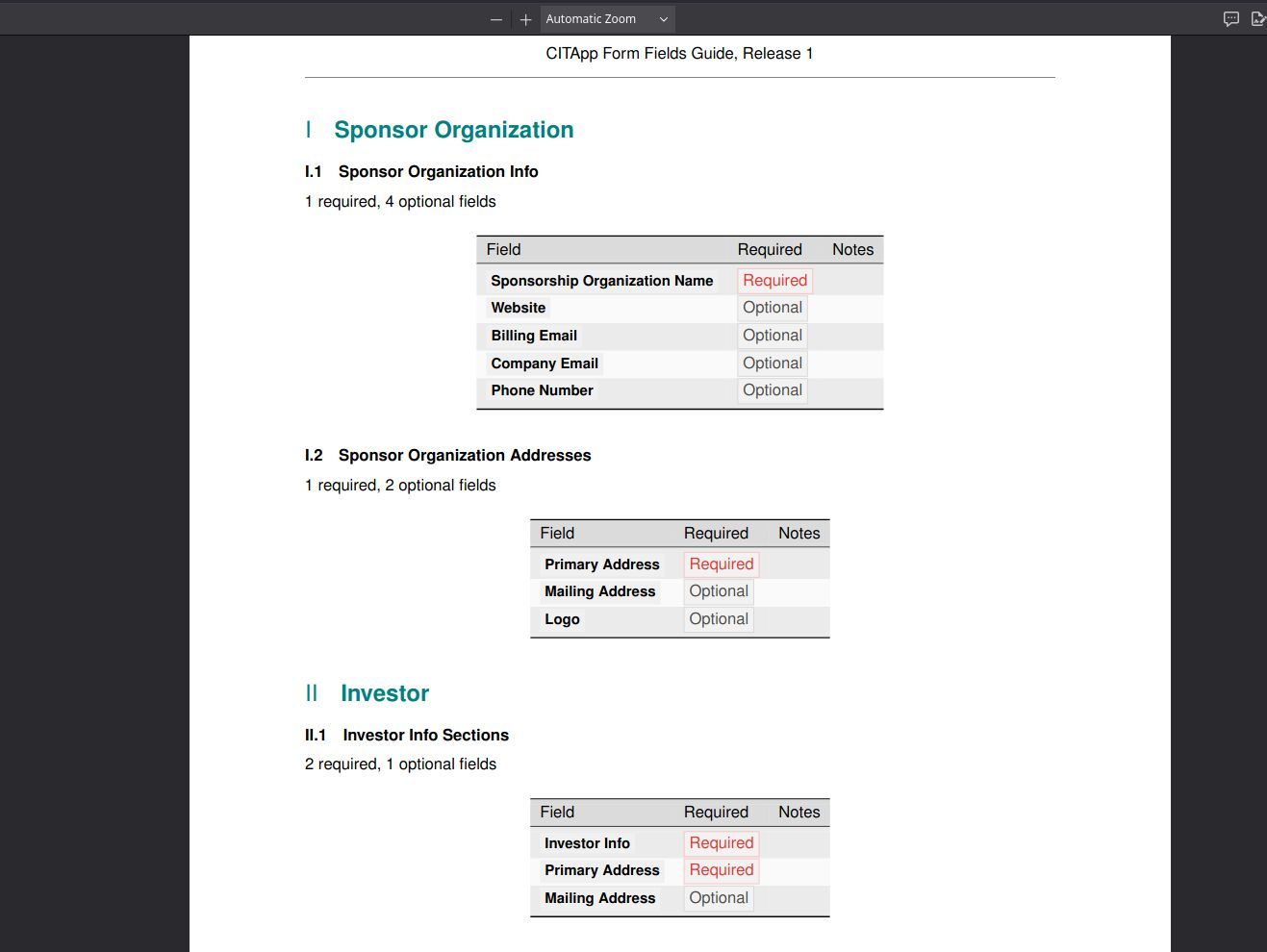
The Sponsor Organization and Investor sections follow the same structure. Sponsor Organization Info requires only the organization name; Investor Info Sections require both Investor Info and Primary Address fields.#
Clean View: CIT Corporation#
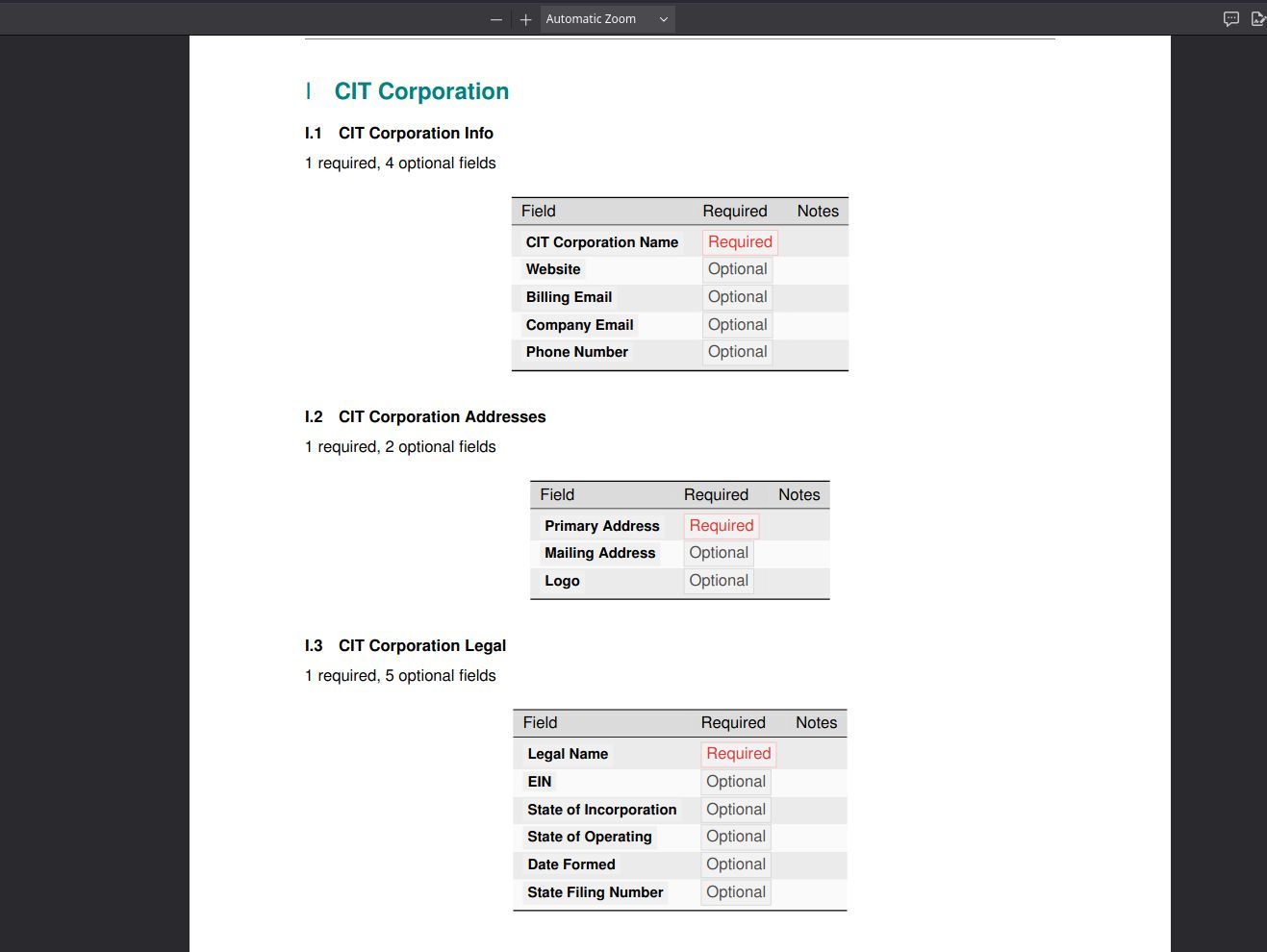
Full CIT Corporation section without annotations, showing all three form categories: CIT Corporation Info (1 required, 4 optional), CIT Corporation Addresses (1 required, 2 optional), and CIT Corporation Legal (1 required, 5 optional).#
Entity Types Covered#
Entity |
Form Categories |
Key Required Fields |
|---|---|---|
CIT Corporation |
Info, Addresses, Legal |
Corporation Name, Primary Address, Legal Name |
Sponsor Organization |
Info, Addresses |
Organization Name, Primary Address |
Investor |
Info Sections, Personal Info |
Investor Info, Primary Address |
Beneficiary |
Basic Info |
Beneficiary Name |
Proxy |
Proxy Info |
Proxy Details |
By the Numbers#
Metric |
Count |
|---|---|
Entity types |
5+ |
Form categories |
8+ |
Field definitions |
50+ |
Required field indicators |
Per-field markers |
When to Use This#
Before filling out a form — Check which fields are required so you can gather the necessary information before you start. This saves time and avoids validation errors.
Data entry training — The guide shows exactly which fields are mandatory for each entity type, making it a useful reference during onboarding.
Comparing entity requirements — Quickly see the differences in required fields between CIT Corporations, Sponsor Organizations, Investors, and other entity types.