
Status Reference#
The Status Reference (CITApp-Status-Reference.pdf) documents every status value in the system, color-coded by meaning and grouped by functional domain.
PDF Output#
The Status Reference is organized into domain groups, each containing multiple status categories. Statuses are color-coded to convey meaning at a glance.
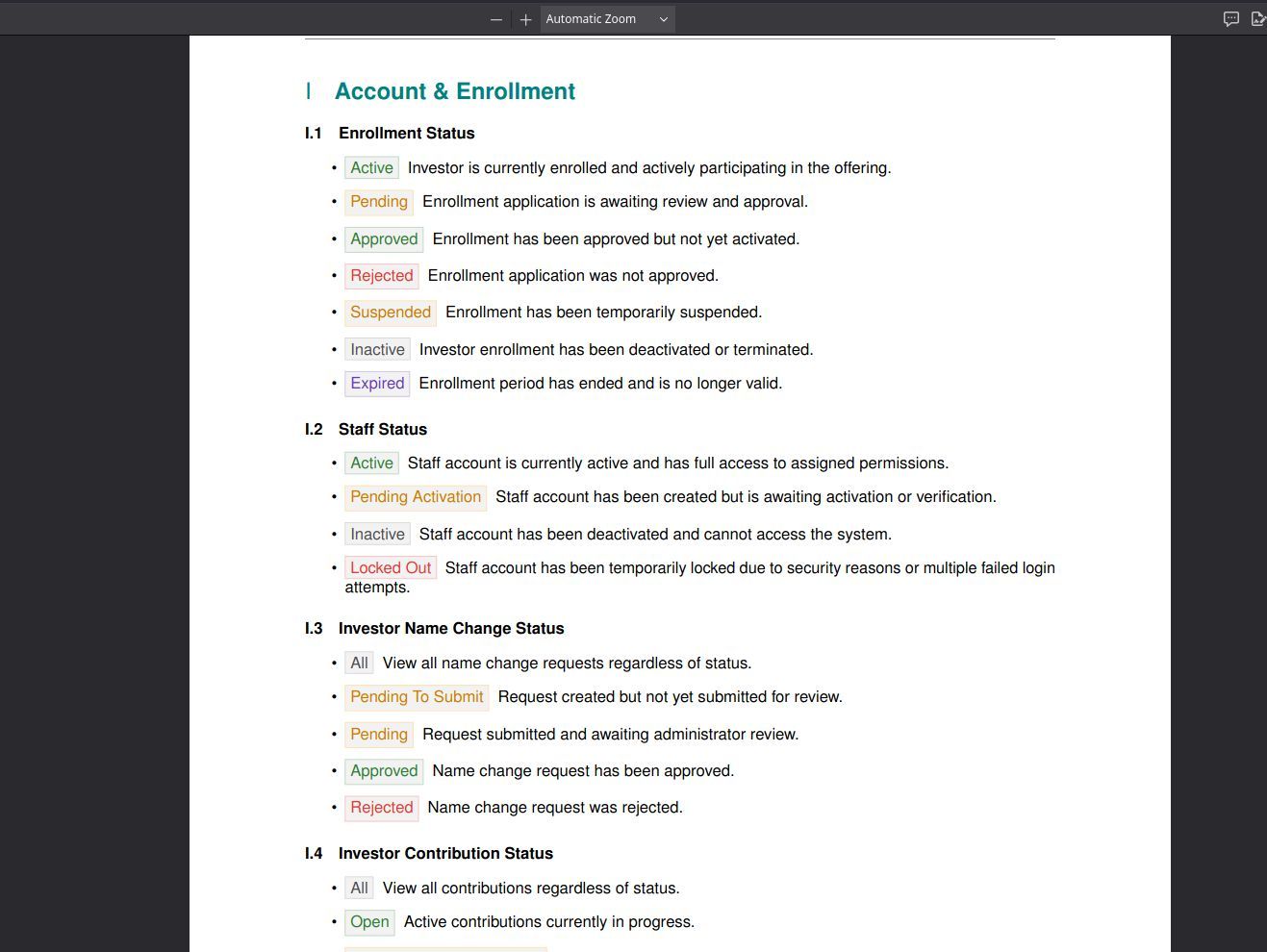
The first page of the Status Reference showing the “Account & Enrollment” domain. Status categories include Enrollment Status, Staff Status, Investor Name Change Status, and Investor Contribution Status, each with their individual status values listed below.#
Color Coding#
Status badges use consistent colors across the entire reference:
Color |
Meaning |
Examples |
|---|---|---|
Green |
Active, approved, completed |
Active, Approved, Completed |
Orange |
Pending, awaiting action |
Pending, Pending Approval, Pending Submission |
Red |
Rejected, failed, locked |
Rejected, Failed, Locked Out |
Gray |
Inactive, expired, suspended |
Inactive, Expired, Suspended |
Domain Groups#
Statuses are organized into functional domains:
Domain |
Categories |
Description |
|---|---|---|
Account & Enrollment |
Enrollment Status, Staff Status, Investor Name Change Status, Investor Contribution Status |
Account lifecycle and enrollment workflows |
Billing |
Invoice Status, Payment Status |
Billing and payment processing |
Documents |
Document Status, Offering Document Status |
Document approval and processing |
Transactions |
Transaction Status, Cashout Status, Dividend Status |
Financial transaction workflows |
Voting & Proxy |
Proxy Status, Vote Status |
Voting and proxy management |
By the Numbers#
Metric |
Count |
|---|---|
Status categories |
29 |
Individual statuses |
150+ |
Domain groups |
5 |
When to Use This#
Looking up what a status means — If you see a status badge in the application and want to know what it indicates, find it in the reference by domain.
Understanding workflow states — The domain groupings show how statuses relate to each other within a workflow (e.g., a cashout moves from Pending Submission to Pending Approval to Completed).
Training and onboarding — The color coding table and domain overview give new users a quick way to learn the status system.