
Beneficiaries#
The Beneficiaries List section displays an overview of the company’s beneficiaries.
The list contains each beneficiary’s:
First and Last name, And
Percentage of Ownership.

Beneficiaries List, Overview#
Adding a Beneficiary#
To Add a Beneficiary:
Click the Add New Beneficiary button to add a new beneficiary to the list.

Beneficiaries List, New Beneficiary Button Location#
Enter the beneficiary’s First Name, Last Name and Beneficiary Percentage into their respective input fields.
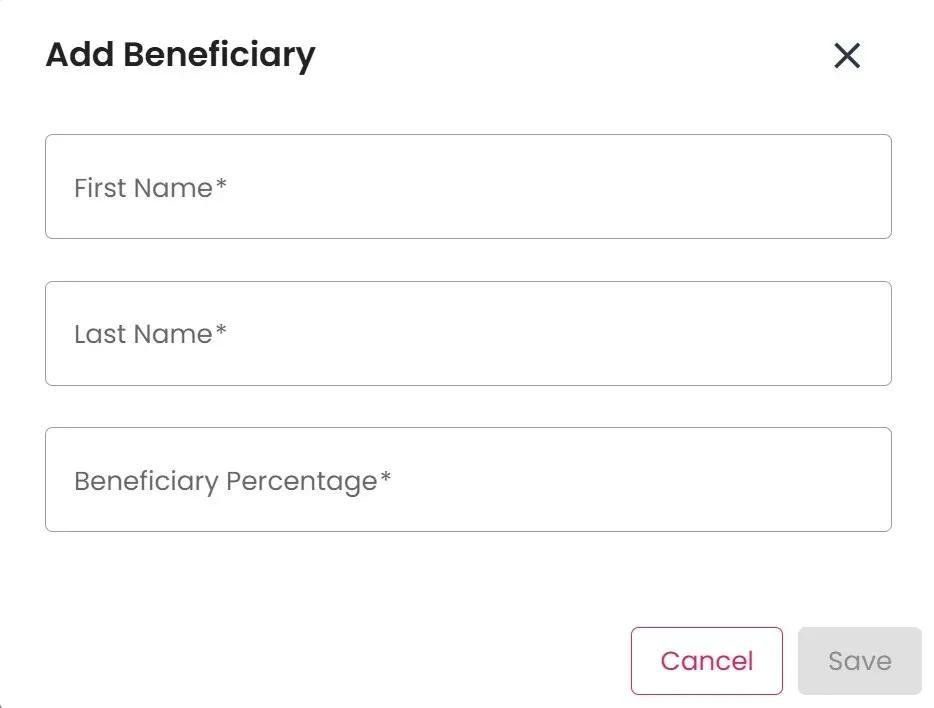
Beneficiaries List, Add Beneficiary Info Popup#
Note
All fields are required to add a beneficiary.
Other Actions#
To Perform Other Actions:
Find the Action column.

Beneficiaries List, Action Location#
See View or Edit a Beneficiary’s Details below for how to view or edit a beneficiary’s details.
See Delete a Beneficiary below for how to delete a beneficiary.
View or Edit a Beneficiary’s Details#
Click the View Beneficiary to view a beneficiary’s details.
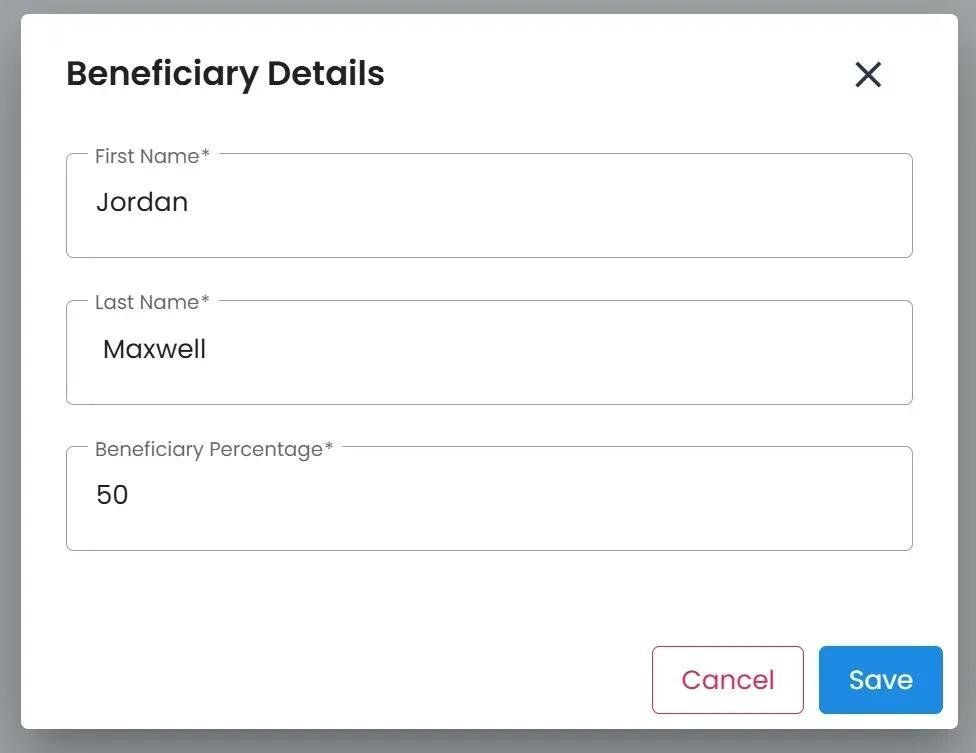
Beneficiaries List, View Beneficiary Info Popup#
Note
Follow the steps listed in the Other Actions section to find the View Beneficiary Button.
To Delete a Beneficiary:
Click the Delete Beneficiary to remove a beneficiary from the list.