
Cashout#
The Section: Cashout section allows you to request withdrawals from your investments.
Navigation Location#
Access Cashout from the navigation menu:
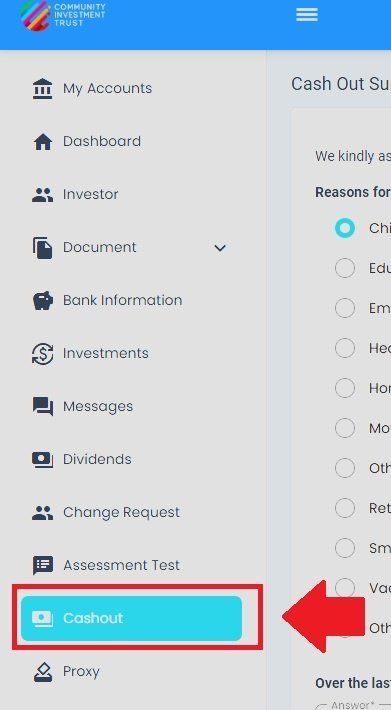
Investor Portal, Cashout, Navigation Menu Location#
How to Create a New Cashout Request#
Follow these steps to create a new cashout request:
Step 1: Complete Cashout Survey#
Fill out the cashout survey form:
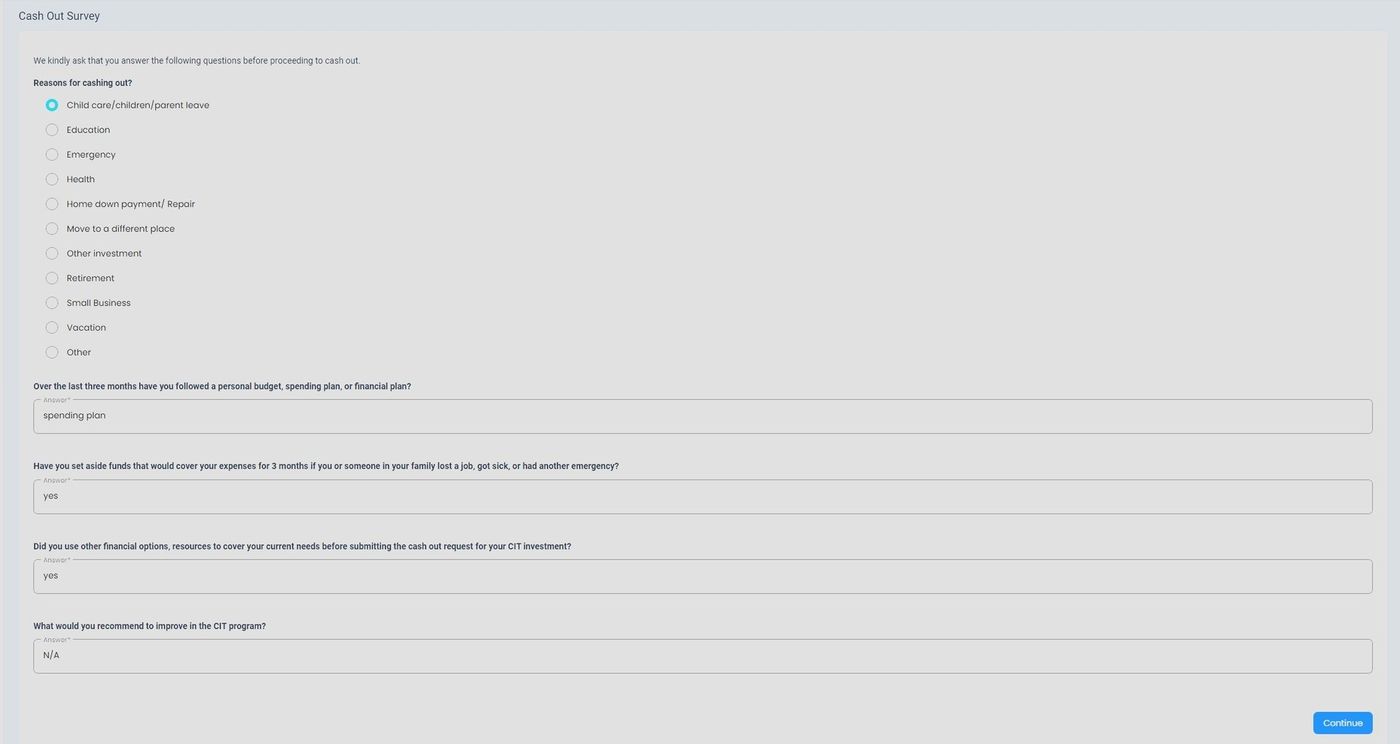
Cashout (Choose Payment), Step 1: Fill Out Cashout Survey#
Step 2: Select Bank Information#
Step 2.1: Open Bank Dropdown#
Click to select bank account for funds:

Cashout (Choose Payment), Step 2.1: Select Bank Information Dropdown#

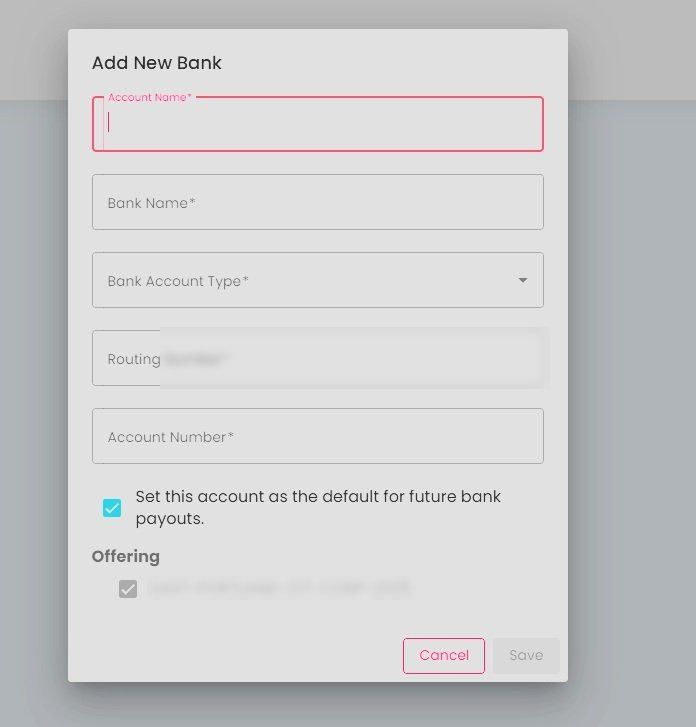
Step 2.2: Select Bank from Dropdown#
Choose your bank account:

Cashout (Choose Payment), Step 2.2: Select Bank from Dropdown#
Step 2.3: Continue to Next Step#
Click Action: Continue:
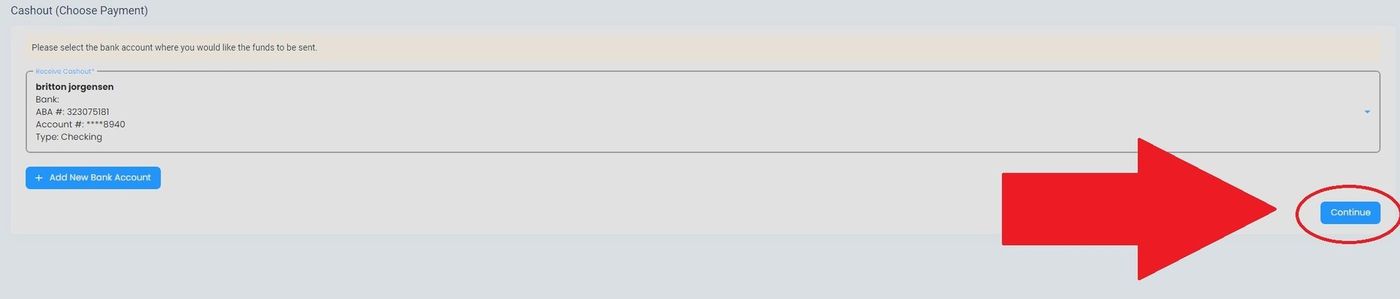
Cashout (Choose Payment), Step 2.3: Select Continue#
Step 3: Review and Sign Agreements#
Step 3.1: Allow Location Access#
Allow location access when prompted:
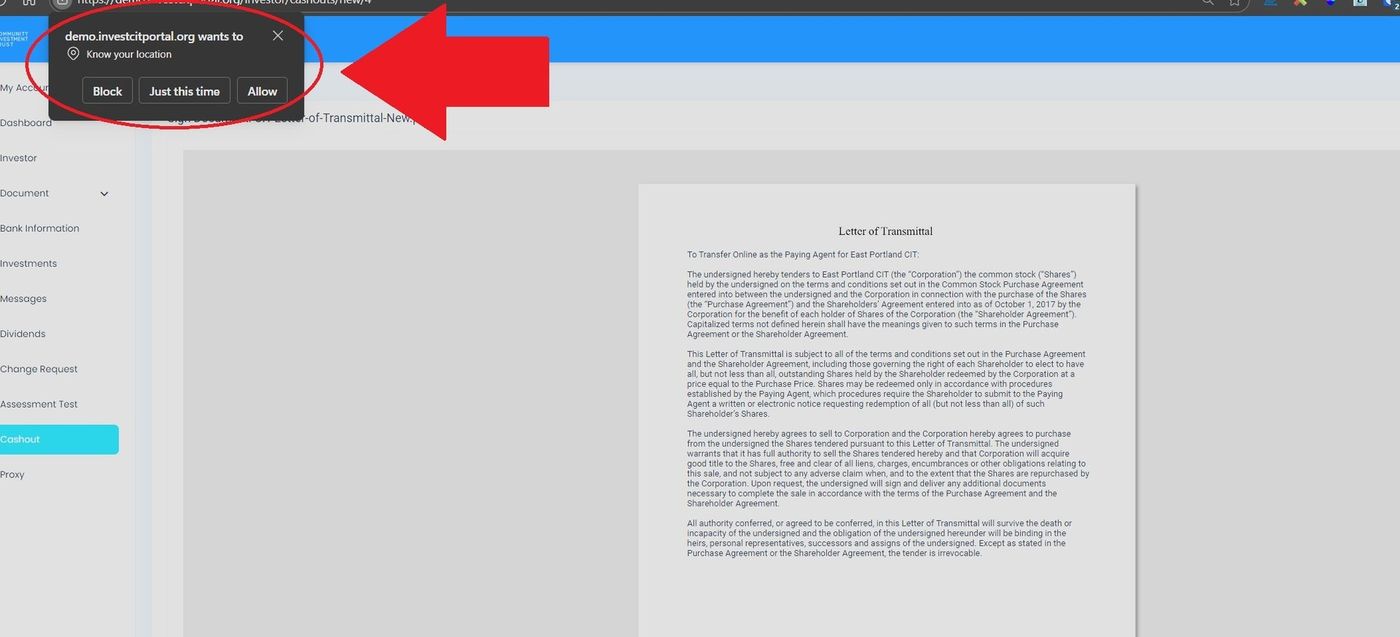
Step 3.1: Allow for Location#
Step 3.2: Read Agreements#
Review the agreement terms and select Action: Next:
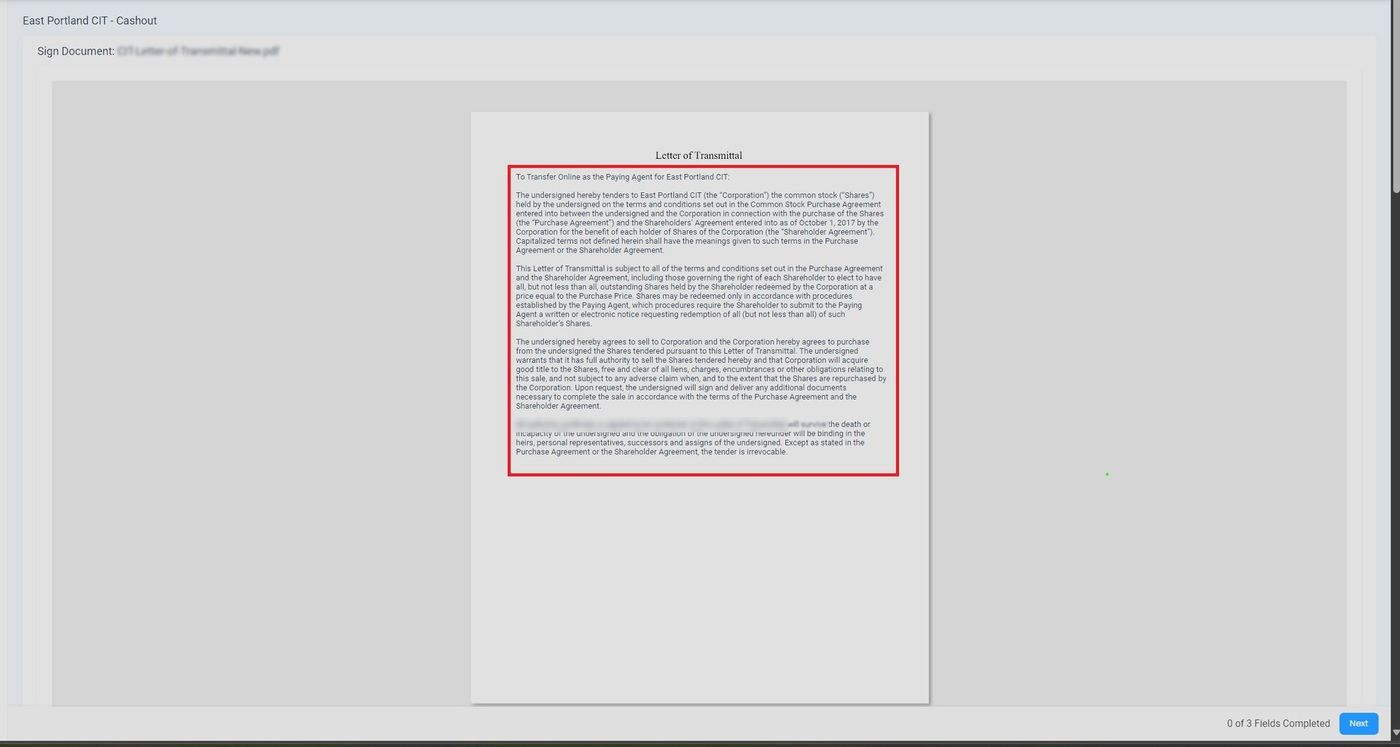
Step 3.2: Read Agreements#
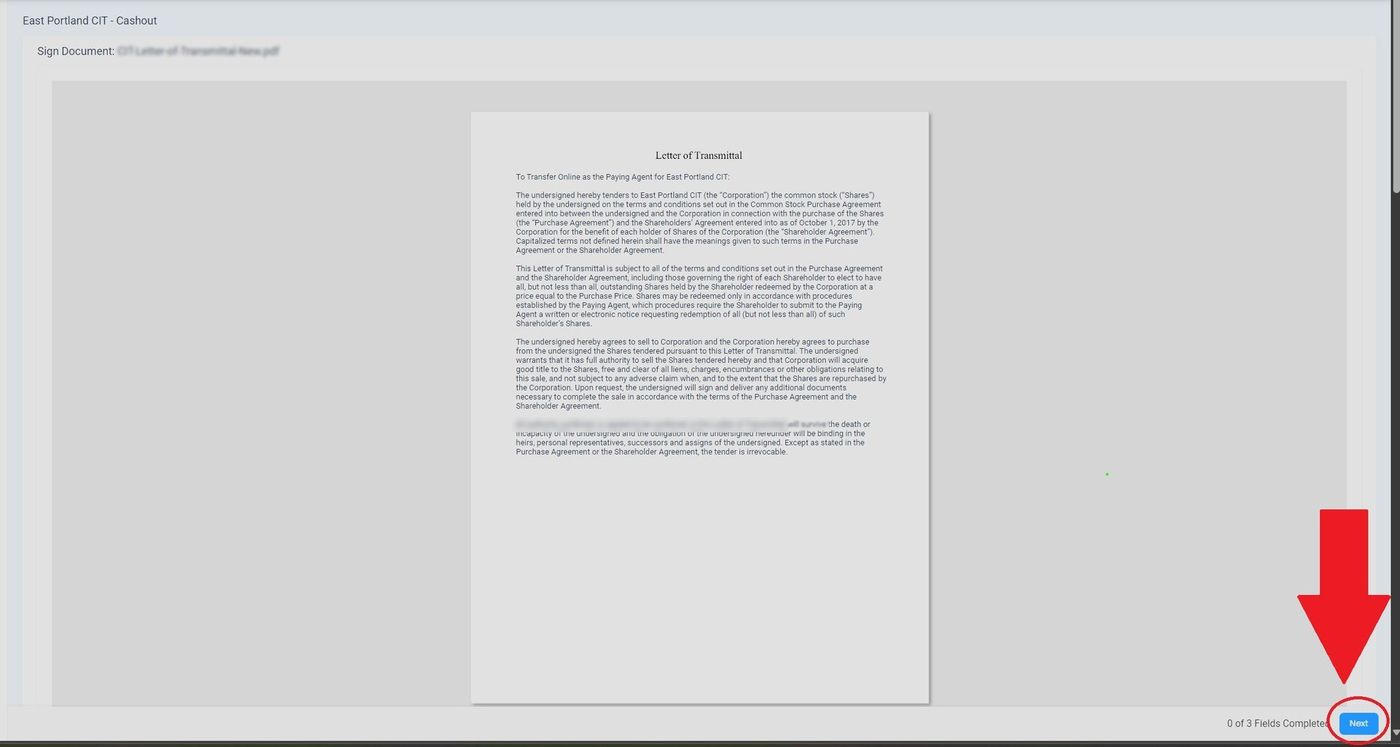
Step 3.2: Select Next to View Signing Sections#
Step 3.3: Select Cashout Option#
Choose your desired cashout option:
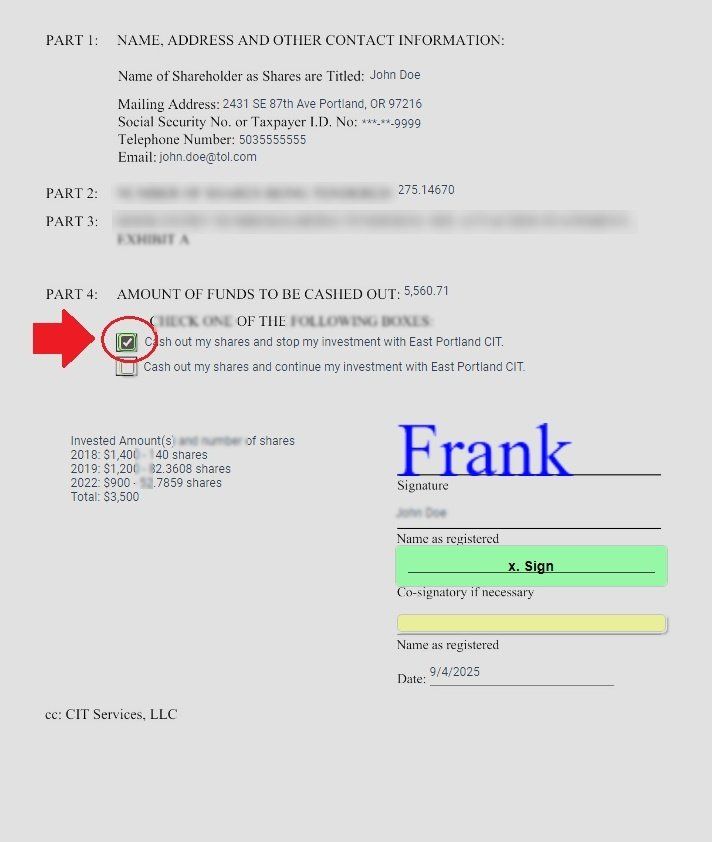
Step 3.3: Select Desired Cashout Option#
Step 3.4: Start Digital Signature#
Click the sign box to begin signing:
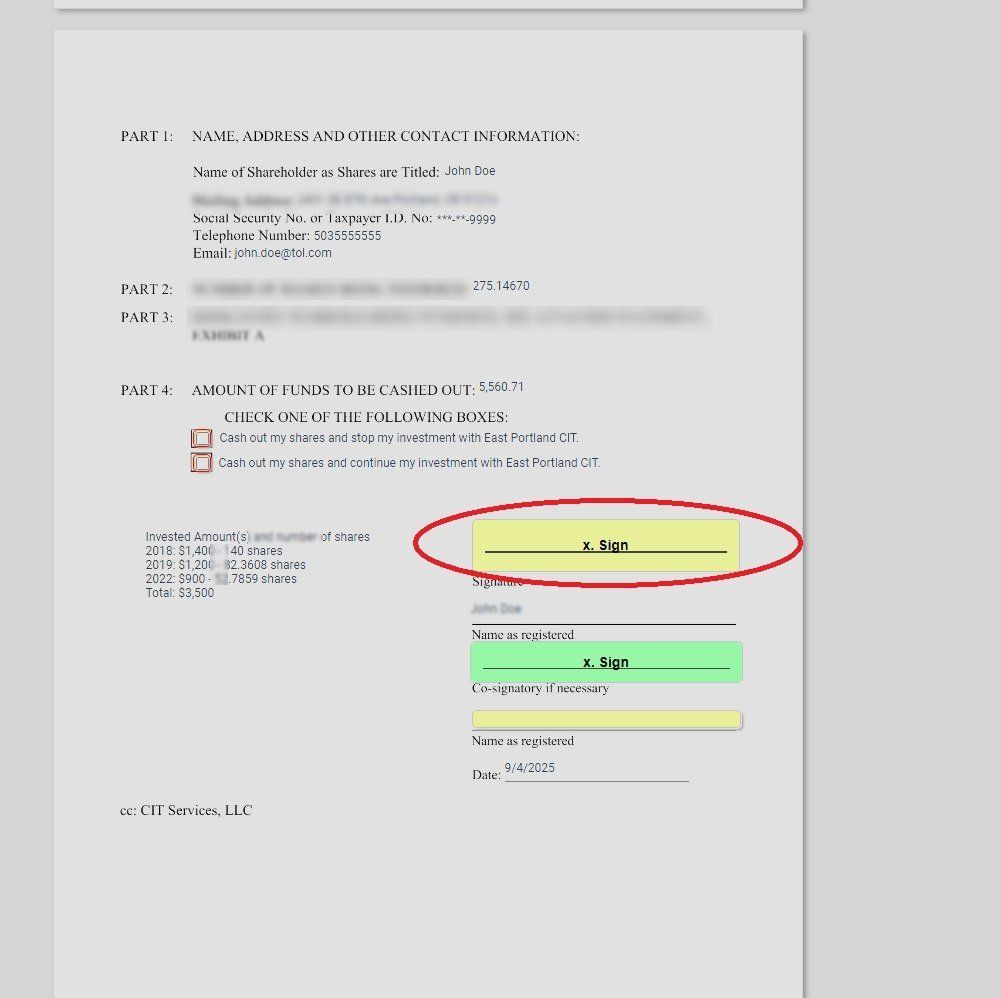
Step 3.4: Select Sign Box to Start Digital Signature#
Step 4: Complete Digital Signature#
Step 4.1: Choose Signature Type#
Select your signature type:
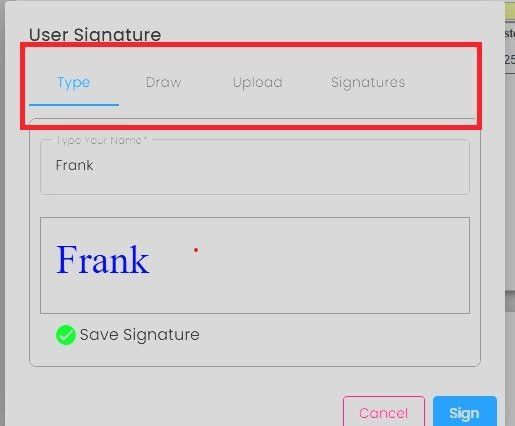
Step 4.1: Choose Type of Signature#
Step 4.2: Fill Out Name#
Enter your name:
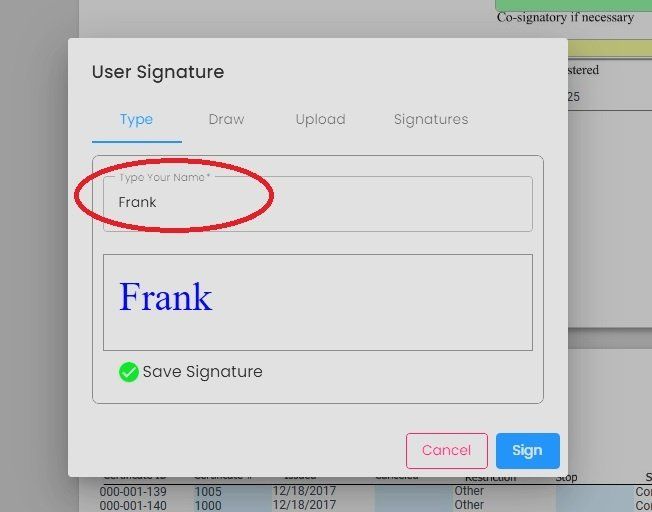
Step 4.2: Fill Out Name#
Step 4.3: Sign Form#
Complete your signature:
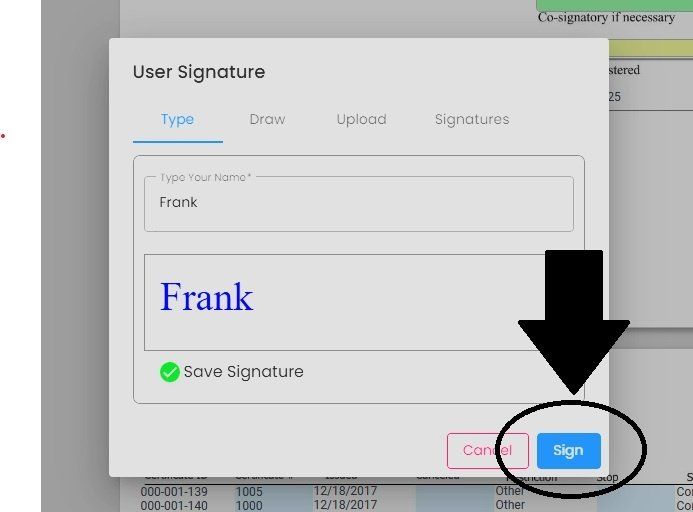
Step 4.3: Sign Form#
Step 5: Enter Registered Name#
Fill out your name as registered:
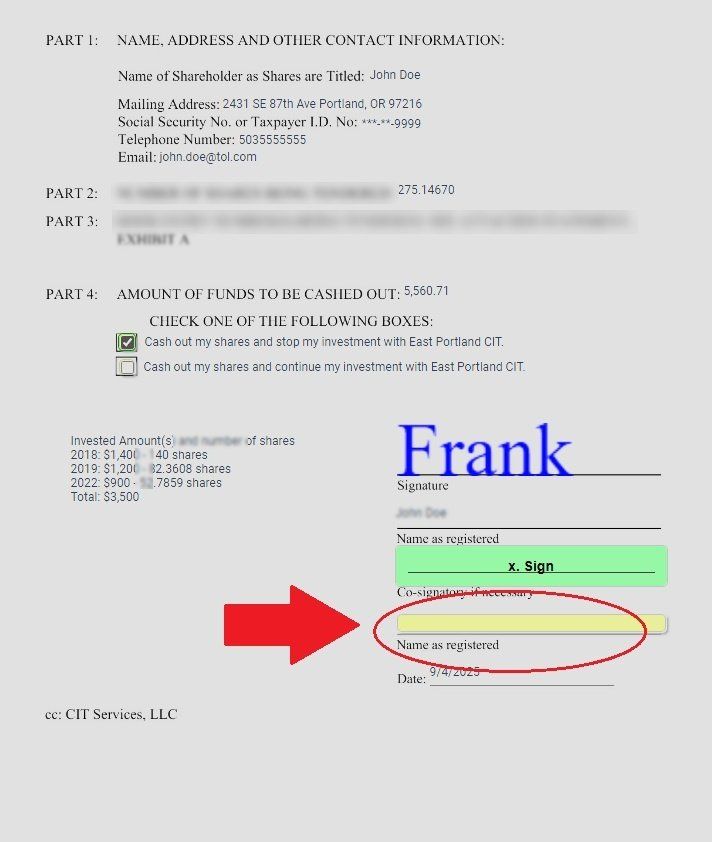
Step 5.1: Fill Out Name as Registered#
Step 6: Verify All Fields Complete#
Check that all fields are completed:
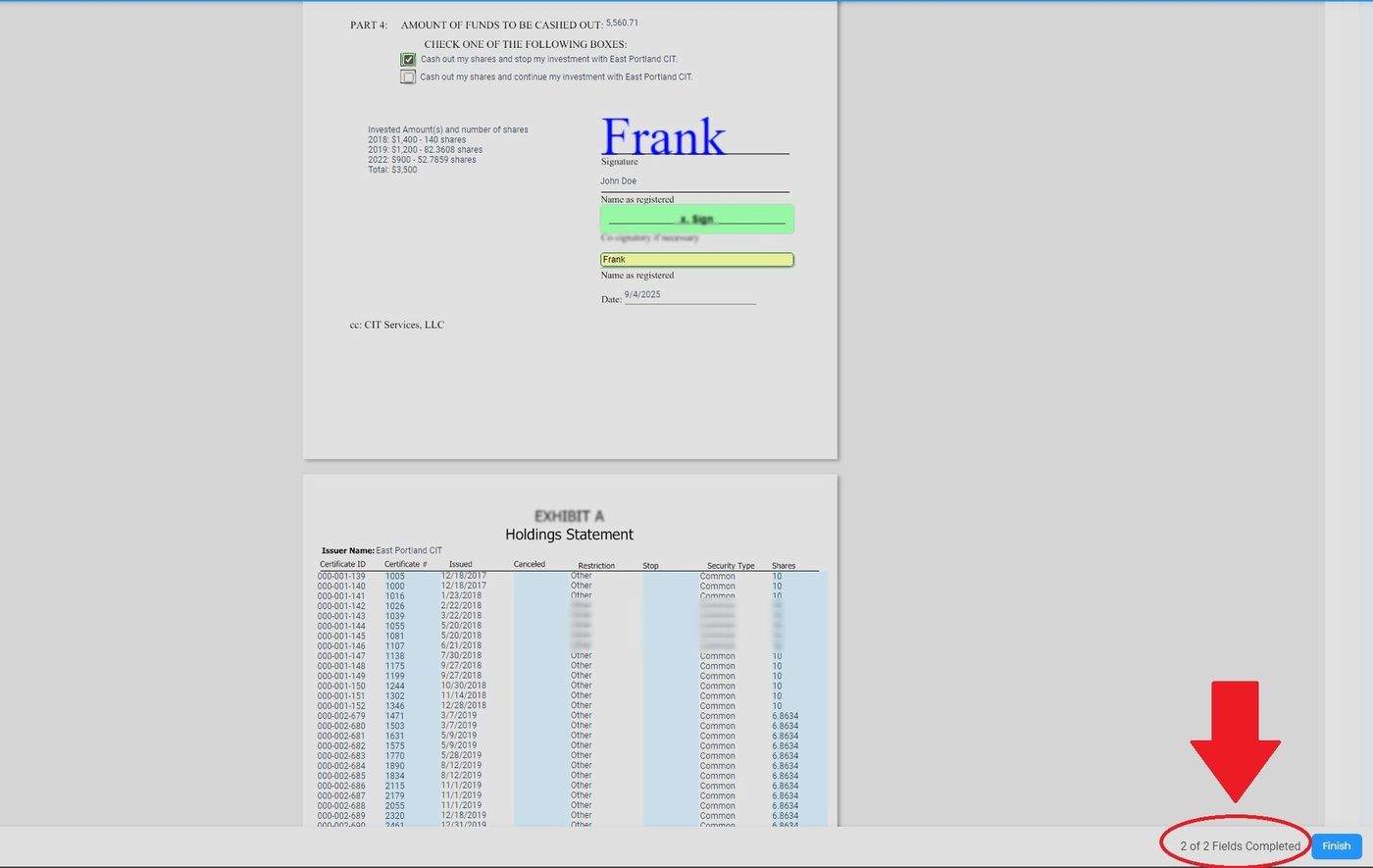
Step 6.1: Check All Fields Complete#
Step 7: Finish Process#
Select Action: Finish:
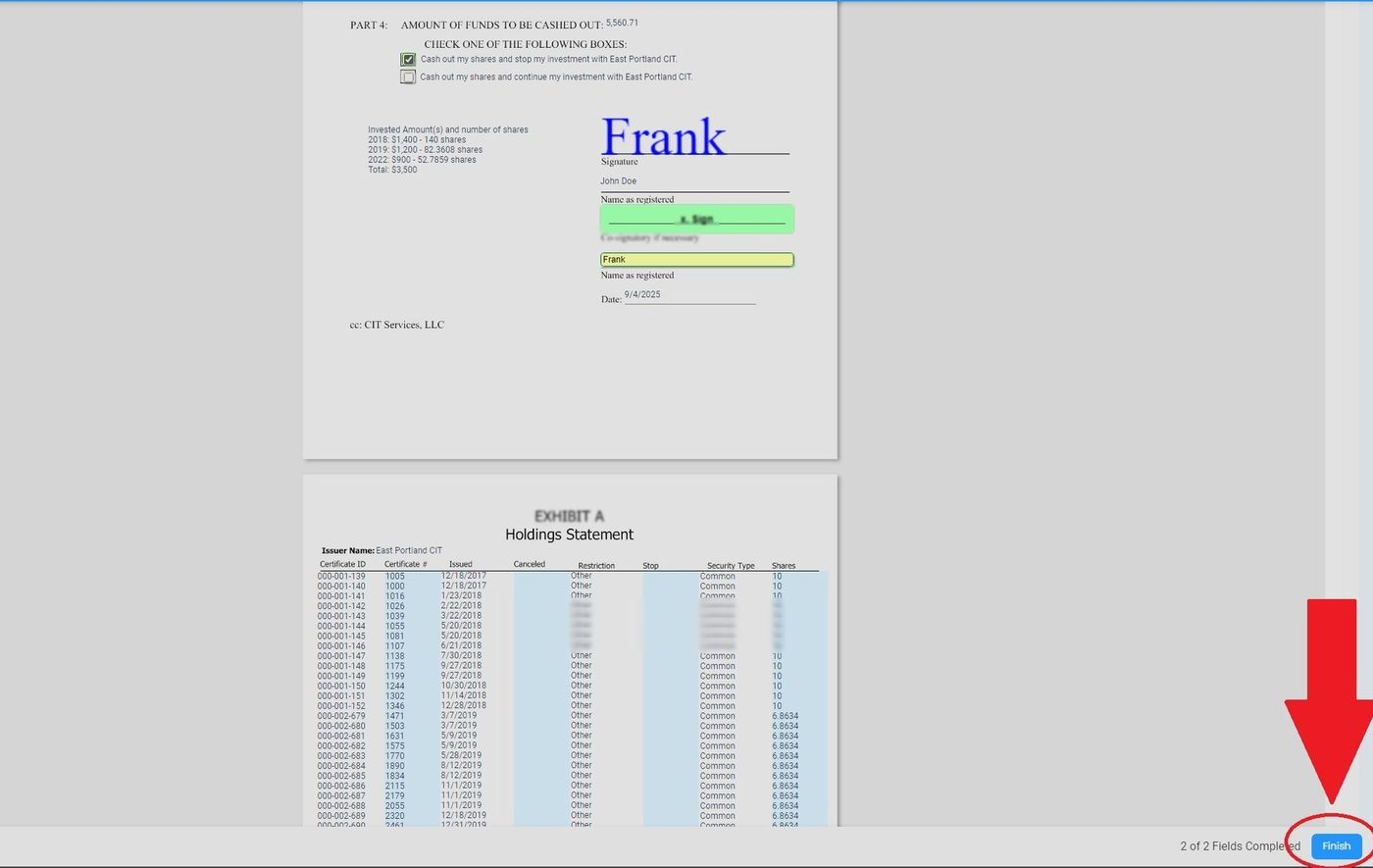
Step 7: Select Finish#
Step 8: Confirm Completion#
Select Action: OK from the information pop-up:
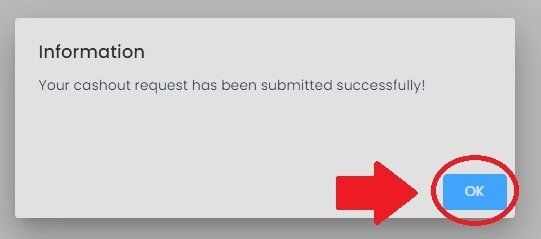
Step 8: Select OK from Information Pop-up#
Action Complete
Your cashout request has been submitted successfully. You can track its progress in the Cashout section.