
Change Requests#
The Section: Change Requests section allows you to submit and track formal requests to modify your investor information.
Location: Change Requests#
You can find the Section: Change Requests section in the Investor Portal:
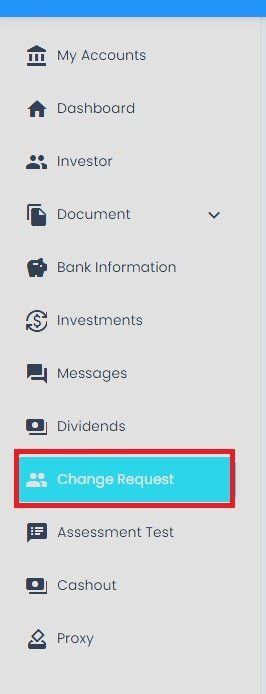
Change Requests Section Location#
Name Change Request List#
The Table: Name Change Request List displays all submitted name change requests and their current status.

Change Requests List Table#
Columns: Name Change Request List Table#
The Column: Columns for the Table: Name Change Request List table can be found at the top of the table:
Name Change Request List Table Column Headers#
The Table: Name Change Request List table includes the following columns:
Column: Current Account Name - The investor’s current registered name
Column: New Account Name - The requested new name for the account
Column: Req. By - Person who submitted the name change request
Column: Req. Date - Date when the request was submitted
Column: Status - Current status of the name change request
Column: Action - Available actions for this request
Filtering Change Requests#
To Filter by Status:#

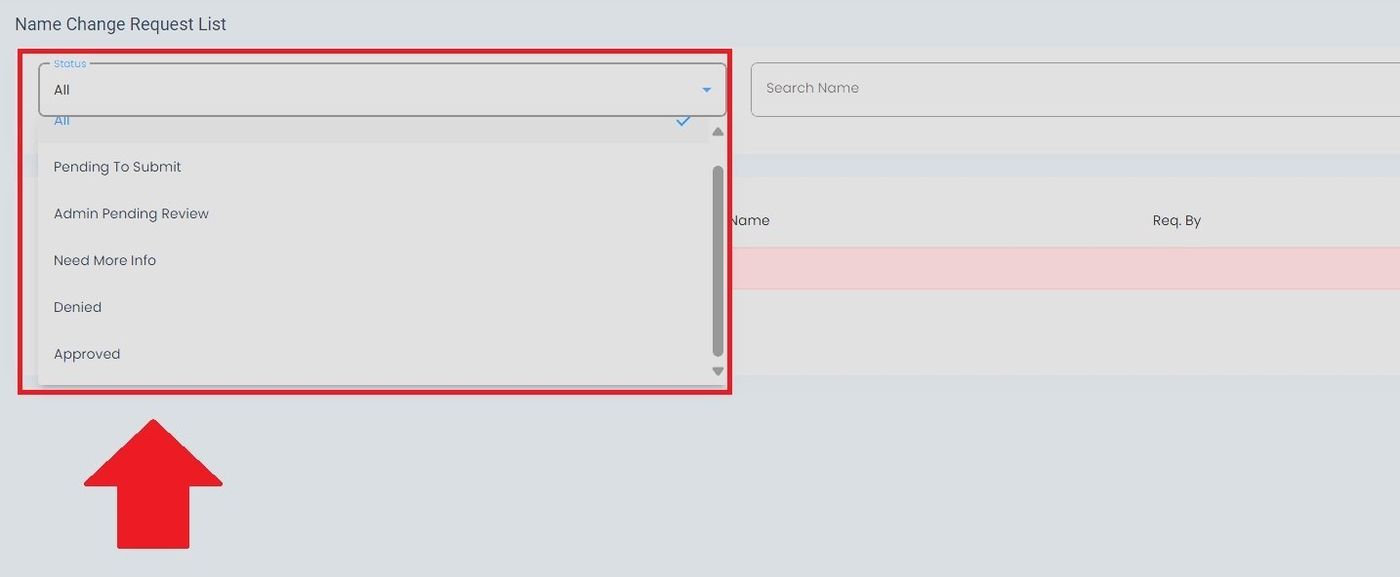
To Search for Specific Requests:#
Action: Enter the search term in the search field.

Search for Change Requests#