
Messages#
The Section: Messages section allows you to view and send communications to shareholders and other users.
Features: Messages#
The Section: Messages section allows you to:
Filter messages by CIT Corporation
Location#
The Section: Messages section is located under the Navigation Category: Communication category in the Item: Primary Sidenavigation menu.
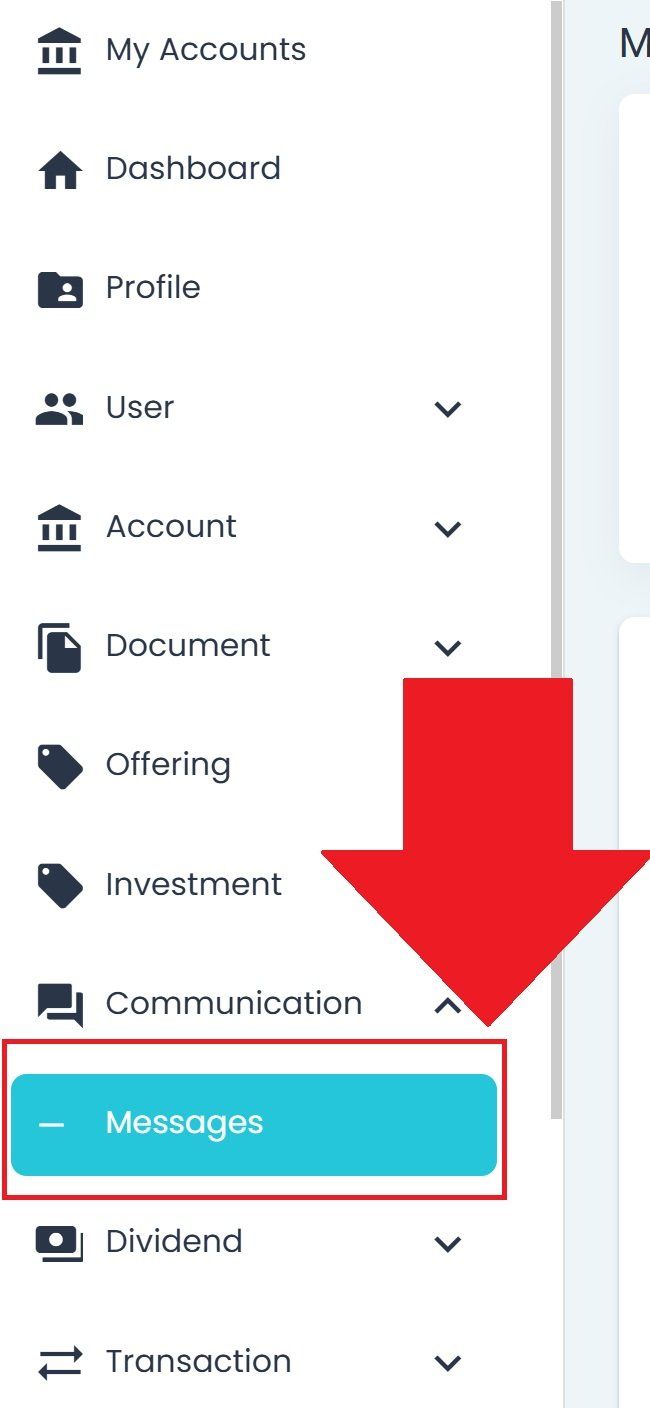
Messages Section Navigation Location#
Messages Overview#
The Section: Messages page displays messages organized by read/unread status.
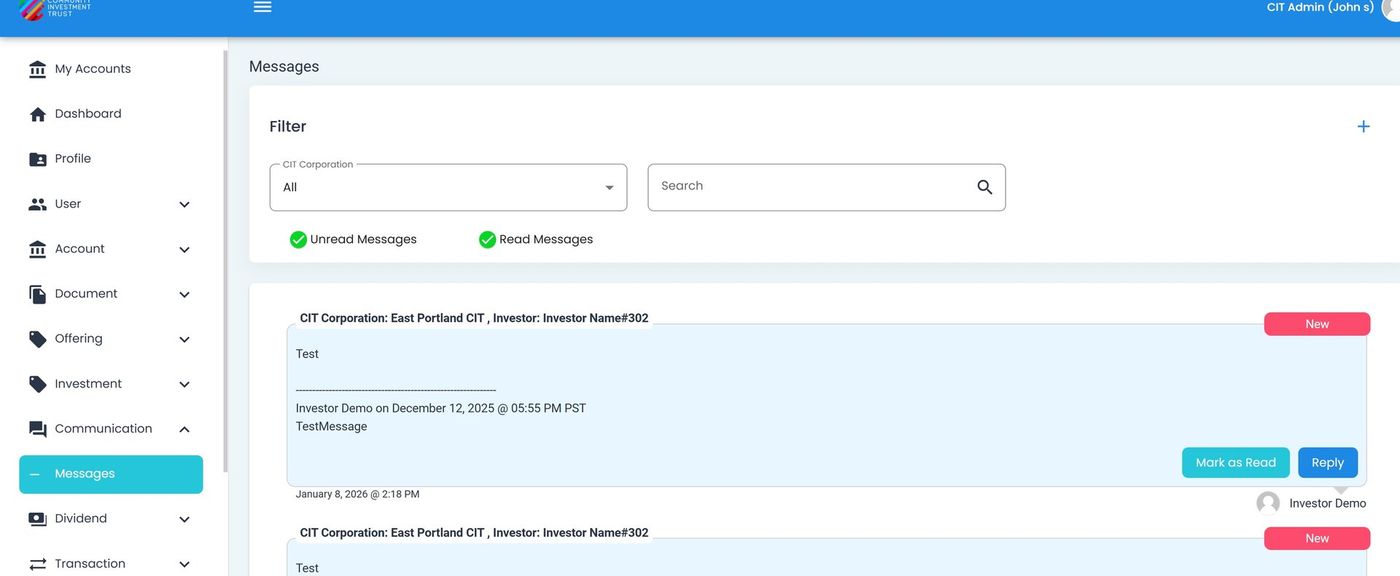
Messages Section Overview#
Filter by CIT Corporation#
Filter messages to show only those related to a specific CIT Corporation.
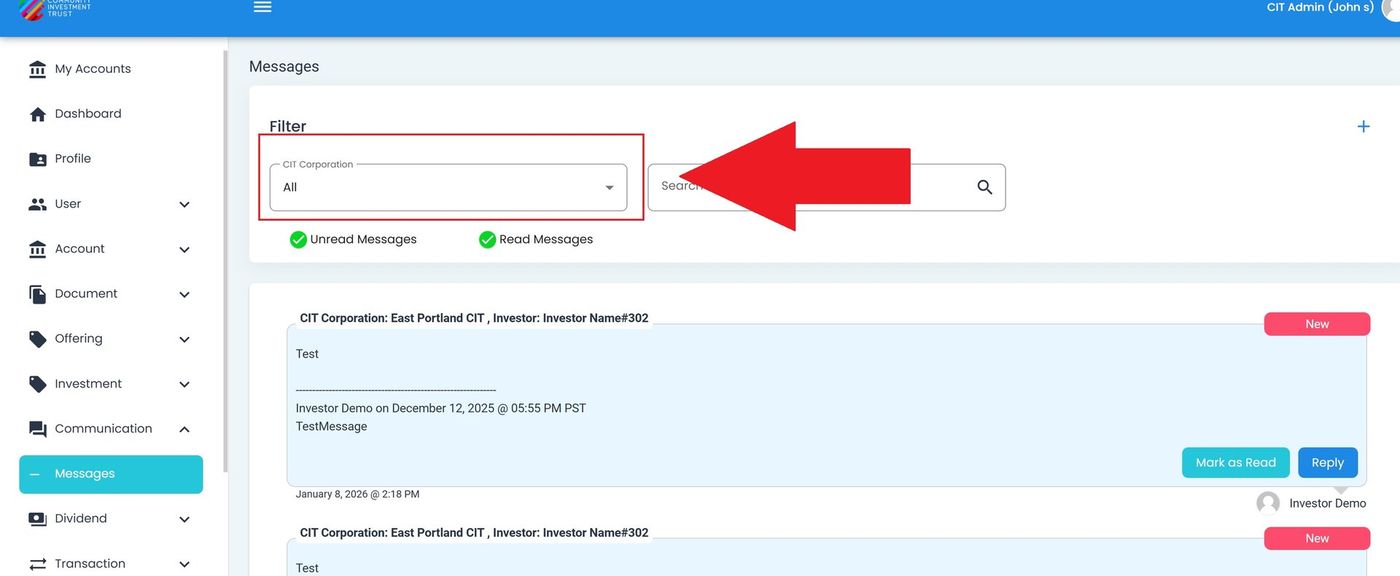
CIT Corporation Filter Dropdown#
Action: Locate the dropdown at the top of the page.
Action: Select a CIT Corporation from the dropdown.
Filter by Read/Unread Status#
Toggle between viewing unread and read messages.
Unread Messages#
The Section: Unread Messages section displays messages you have not yet read.
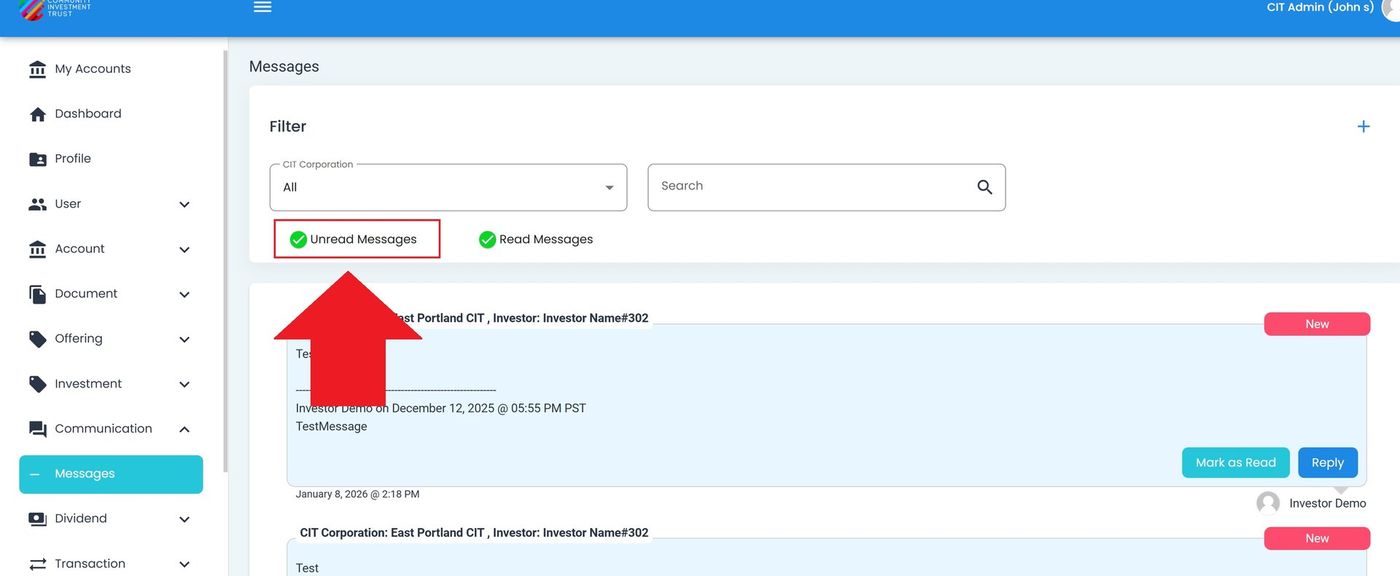
Unread Messages Section#
Read Messages#
The Section: Read Messages section displays messages you have already viewed.
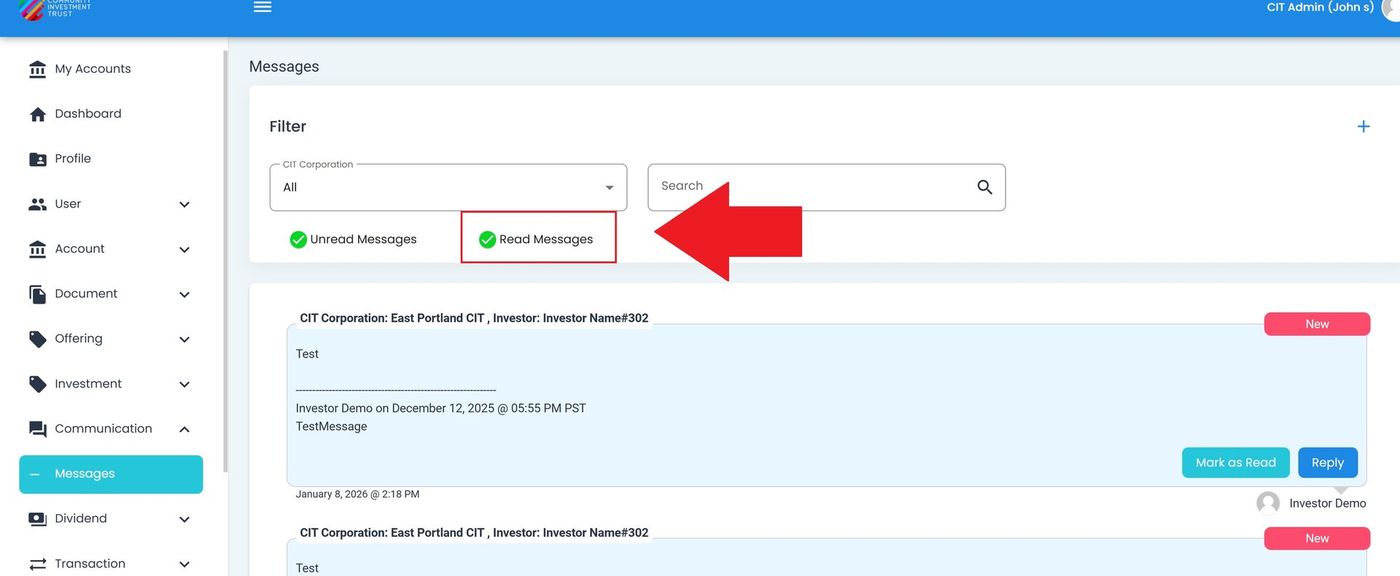
Read Messages Section#
Message Detail#
Action: Click on a message row to view the full message details.
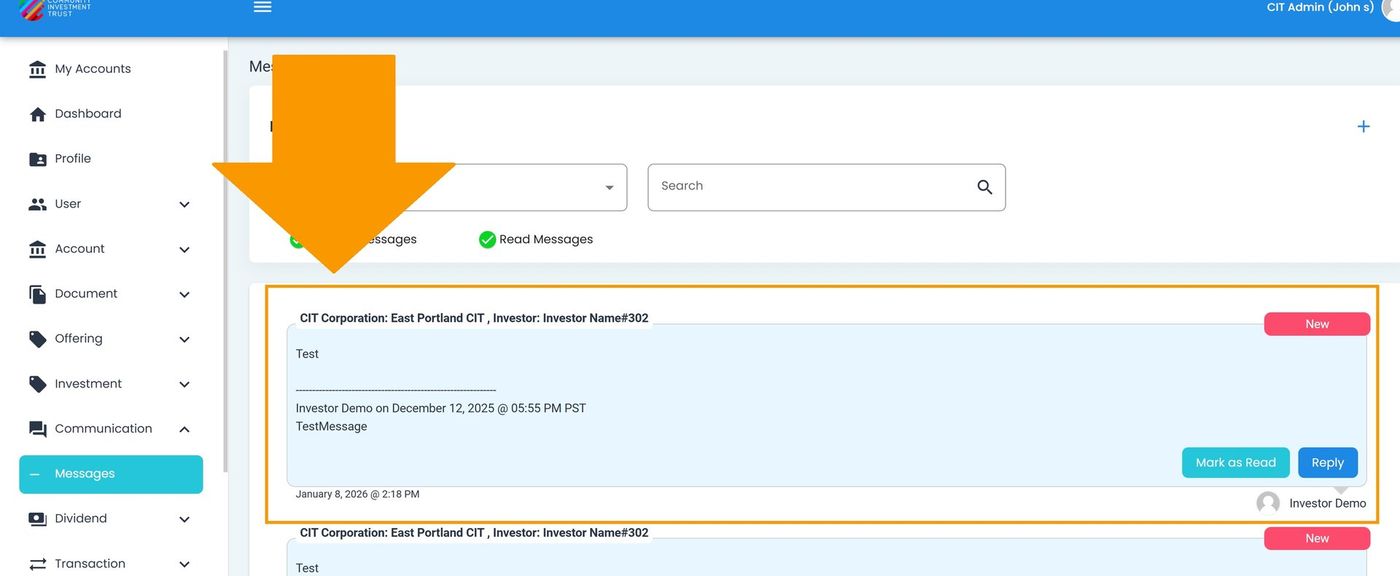
Message Detail View#
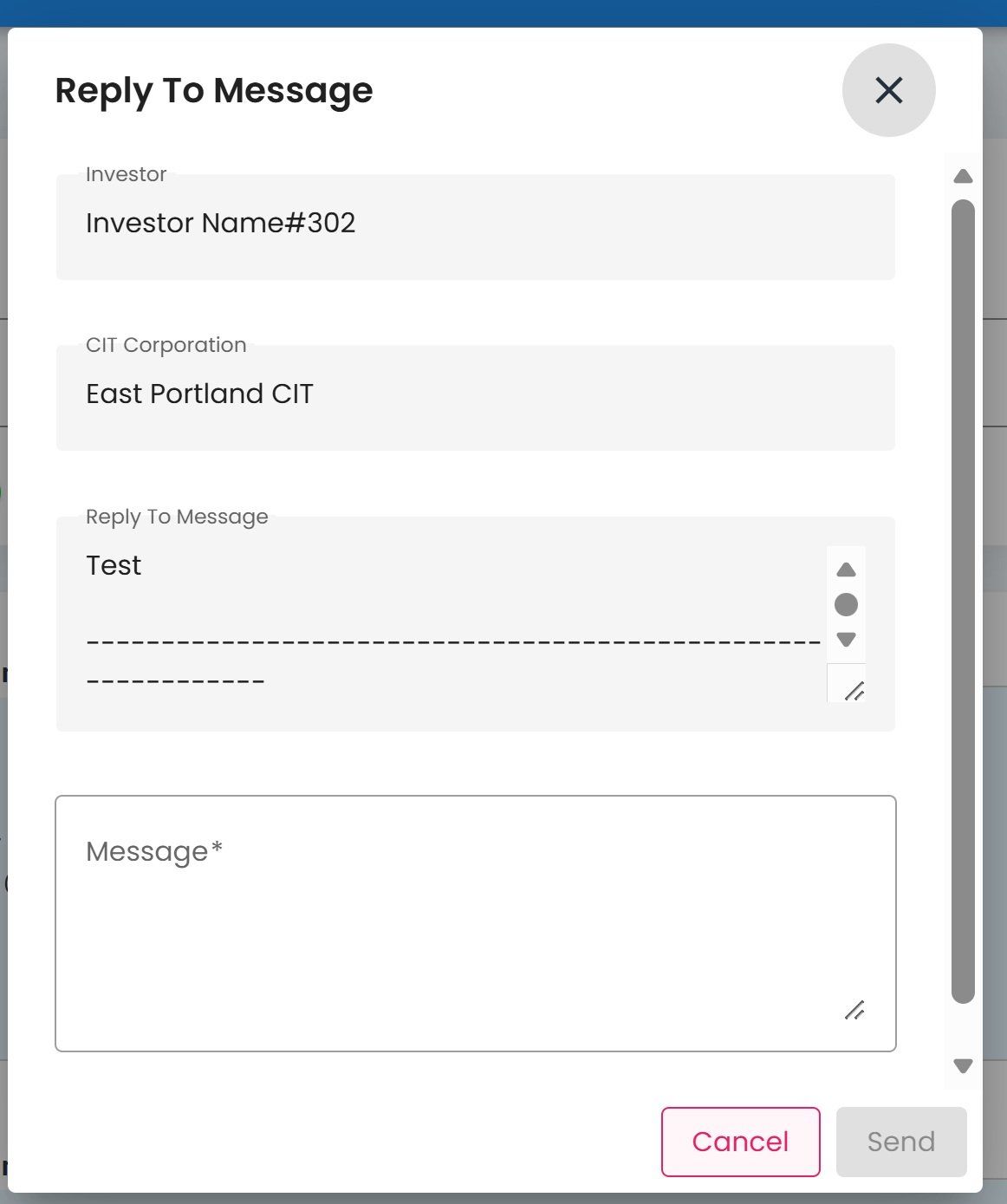
Compose New Message#
To send a new message:
Action: Click the or button.
The Send Message dialog opens with the following fields:
Message Form Fields
Subject - Enter the message subject
Message - Enter the message content
Action: Click to send the message, or to close without sending.