  • Home
  • Enterprise Manual
  • Investor Manual
  • Community Manual
  • CIT Corp Manual
  • How to Use This Site
Ctrl+K
CIT Manuals - Community - Home
  • Community Investment Trust (CIT) Documentation for Community Users

Community Manual

  • My Accounts
    • Identifying the Current Account
  • Dashboard
    • CIT Corporation Summary Table
    • CIT Corporation Cashout Table
    • CIT Corporation Summary (or Cashout) Table
  • Profile
    • Name and Contact Information
    • Primary Address
    • Mailing Address
  • User
    • Users
      • Users Homepage Location
    • Staff
      • Staff Homepage Location
  • Account
    • CIT Corporations List
      • Table: CIT Corporations List
      • View CIT Corporation Details
        • Corporation Information Tab
        • Legal Information Tab
        • Users Tab
    • Investors
      • View Investor Details
        • Beneficiaries Tab
          • Adding a New Beneficiary
        • Investor Details Tab
        • Holdings List Tab
          • Filter Holdings by Status
        • Documents List Tab
  • Document
    • CIT Corporation Onboarding Documents
      • CIT Onboarding Documents Table: Columns Explained
      • Status Filters for Onboarding Documents Table
      • Action: View More Details
    • CIT Corporation Offering
      • CIT Offering Documents Table: Columns Explained
      • CIT Offering Status Filter
      • View More Details
    • Investor Documents
    • View More Details: Documents
      • View Details: Tabs Explained
      • View Details: Cards Explained
  • Offering
    • Offerings
    • Enrollments
      • Enrollments Table
        • Using Enrollments Filters
        • Using Enrollments Search
  • Investment
    • Investor Summary
    • Monthly and Quarterly Investment Summary
  • Dividend
    • Dividends
    • Cash Payouts
  • Transaction
    • Directives
      • How to Filter by Status or Sponsor Organization
      • Viewing Directive Details
    • Complete Transactions
  • Settings
    • Community Profile
    • Staff Management
    • Receive Notifications
    • Demographic Questions
    • Renew Demographic Questions
    • Median Family Income (MFI)
  • Billing
    • Invoices
    • Payments
      • Viewing Payment Details
      • Adding Payment Credits
  • Communication
    • Messages
    • Send Notification
  • Proxy
  • Report
    • Shareholder List Report
    • Issuer Balance Report
    • Transaction List Report
    • Demographics Report
    • Renew Demographics Report
    • Compare Demographics Report
    • Cashout Reason Report
    • Assessment Test Report
  • Commmon
    • General Sidebar Navigation
    • How to Toggle Primary Sidebar
    • Information Pane
    • User Details Page
    • User Details: Accounts Tab
      • Accounts Tab Available Actions

Using Enrollments Search

  • Possible Search Options: Enrollemnts Table
  • How To: Search for Investors

Using Enrollments Search#

This section covers how search for Investors in the Table: Enrollments table works and what the options are.

Using Filters for Enrollments Table

See Using Enrollments Filters for more information.

Possible Search Options: Enrollemnts Table#

You can search for for names that would be in the Item: Investor column.
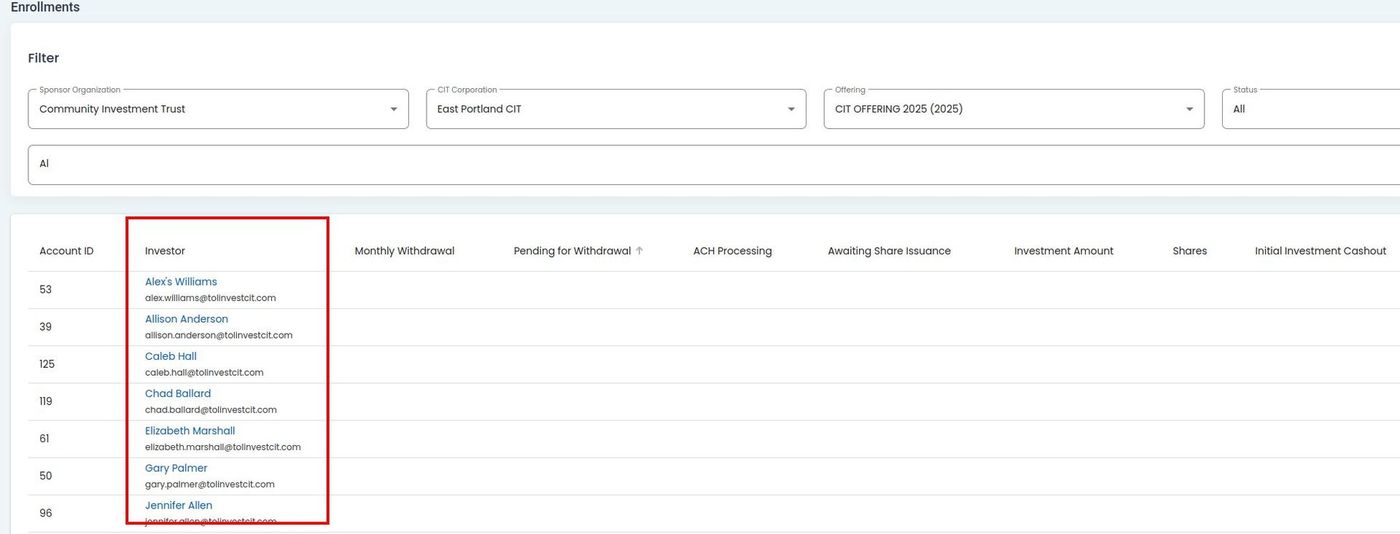
../../../_images/6-Offering_Enrollments_search-results-search-column-highlighted.jpg

Offering, Enrollments, Search Column Highlighted#

How To: Search for Investors#

To Search for Investors:

  1. Place your cursor in the search bar.

    ../../../_images/8-offering_enrollments_status-dropdown-location.jpg

    Offering, Enrollments, Search Bar Location#

  2. Type the name of the Item: Investor to see their Option: Status and overview.

    Search Results Automatically Populate

    When you type in the search bar, the search results will automatically populate.
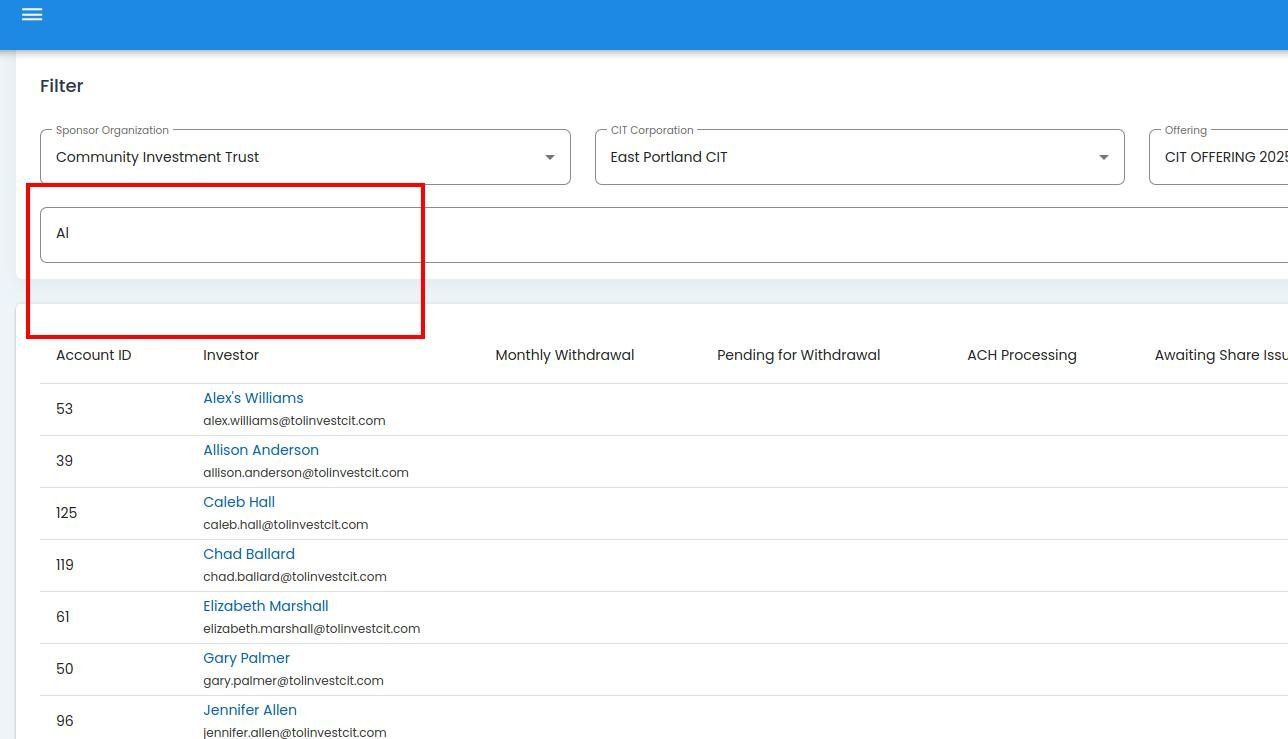
    ../../../_images/Offering_Enrollments_search_example_name_in_field.jpg

    Offering, Enrollments, Search Example, Name in Field#

  3. Action: Click the Item: Investor to view their Investor Details.

previous

Using Enrollments Filters

next

Investment

  • Possible Search Options: Enrollemnts Table
  • How To: Search for Investors

© Copyright 2026, Transfer Online..