
Adding a New Beneficiary#
To add a new beneficiary to the investor’s account:
Click the plus icon [+] at the top right of the Table: Beneficiaries Table.
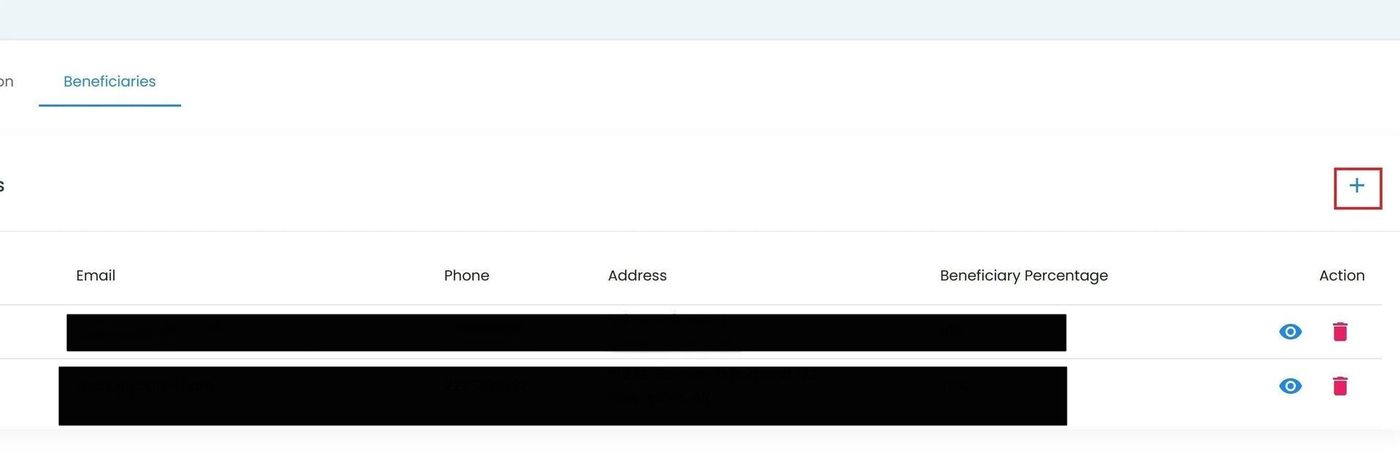
Investor Details, Add Beneficiary Button Location#
The Add Beneficiary popup will appear.
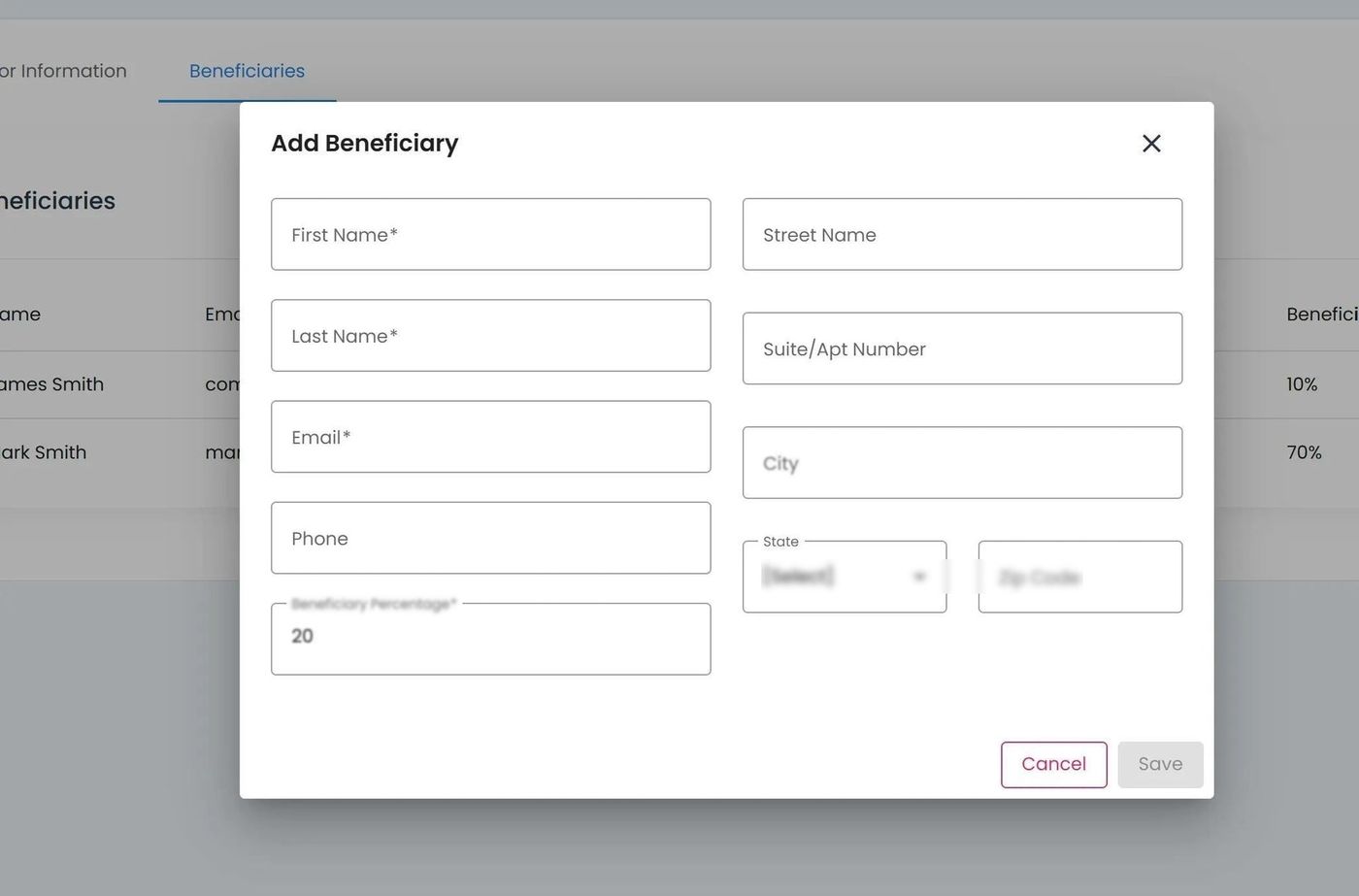
Add Beneficiary Popup#
Place cursor in desired field.
Fill in relevant information.
Possible fields include:
Required field: First Name
Required field: Last Name
Required field: Email
Optional field: Phone
Required field: Beneficiary Percentage
Optional field: Address information
Fill in necessary information, which can include the following
Action: Click the Action: Save button to add the beneficiary.
Note
The total allocation percentage across all beneficiaries must add up to 100%.