
Enrollments Table#
The Table: Enrollments table provides a comprehensive overview of the Enrollment Statuses of each Item: Investor in the system.
Columns: Enrollments Table#
The Column: Columns for the Table: Enrollments table can be found at the top of the table:
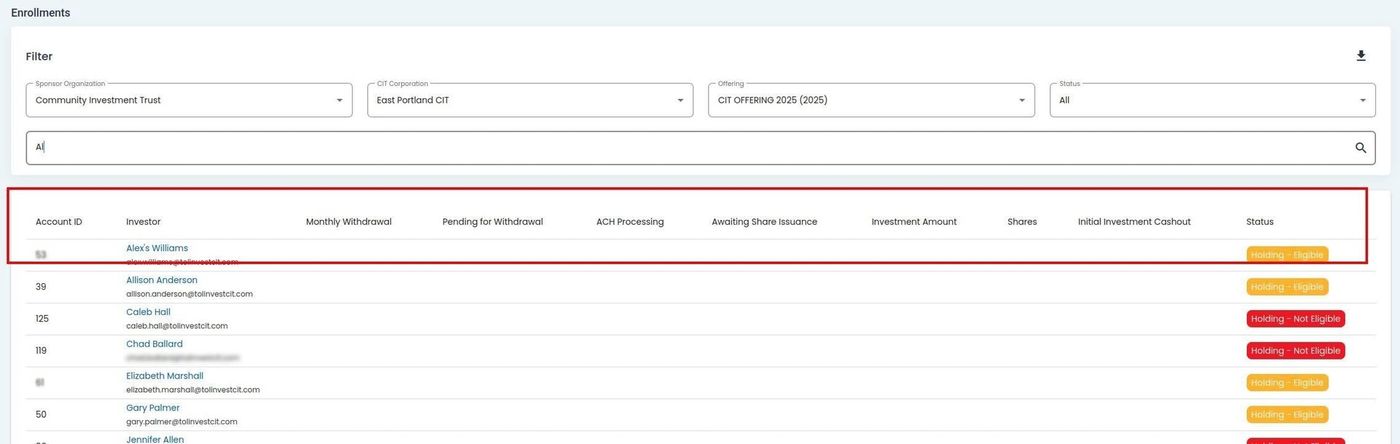
Offering, Enrollments, Enrollments Table, Columns#
The Table: Enrollments table will have the following columns:
Column: Account ID - Unique identifier assigned to each account in the system.
Column: Investor - Name or identifier of the investor linked to enrollment.
Column: Monthly Whiteboard - Monthly summary or notes related to the account’s activities.
Column: Heading for Whiteboard - Title or label used to categorize items on whiteboard.
Column: A2P Processing - Status of Application-to-Person (A2P) transaction processing activity.
Column: Avoiding Share Resource - Indicates actions taken to prevent using shared stock resources.
Column: Investment Amount - Total dollar value invested in the specific transaction or offering.
Column: Shares - Number of shares owned or transacted in this record.
Column: Hold Investment/Cashout - Indicates if investment is held or being cashed out.
Column: Status - Current state of the investment enrollment process for this record.