
View Proxy Details#
This section describes how to view detailed information for proxy voting records.
Accessing Proxy Details#
To view proxy details:
Navigate to the Section: Proxy section
Locate the record in the Table: Proxy List table
Action: Click the Action: View button in the Column: Action column
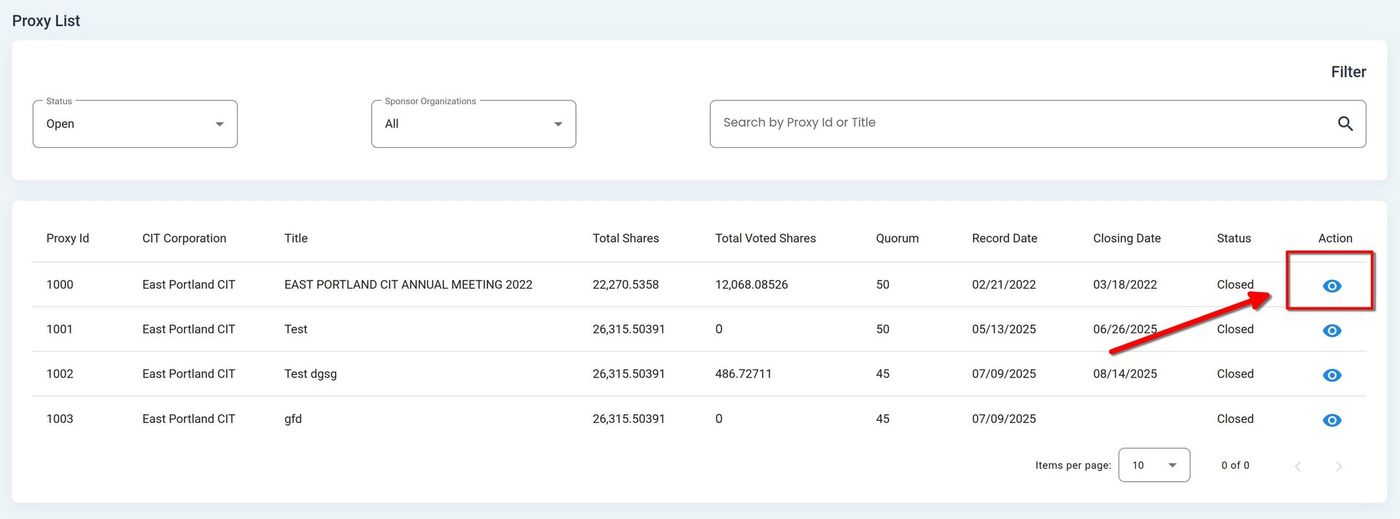
View Button Location in Action Column#
The system opens the Proxy Details page, displaying the Proxy Information tab by default
Proxy Details Information#
The detail view displays comprehensive information about the selected proxy record through multiple tabs.
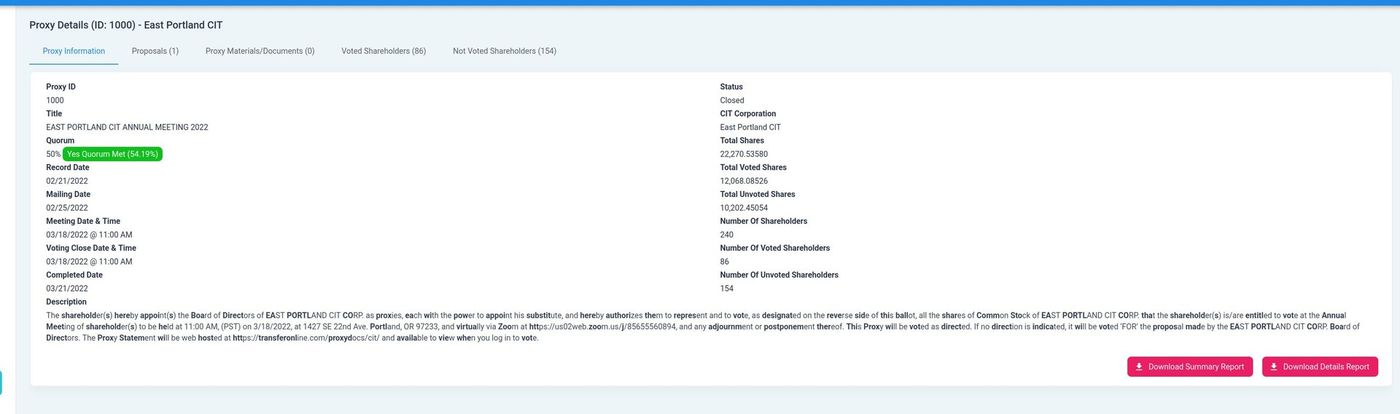
Proxy Detail View with Tabs#
The Proxy Information tab contains two major field sections:
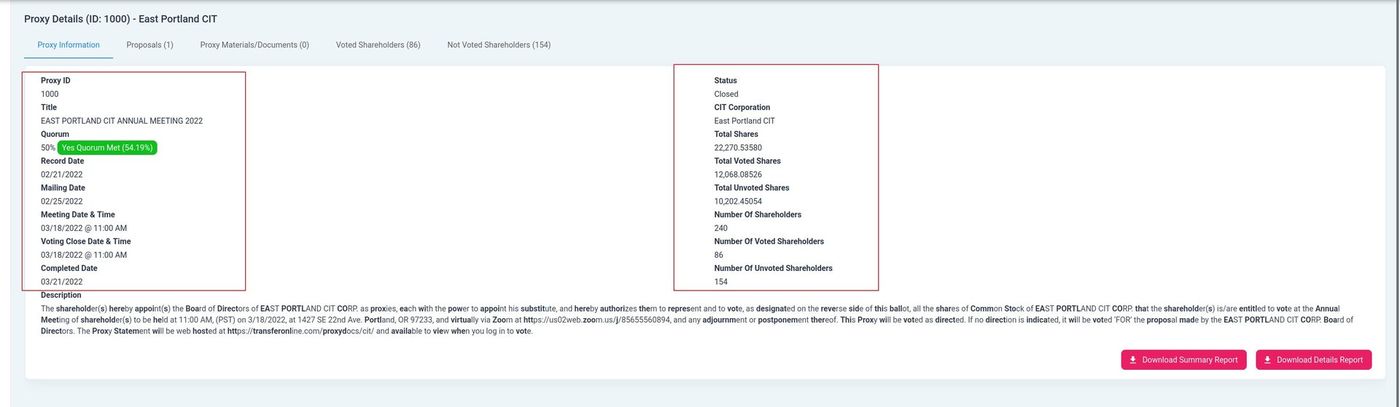
Proxy Information Tab Field Sections#
Left Panel - Proxy Details - Core proxy information
Right Panel - Shareholder Metrics - Voting statistics
For complete field descriptions, see the Proxy Information Tab documentation.
Available Tabs#
The proxy detail page contains the following tabs:
Proxy Information - Core proxy details, dates, and shareholder metrics
Proposals - Voting proposals and results
Proxy Materials/Documents - Associated documents
Voted Shareholders - List of shareholders who have voted
Not Voted Shareholders - List of shareholders who have not voted
Available Actions#
From the detail view, you can perform the following actions:
Action: Download Summary Report - Generate a summary PDF of proxy voting results
Action: Download Details Report - Generate a detailed PDF with complete voting breakdown