
Filter by Status#
Filter the Proof of Address list by Item: Status to focus on records in a specific verification state.
Locate the Item: Status filter dropdown.
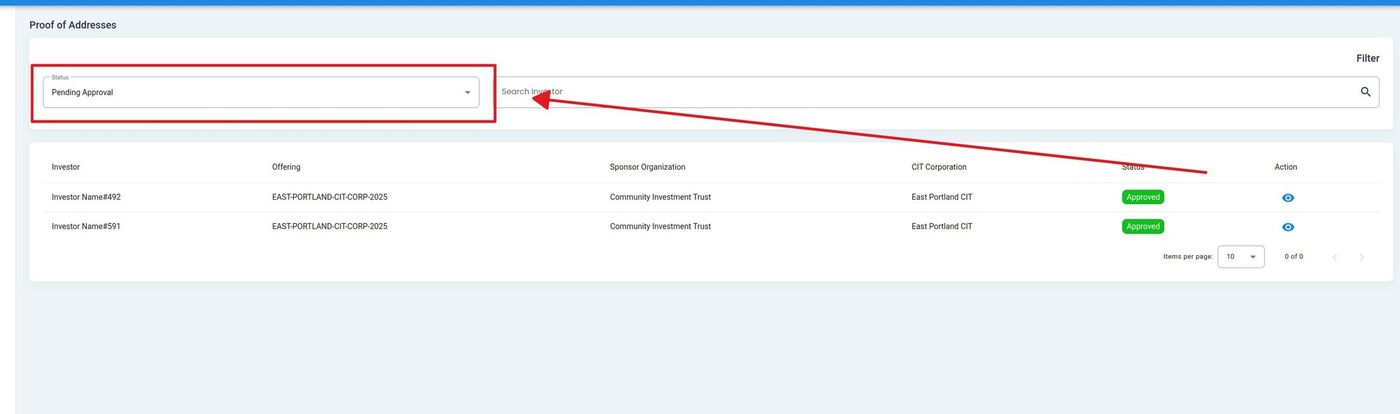
Proof of Address List, Status Filter Location#
Select a status from the dropdown to filter results.
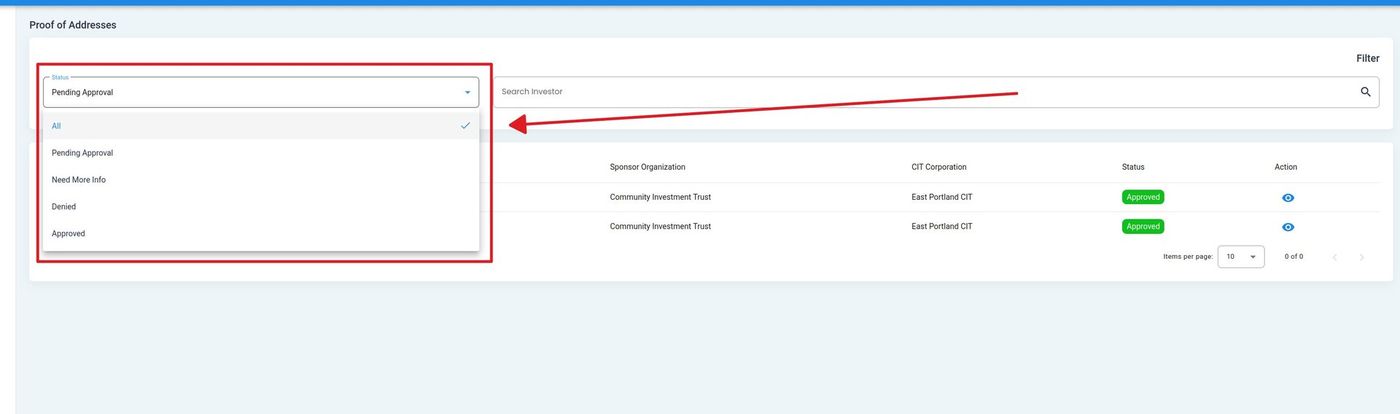
Proof of Address List, Status Dropdown Expanded#
Action Complete
The proof of address list updates to display only records matching the selected status.
Status Definitions#
The following statuses are available for filtering Proof of Address records:
Status: All - View all proof of address submissions regardless of verification status.
Status: Pending Approval - Submissions awaiting administrator review and verification.
Status: Need More Info - Submissions that require additional documentation or clarification from the investor.
Status: Denied - Submissions that did not meet proof of address requirements and were denied.
Status: Approved - Submissions that have been reviewed and verified as valid proof of address.