
Dividends Tab#
The Tab: Dividends tab displays all dividend distributions associated with the selected investor’s holdings.
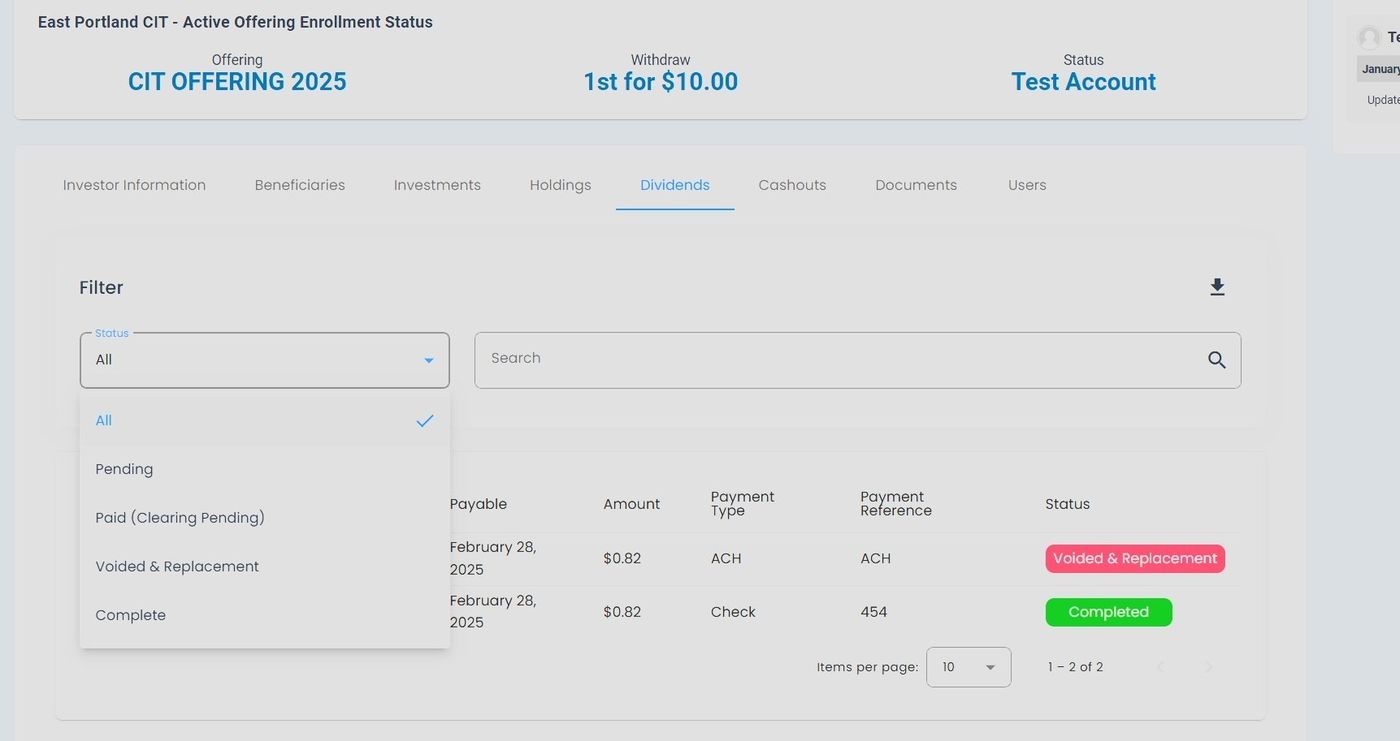
Dividends Tab Location#
Features#
The Section: Dividends section allows you to:
View all historical dividend distributions
Track upcoming dividend payments
Filter dividends by payment status
Calculate total dividend income
Export dividend data to Excel for tax reporting
Dividends Table#
The Table: Dividends List table displays all dividend payments for the investor.
Columns: Dividends List Table#
The Column: Columns for the Table: Dividends List table can be found at the top of the table:
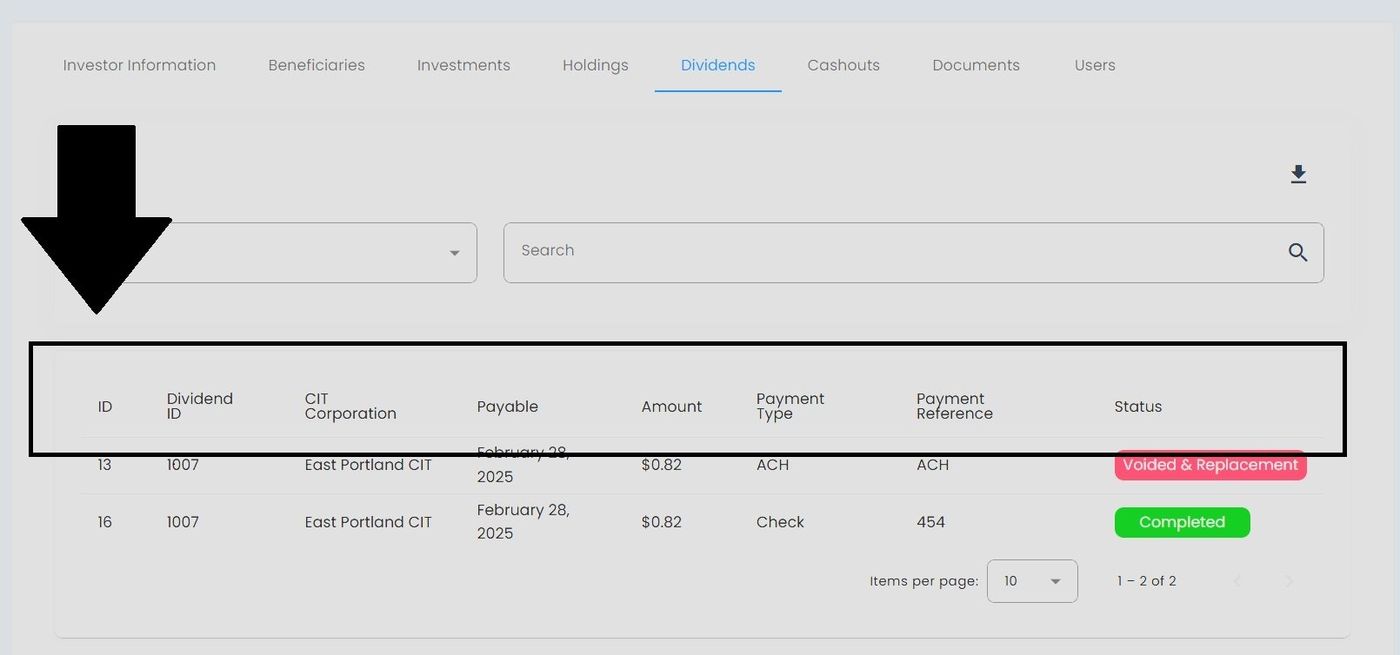
Dividends Table Column Headers#
Column: Dividend ID - Unique identifier for the dividend payment.
Column: CIT Corporation - The corporation issuing the dividend.
Column: Payment Date - Date when the dividend was or will be paid.
Column: Record Date - Date determining eligible shareholders.
Column: Amount Per Share - Dividend amount per share held.
Column: Total Amount - Total dividend payment to this investor.
Column: Status - Current status of the dividend payment.
Filter Options#
Filter by Status#
You can filter dividend records by their payment status:
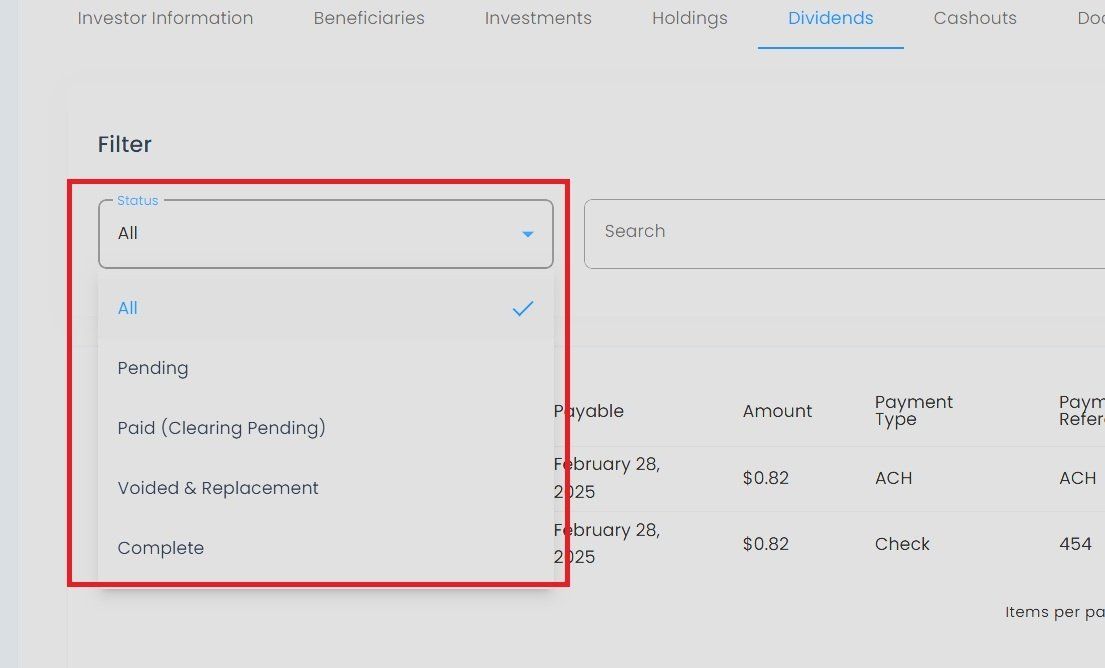
Dividends Tab, Status Filter Options#
Available status options:
Item: All - View all dividend records
Item: Paid - Completed dividend payments
Item: Pending - Scheduled but not yet paid
Item: Processing - Currently being processed
Export Functionality#
You can export dividend data for reporting purposes:
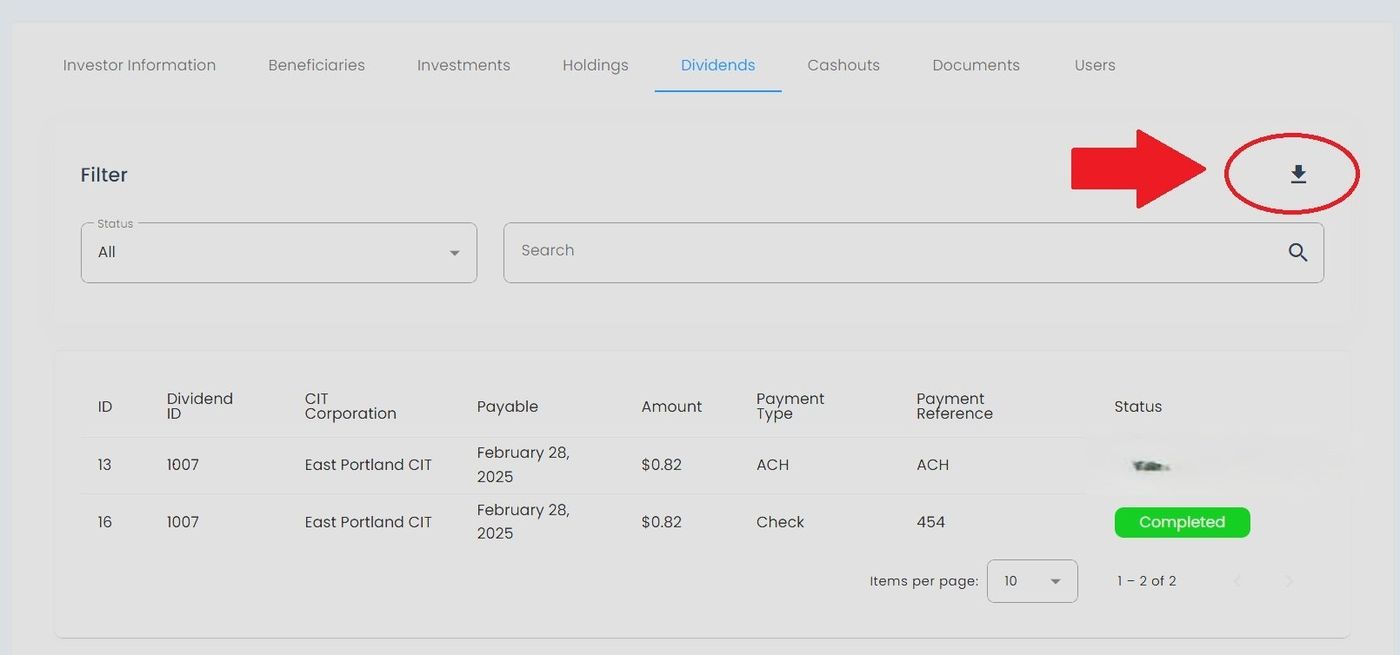
Dividends Tab, Export to Excel#
To Export Dividend Data:#
Action: Select the Export to Excel button at the top right of the dividends table.
The system generates an Excel file containing all visible dividend records.
Your browser downloads the file automatically to your default downloads folder.
Note
The export will only include dividend records currently visible based on your filter selections.