
Cashout Reason Report#
The Section: Cashout Reason Report provides insights into why investors choose to cash out their investments, helping organizations understand investor behavior and improve retention strategies.
Location
Report > Cashout Reason
Features: Cashout Reason Report#
The Section: Cashout Reason Report allows you to:
Report Location#
The Page: Cashout Reason page is located in the Report category in the Item: Primary Sidenavigation menu.
Don’t see the Primary Sidenavigation menu?
See How to Toggle the Primary Sidenavigation menu for more information.
Report Filters#
Before viewing the report data, you must select filtering criteria.
CIT Corporation Selection#
Action: Select a CIT Corporation from the Item: Choose CIT Corporation dropdown to view cashout reasons for that corporation.
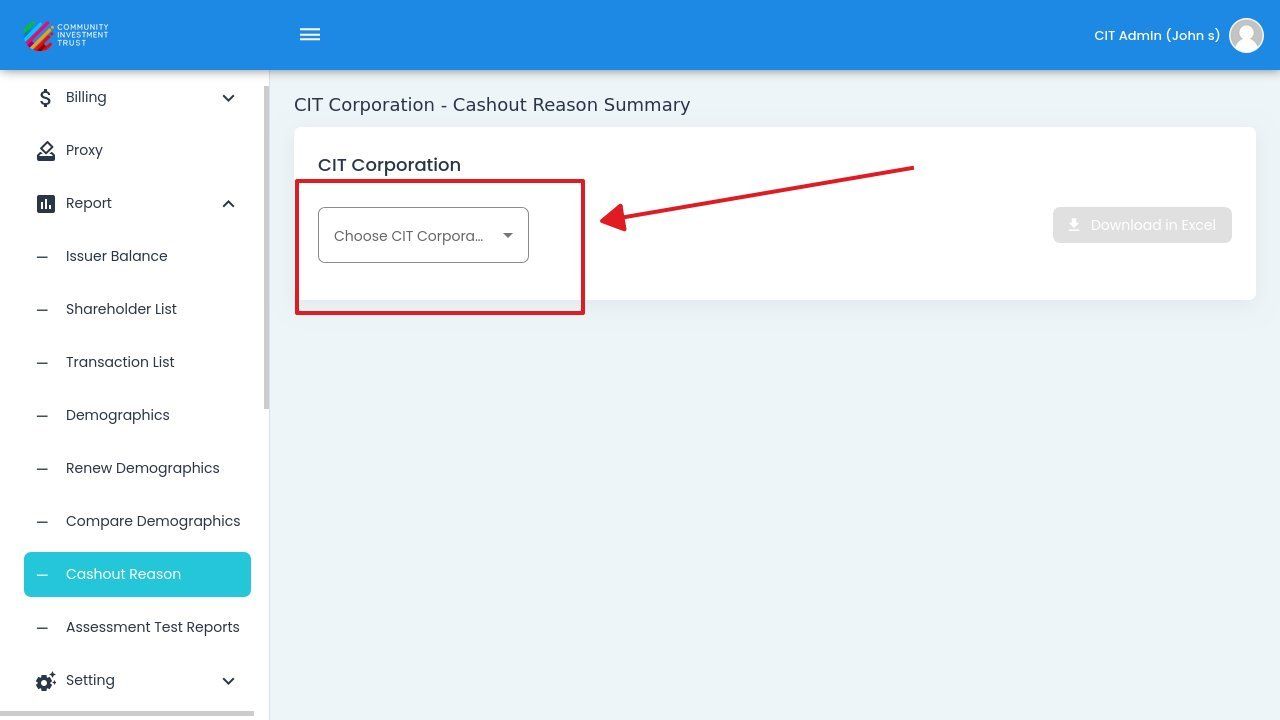
CIT Corporation Dropdown Location#
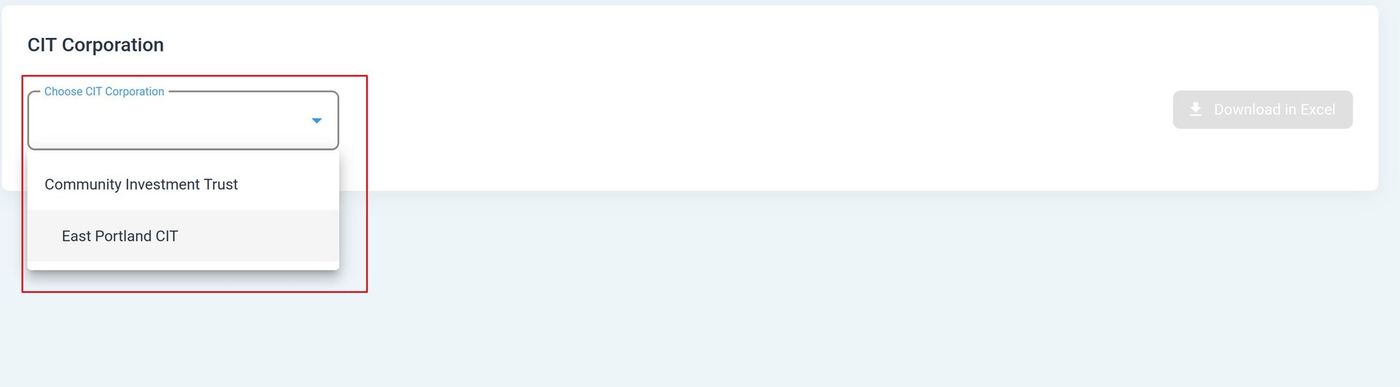
CIT Corporation Dropdown Expanded#
Year Selection#
Action: Select a year from the Item: Choose Year dropdown to filter the report to a specific time period.
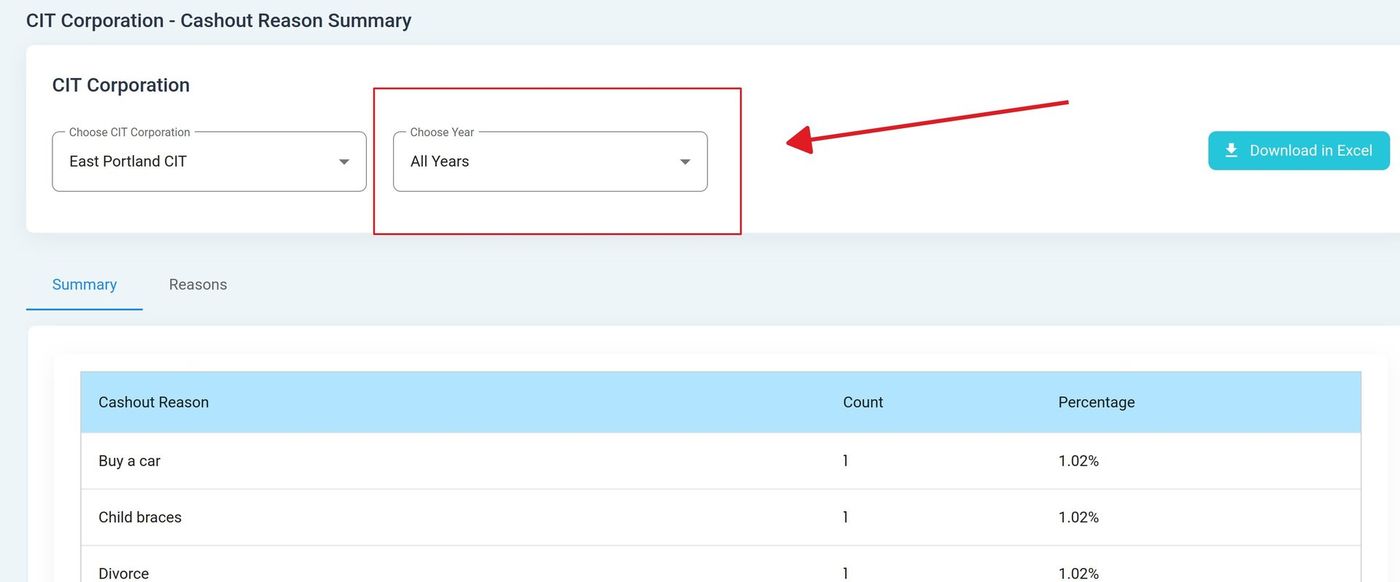
Year Dropdown Location#
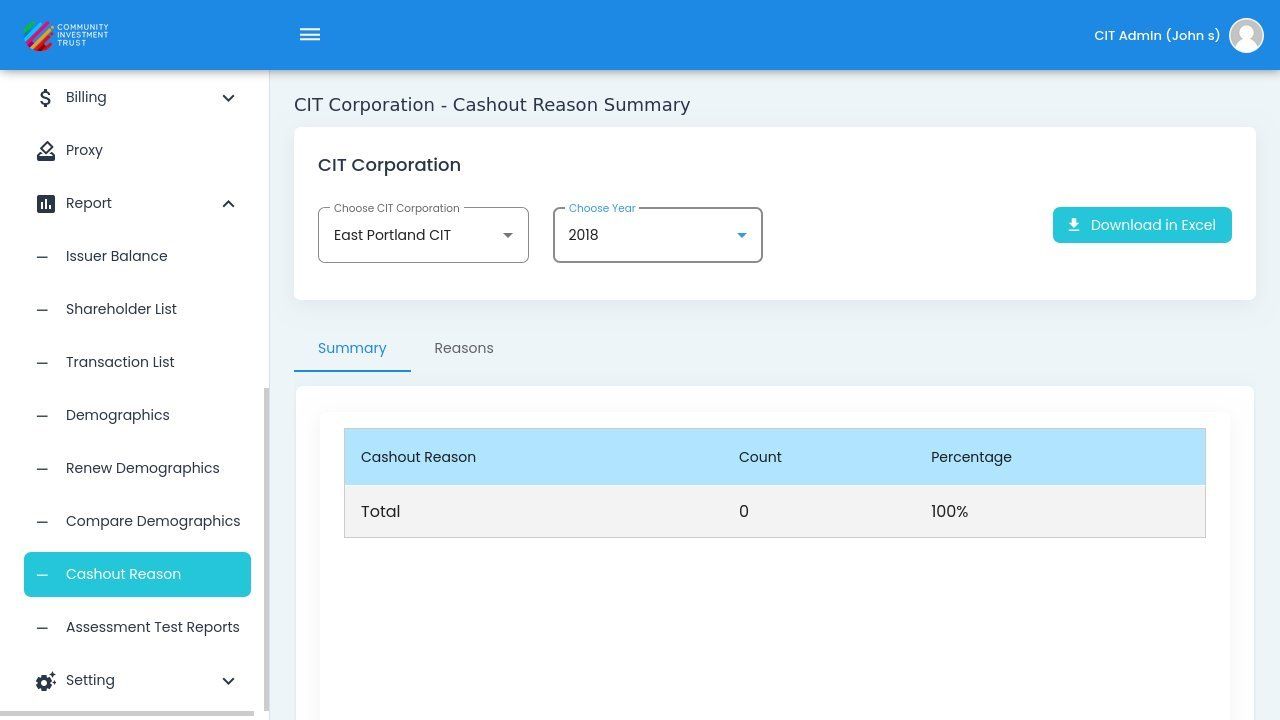
Cashout Reason Report with CIT Corporation and Year Selected#
Note
Both the CIT Corporation and Year selections are required before the report data will display.
Cashout Reason Data#
Once filters are applied, the report displays cashout reason data in a summary format.