
Payment Credit List#
The Section: Payment Credit List section provides tools for viewing and managing payment credit records within the system.
Features: Payment Credit List#
Layout: Payment Credit List Homepage#
The Payment Credit List page displays all payment credit records in the system.
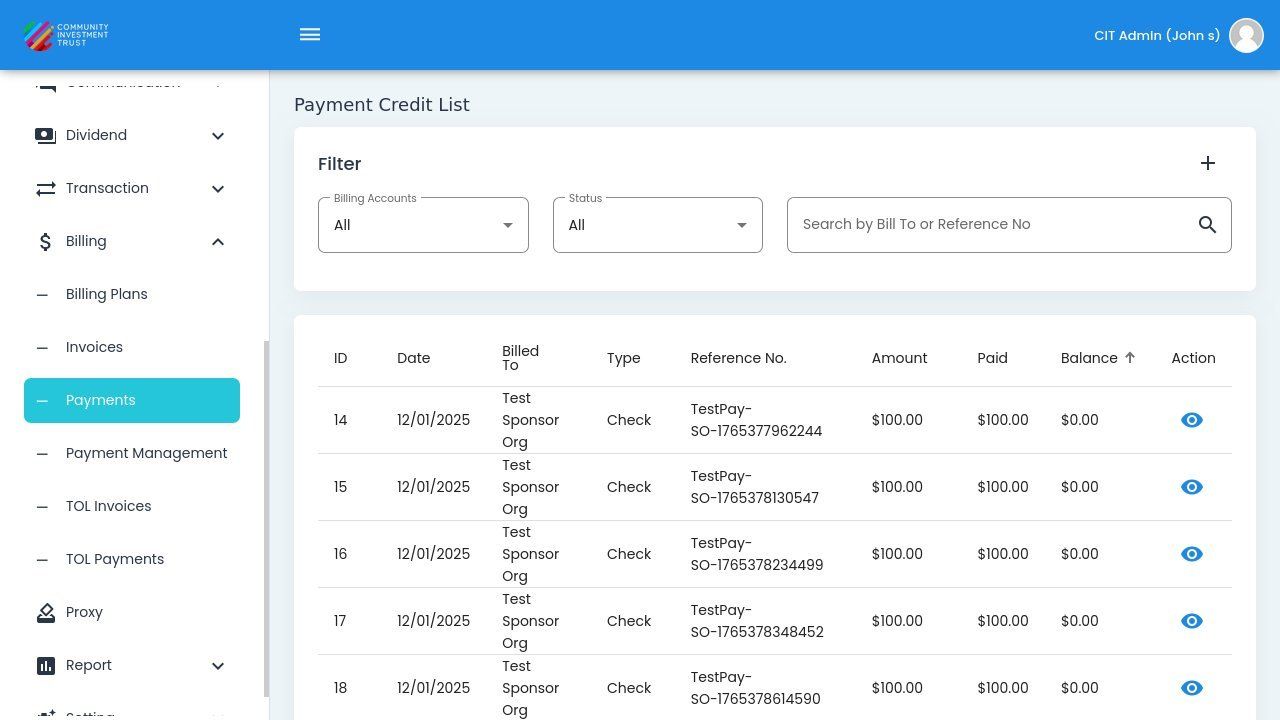
Payment Credit List Homepage#
Columns: Payment Credit List Table#
The Column: Columns for the Table: Payment Credit List table can be found at the top of the table:
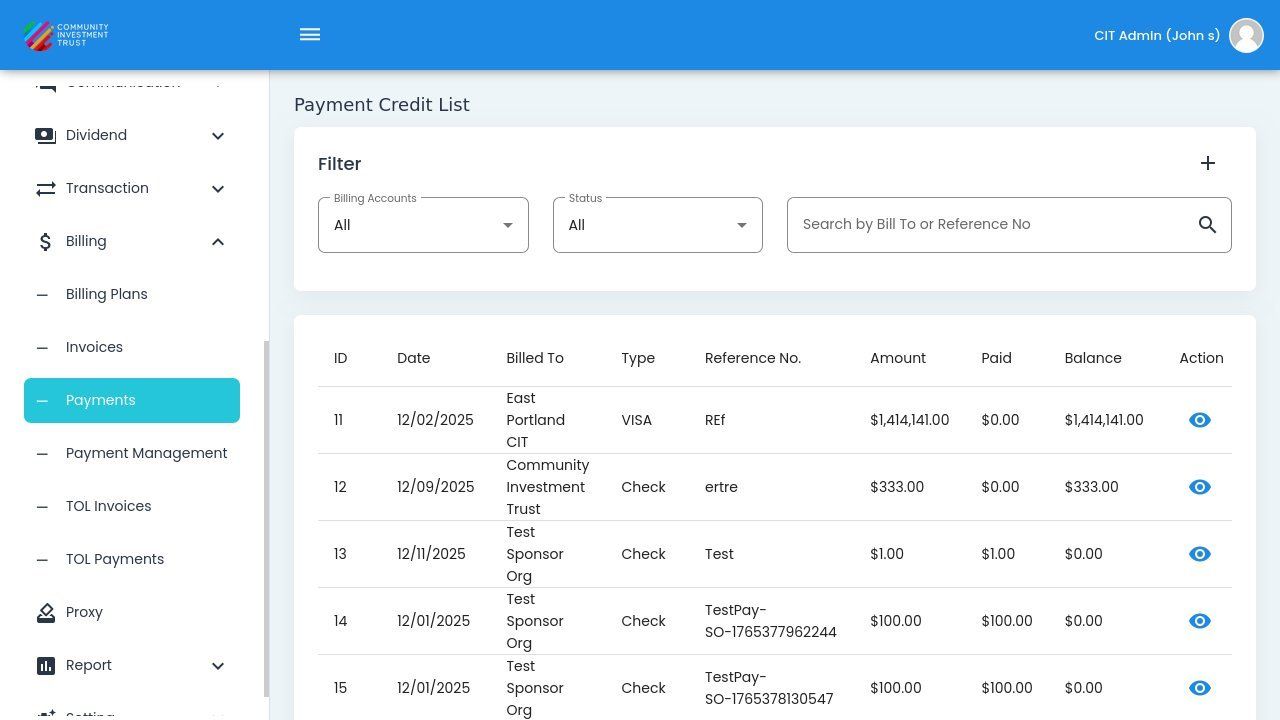
Payment Credit List Table Columns#
Column: ID - Unique identifier for the payment credit.
Column: Date - Date when the payment was received.
Column: Billed To - Entity that made the payment.
Column: Type - Payment method type (Check, VISA, etc.).
Column: Reference No. - Reference number for the payment transaction.
Column: Amount - Total payment amount.
Column: Paid - Amount applied to invoices.
Column: Balance - Remaining credit available.
Column: Action - Available actions for this payment.
Filtering Payments#
The system allows you to filter payment records by company type and other criteria.
Step 1: Locate the Filter Button#
Find the filter button in the Payments table interface.
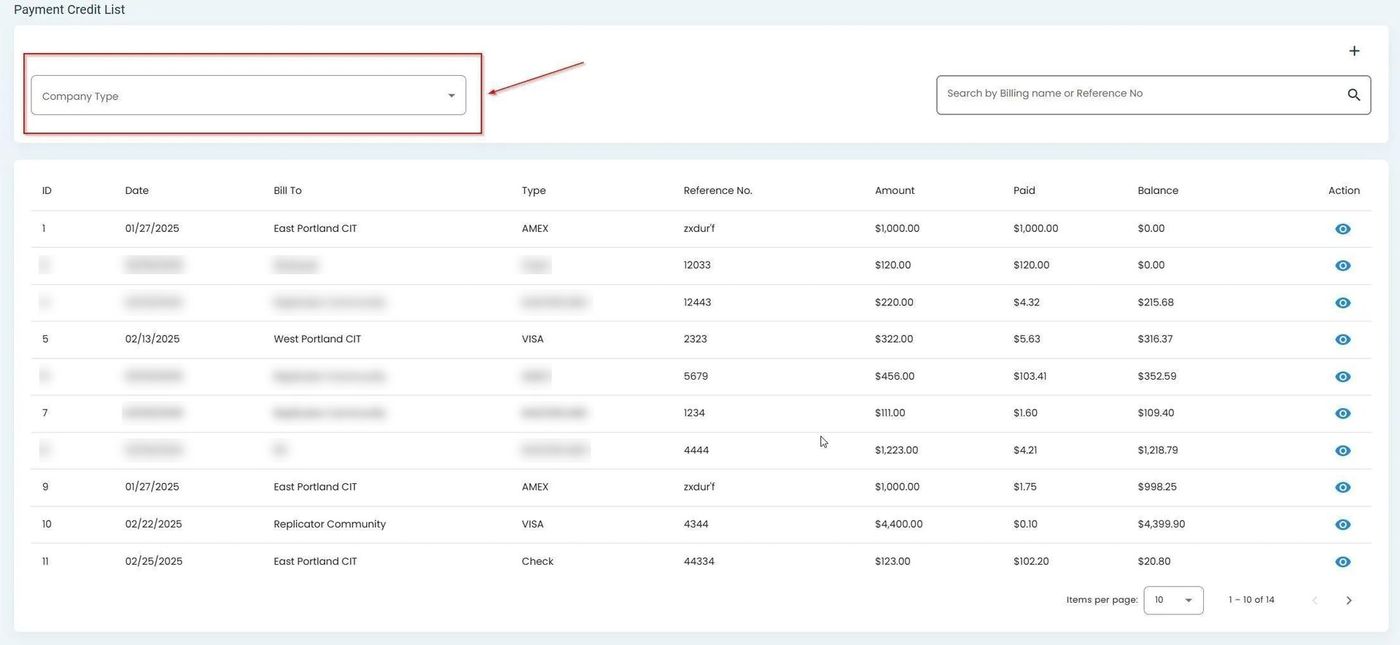
Filter button location in the Payments table#
Step 2: Select Filter Criteria#
Click the filter button to expand the available filtering options.
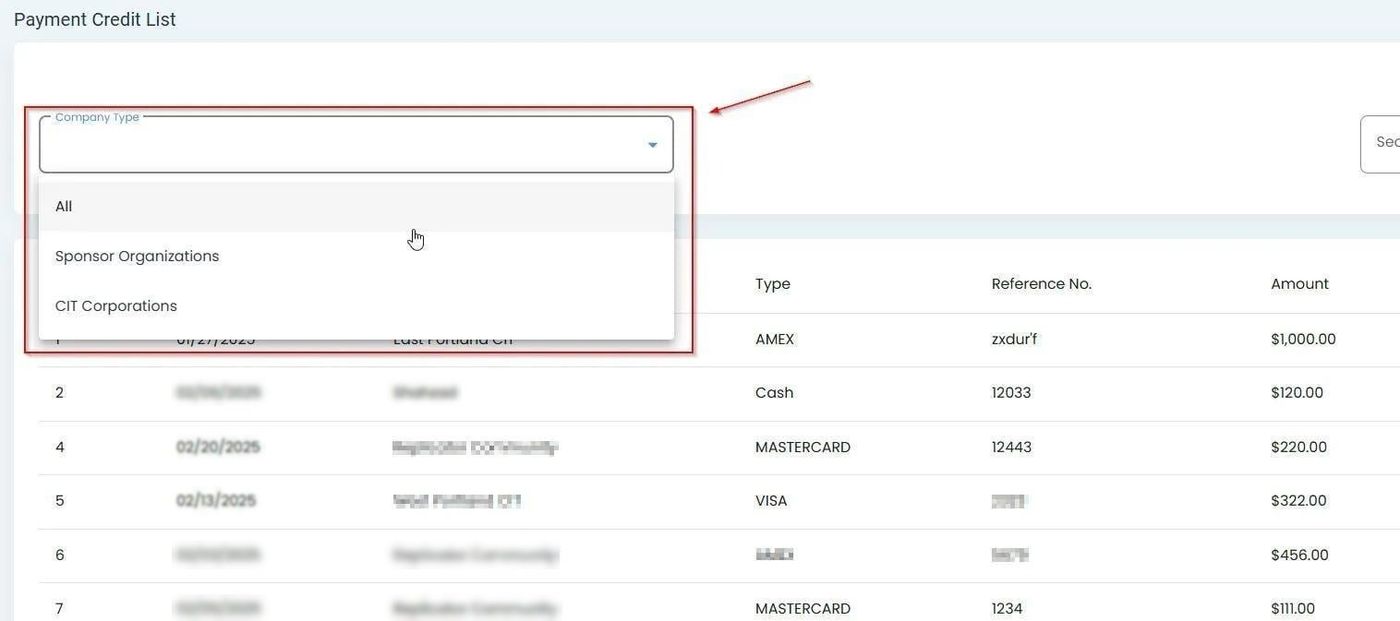
Expanded filter options for the Payments table#
Status Filter Options#
Status: All - View all payment credits regardless of status.
Status: Outstanding - Credits with remaining balance to apply.
Status: Allocated - Credits fully allocated to invoices.
Searching Payment Credits#
Use the search bar to find payment credits by Bill To or Reference Number.
The search field placeholder shows: Item: Search by Bill To or Reference No
Type your search term and the table automatically filters to show matching results.
Additional Features#
The Payments section includes additional features for managing payment information: