
Receive Notifications#
The Section: Receive Notifications section allows you to manage your notification preferences and control which notifications you receive and how you receive them.
Location
Settings > Receive Notifications
Accessing Notification Settings#
To Access Receive Notifications:
Navigate to the Settings Category: Settings category in the Item: Primary Sidenavigation.
Action: Select Section: Receive Notifications from the dropdown menu.
Notification Types#
You can configure notifications for the following events:
Transaction Notifications
New transaction directives
Transaction status updates
Transaction completions
Failed transactions
Investment Notifications
New investment opportunities
Investment status changes
Investment confirmations
System Notifications
System maintenance alerts
Feature updates
Security notifications
Account changes
Notification Preferences#
Delivery Methods#
Choose how you want to receive notifications:
Item: Email - Receive notifications via email
Item: In-App - View notifications within the application
Item: SMS - Receive text message notifications (if enabled)
Frequency Settings#
Configure notification frequency:
Item: Immediate - Receive notifications as they occur
Item: Daily Digest - Receive a summary once per day
Item: Weekly Summary - Receive a weekly overview
Managing Notifications#
To Update Notification Preferences:
Action: Select the notification types you want to receive.
Choose your preferred delivery method(s).
Set your frequency preferences.
Action: Click Action: Save Changes to update your settings.
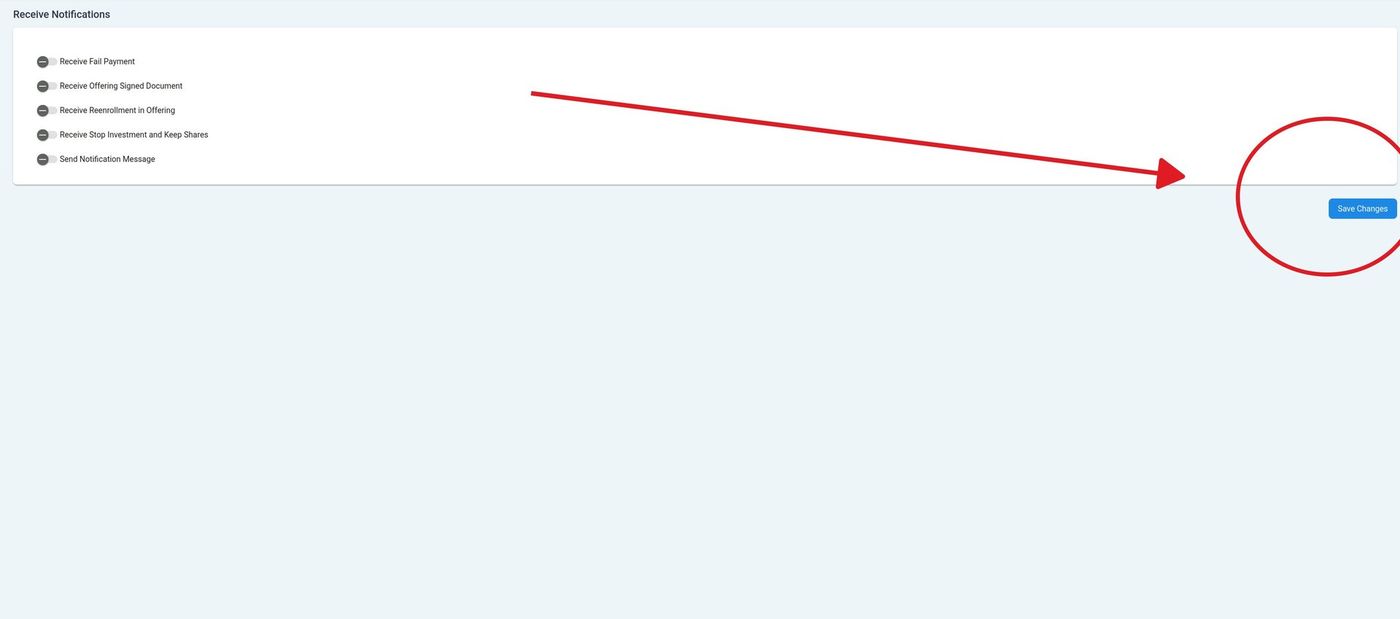
Save Changes button location#
Note
Some notifications may be mandatory and cannot be disabled for compliance or security reasons.
Email Notification Settings#
If you choose email notifications, you can:
Specify primary and secondary email addresses
Set email format preferences (HTML or plain text)
Configure email filters and rules
Tip
Check your spam folder if you’re not receiving expected email notifications. Add the system email address to your safe senders list.