
Dividends#
The Section: Dividends section provides tools to manage and track dividend distributions across all CIT Corporations.
Overview#
The Section: Dividends section displays all dividend distributions and provides comprehensive filtering and management capabilities.
Dividends Homepage Location#
To Find the Dividends List Homepage:
Locate the primary sidenavigation to the left of the page.
Don’t see the sidenav?
See How to Toggle Primary Sidebar for more information.
Action: Select the dropdown for the Dividend category.
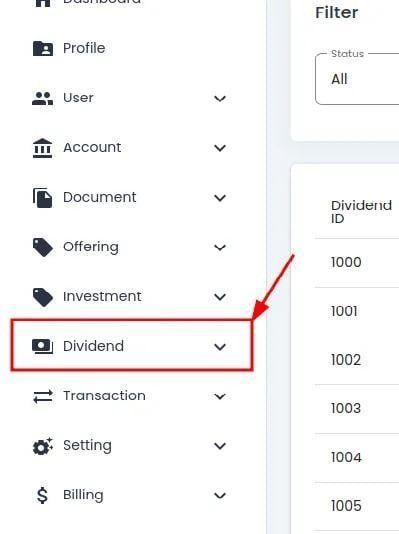
Dividend Category, Primary Sidenav, Dropdown Location#
Action: Select Section: Dividends from the dropdown.
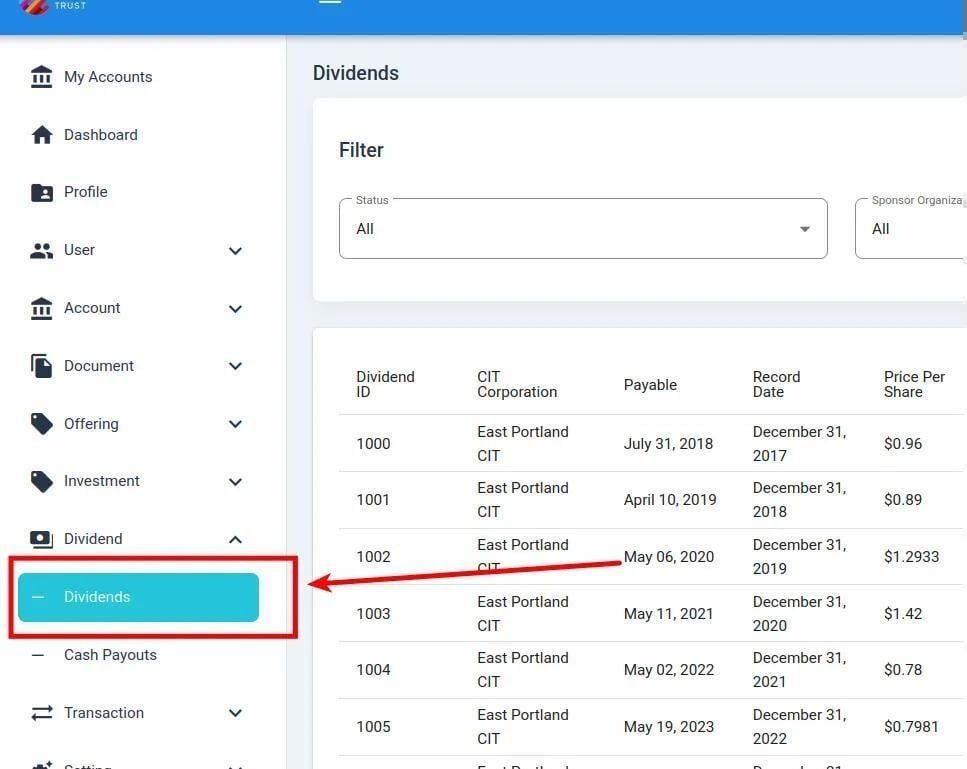
Dividend, Dividends Homepage, Primary Sidenav Location#
Dividends List Table#
The Table: Dividends List table is what first appears on the homepage of the Section: Dividends section.
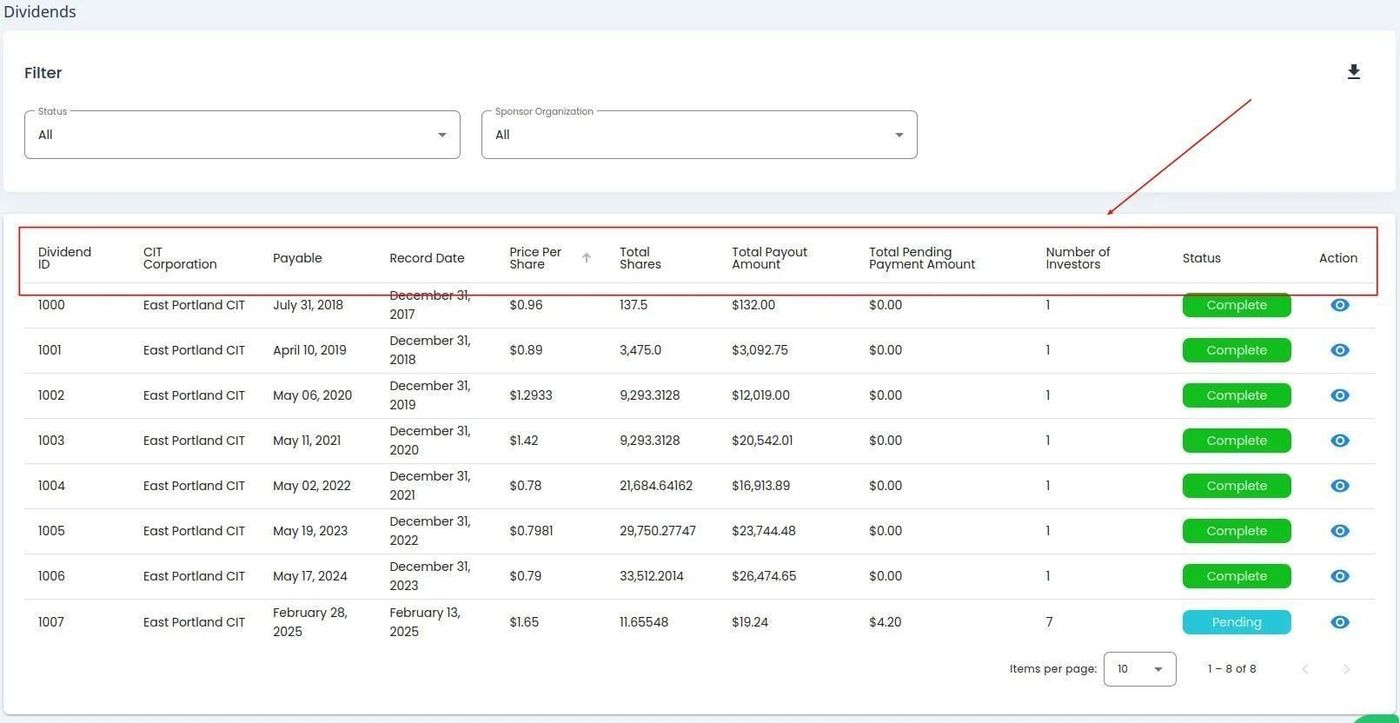
Dividends Homepage#
Table Columns#
Column: Dividend - Unique identifier or name for the specific dividend event.
Column: CIT Corporation - The company issuing the dividend.
Column: Payable - Date when dividend payment is issued to shareholders.
Column: Record Date - Date shareholders must own shares to receive the dividend.
Column: Price Per Share - Amount of dividend paid for each individual share.
Column: Total Shares - Total number of shares eligible to receive the dividend.
Column: Total Payout Amount - Sum paid for all shares in the dividend event.
Column: Total Pending Payment Amount - Amount not yet paid out for all eligible shares.
Column: Number of Investors - Count of investors receiving the dividend payment.
Column: Status - Indicates the current processing state of the dividend.
Column: Action - Actions you can take for this dividend record.