Filter and Search Proxy List#

Filter and search the Proxy list to locate specific proxy records.

Filter by Status#

  1. Action: Locate the Item: Status filter dropdown on the left side of the filter bar.
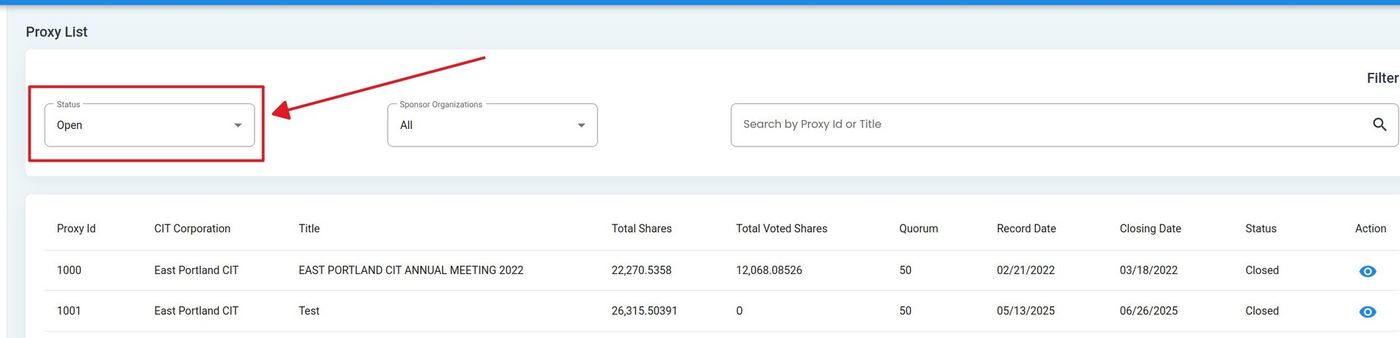
    ../../../_images/status-dropdown-location.jpg

    Proxy List, Status Filter Location#

  2. Action: Select a status from the dropdown to filter results.

Filter by Sponsor Organization#
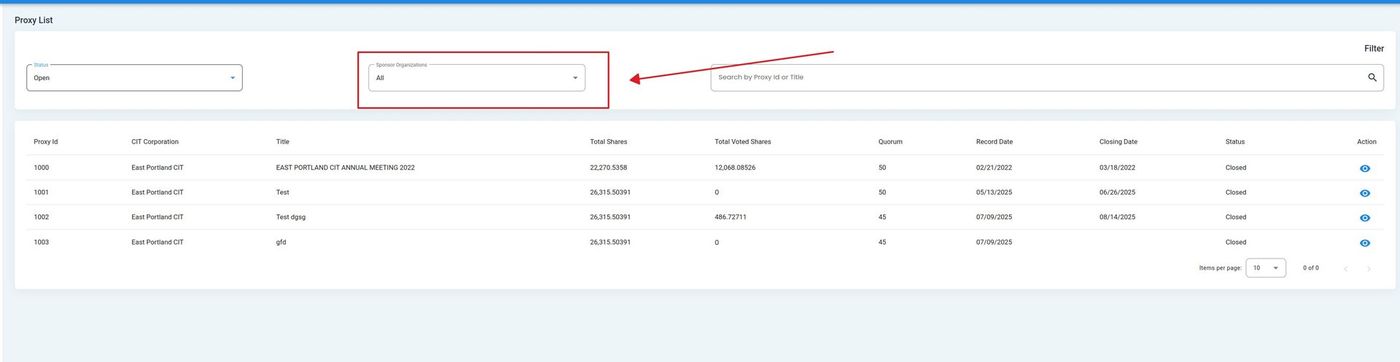
  1. Action: Locate the Item: Sponsor Organization filter dropdown on the filter bar.

    ../../../_images/sponsor-org-dropdown-location.jpg

    Proxy List, Sponsor Organization Filter Location#

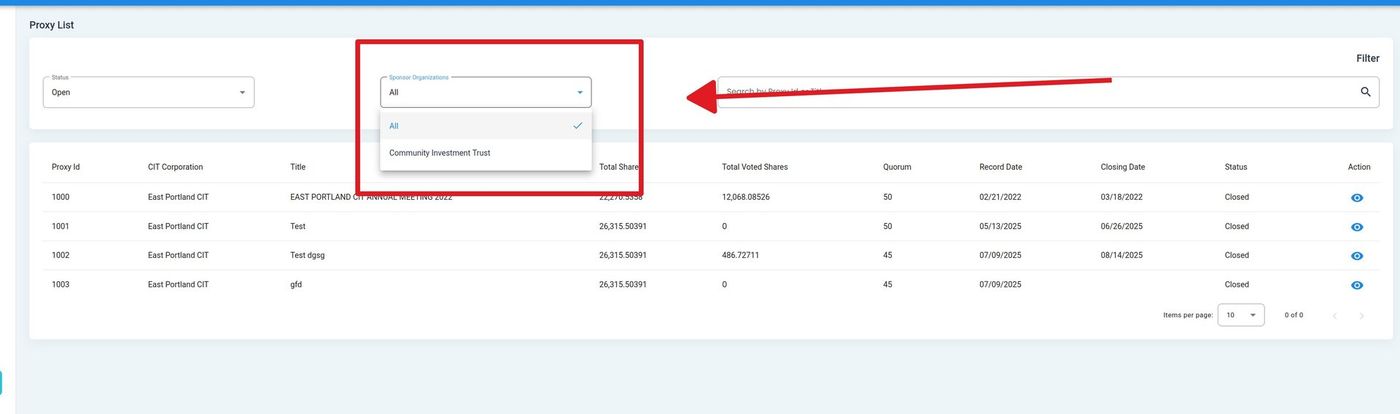
  2. Action: Select a sponsor organization from the dropdown or search by name.

    ../../../_images/sponsor-org-dropdown-expanded.jpg

    Proxy List, Sponsor Organization Filter Expanded#

Filter by CIT Corporation#

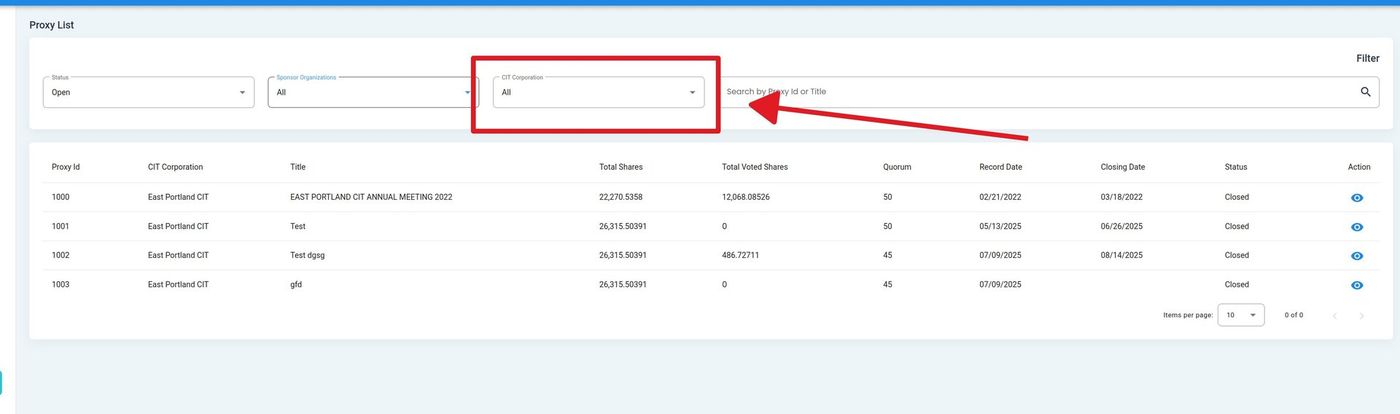
  1. Action: Locate the Item: CIT Corporation filter dropdown on the filter bar.

    ../../../_images/cit-corporation-dropdown-location.jpg

    Proxy List, CIT Corporation Filter Location#

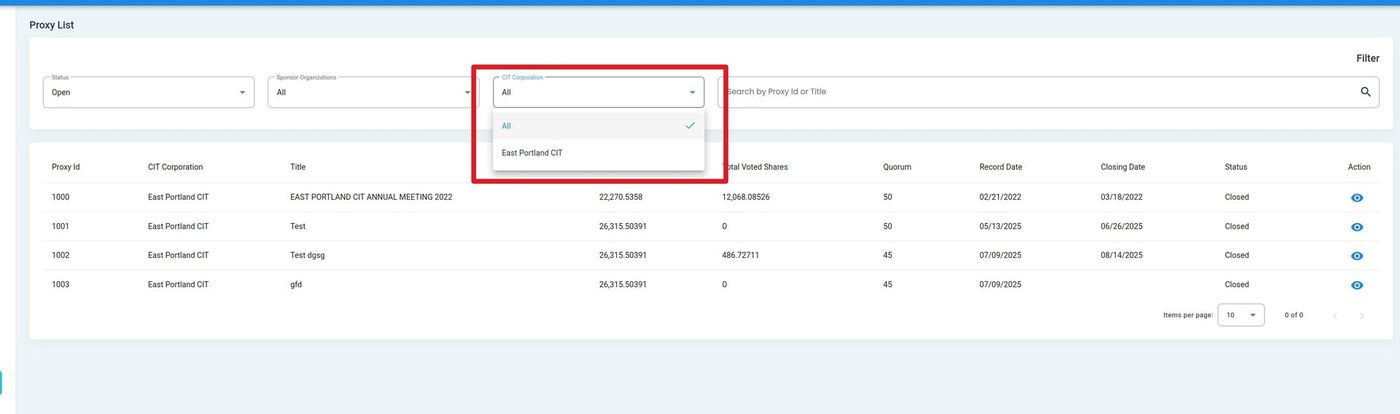
  2. Action: Select a CIT Corporation from the dropdown or search by name.

    ../../../_images/cit-corporation-dropdown-expanded.jpg

    Proxy List, CIT Corporation Filter Expanded#

Search by Proxy ID or Title#

  1. Action: Locate the search field labeled “Search by Proxy Id or Title” on the right side of the filter bar.
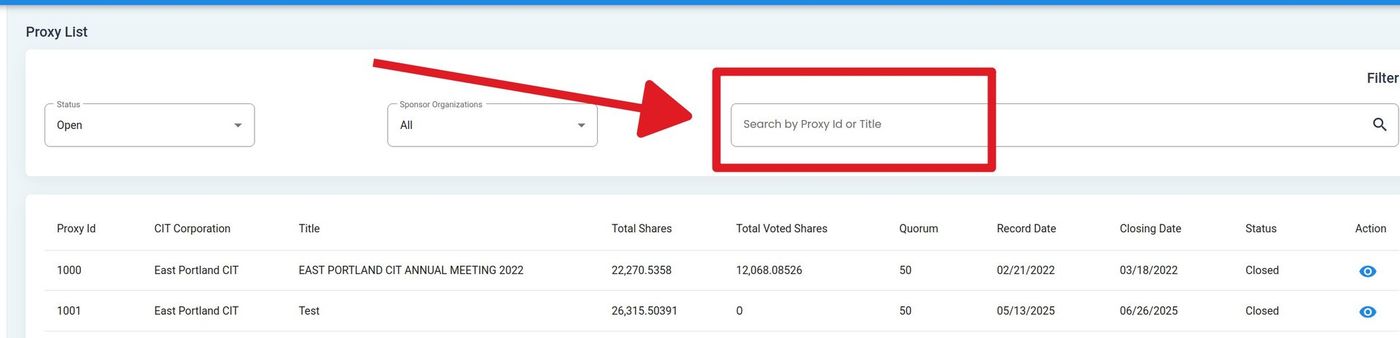
    ../../../_images/proxy_test_search-bar-location.jpg

    Proxy List, Search Field Location#

  2. Action: Enter a Proxy ID or Title to search.

Action Complete

The proxy list updates to display only records matching the selected filters or search criteria.
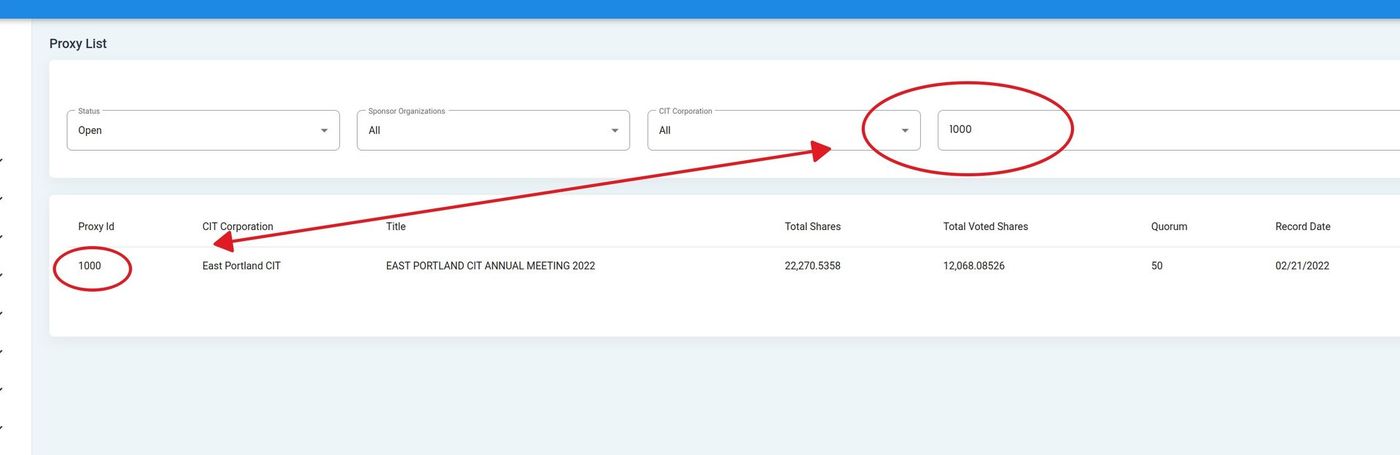
../../../_images/proxy_test_search_completed.jpg

Proxy List, Filtered Results#