
Sorting Options#
Configure how shareholder data is ordered in your report by selecting sort field and direction.
Sorting Section Overview#
Configure how the report data is sorted:
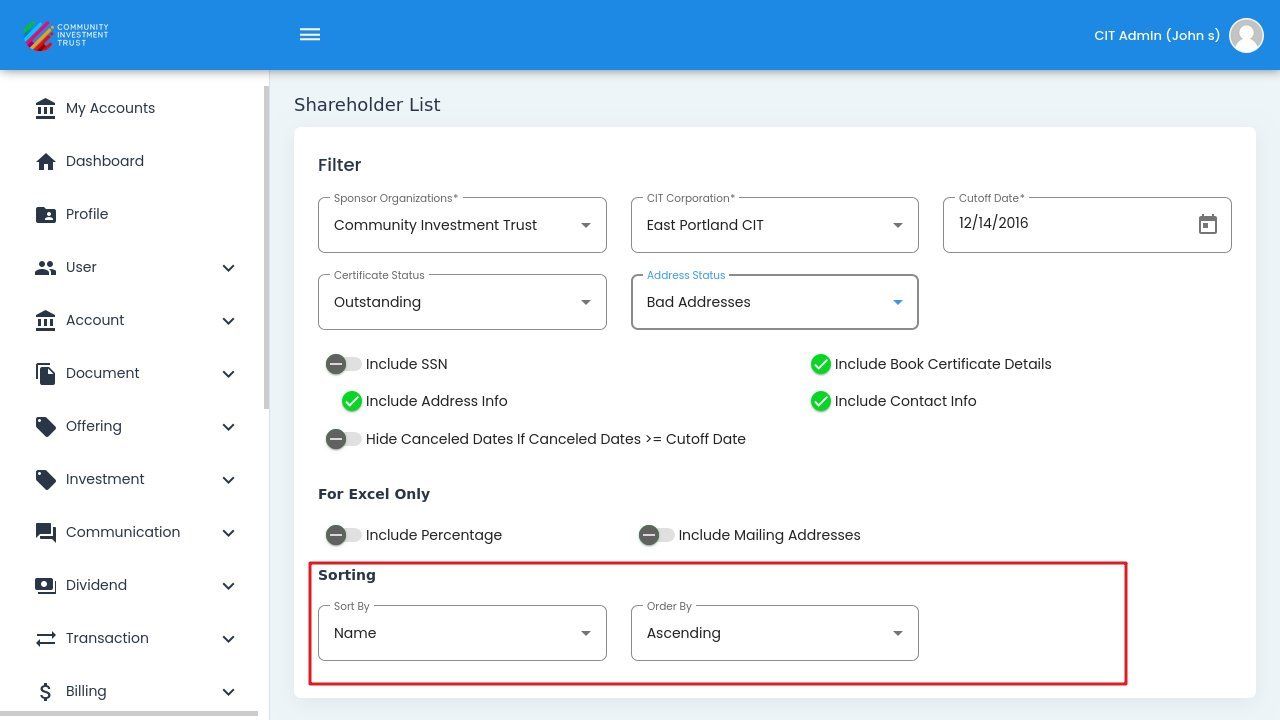
Sorting Section Overview#
Sort By#
Select the field used to order shareholders in the report:
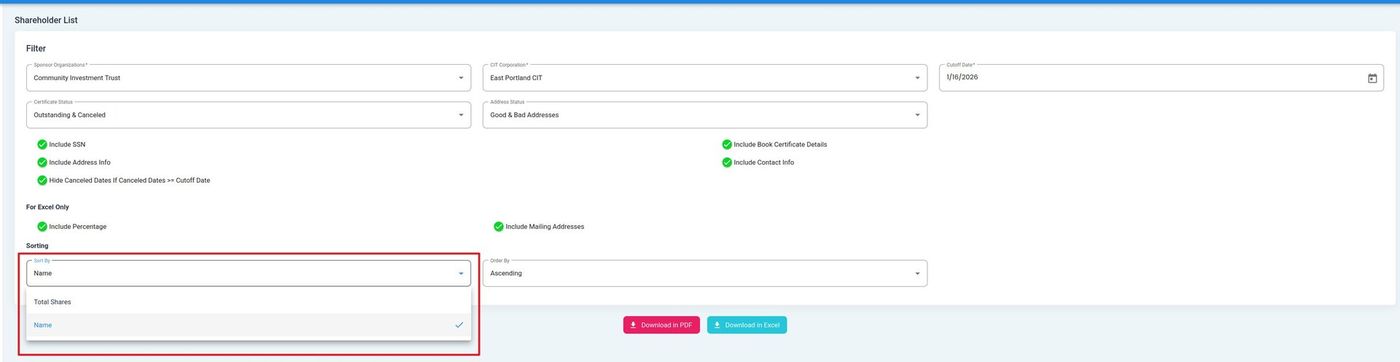
Sort By Dropdown Options#
Sort By Options
Total Shares - Sort shareholders by their total share count.
Name - Sort shareholders alphabetically by name.
Order By#
Select the direction for sorting:
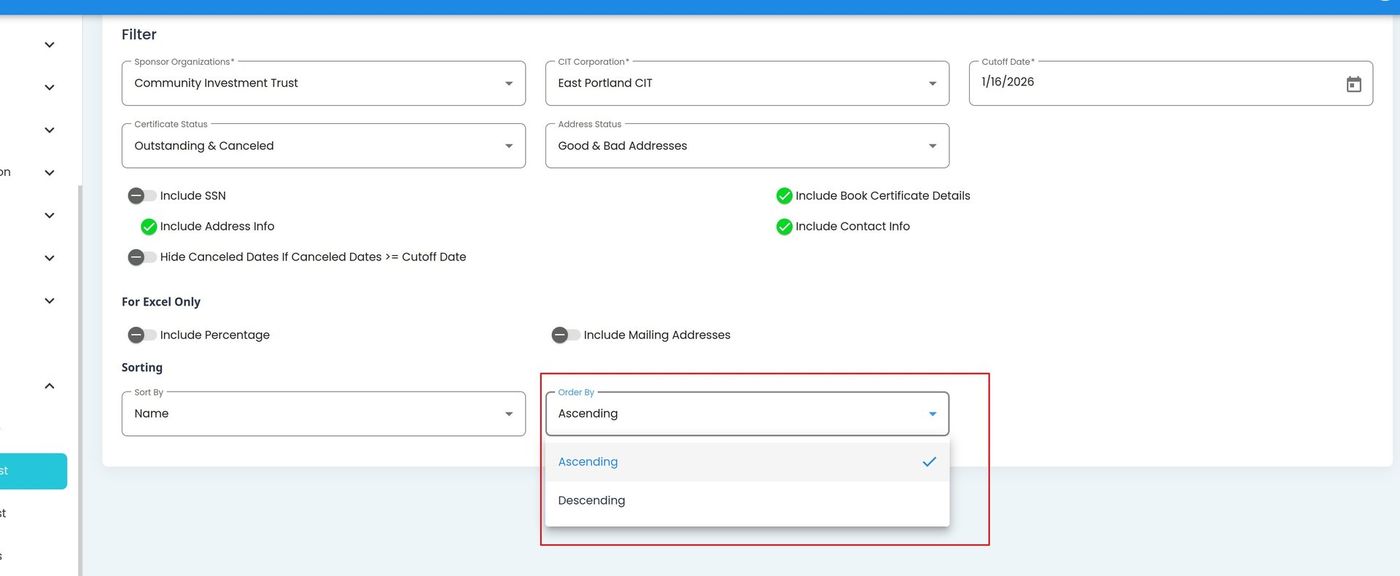
Order By Dropdown Options#
Order By Options
Ascending - Sort from lowest to highest (A-Z for names).
Descending - Sort from highest to lowest (Z-A for names).