
Viewing Investor Details from Cash Payouts#
Learn how to access investor information directly from the Cash Payouts table.
Accessing Investor Details#
The Table: Cash Payouts List table allows you to quickly navigate to detailed investor information by clicking on investor names.
To View Details About an Investor:
Find the Column: Investor column in the Table: Cash Payouts List table.
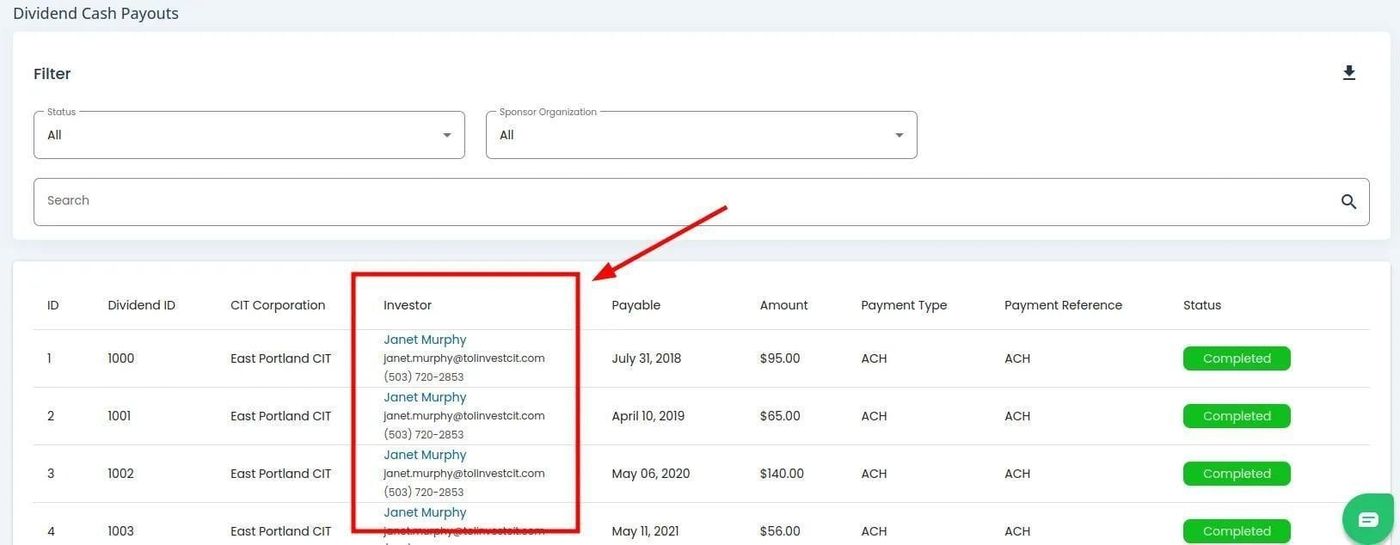
Cash Payouts, Investor Column Location#
Click on the investor name you wish to view details for.
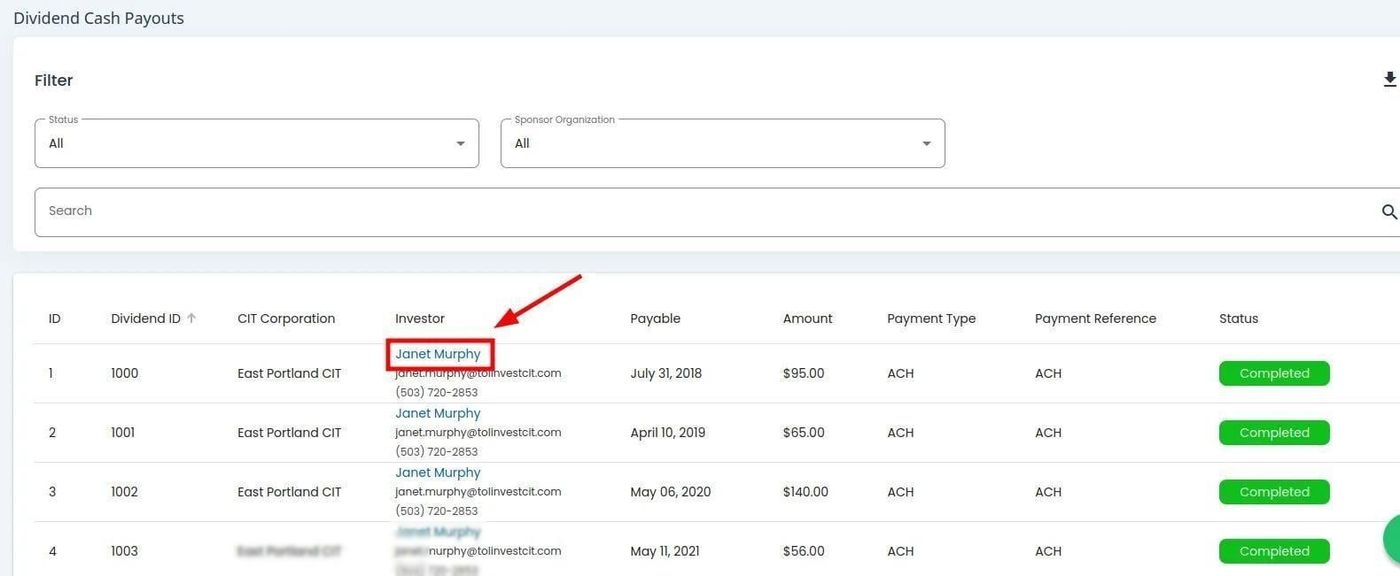
Cash Payouts, Investor Select Example#
Navigation
Clicking an investor’s name will navigate you to the Investors page where you can view their complete investor profile and details. See View Investor Details for more information.