
Adding a New User#
To add a new user to the Sponsorship Organization:
Click the Action: NEW USER button at the top right of the screen.
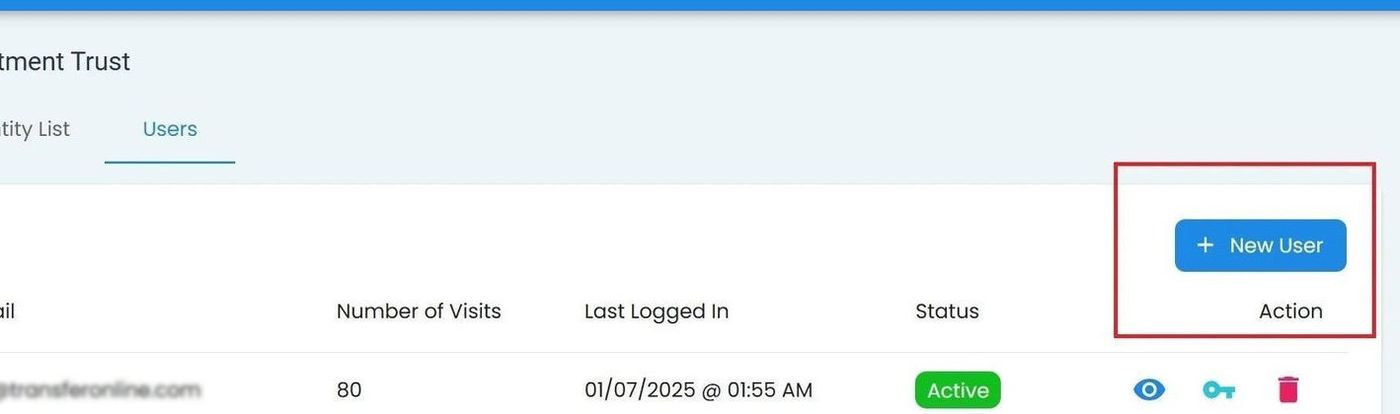
Sponsorship Organization, Users Tab, New User Location#
Fill out the required fields in the form:
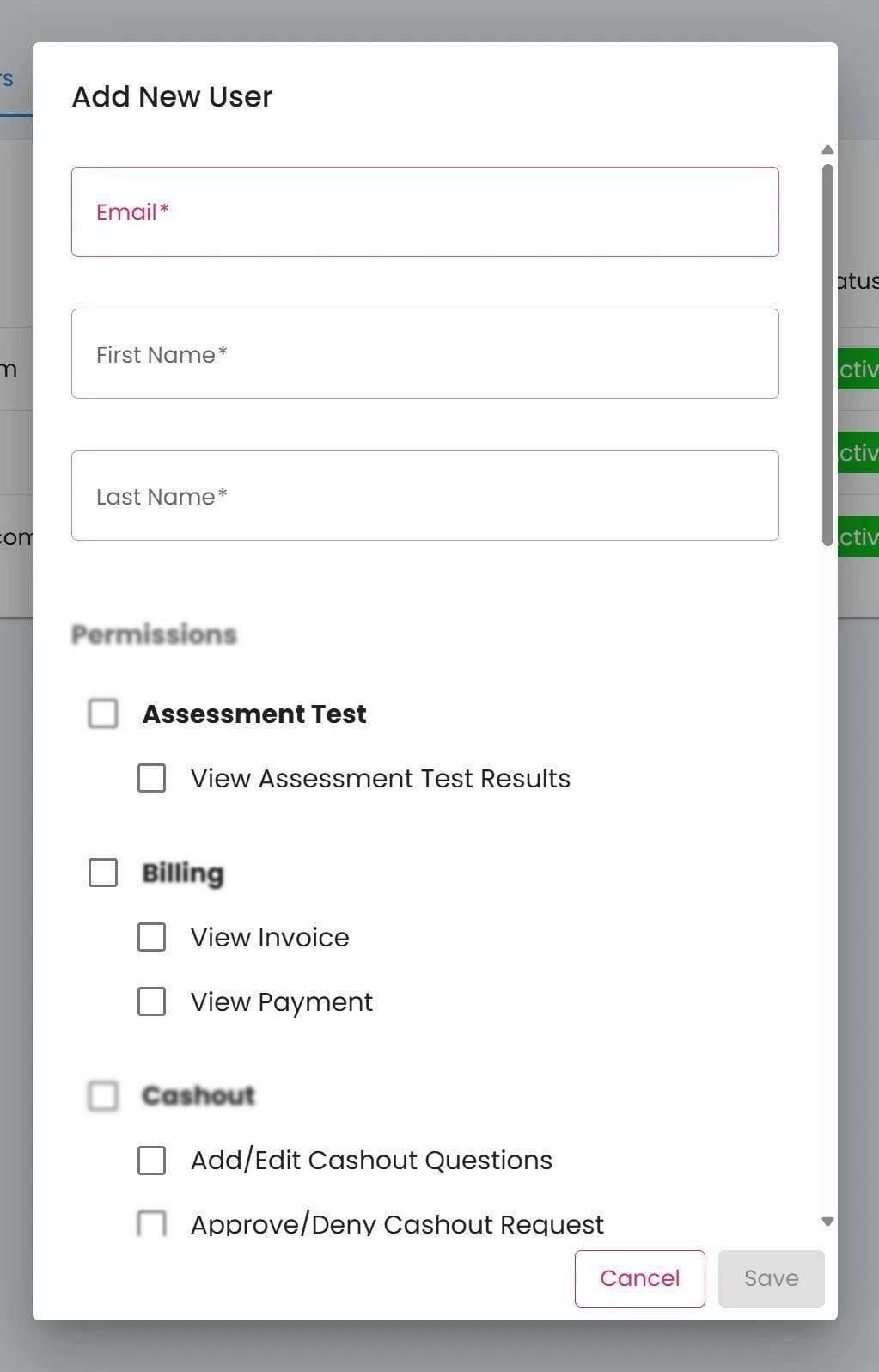
Sponsorship Organization, Users Tab, Add New User Popup#
Note
All three fields are required:
Item: Email
Item: First Name
Item: Last Name
Select the appropriate permissions for the new user.
Available Permissions
Subsection: Assessment Test
View Assessment Test Results
Subsection: Billing
View Invoice
View Payment
Subsection: Cashout
Add/Edit Cashout Questions
Approve/Deny Cashout Requests
Edit Cashout Price Per Share
View Cashout
Subsection: Community
Edit Community Profile
Subsection: Demographic
Add/Edit Demographic Questions
Add/Edit Renew Demographic Questions
Subsection: Document
Upload Entity Offering Document
Upload Entity Onboarding Document
View Entity Offering Document
View Entity Onboarding Document
Subsection: Entity
Add/Edit Entity
Subsection: Investor/Shareholder
Add/Edit Investor
View Investor
Subsection: Offering
Add/Edit Offering
Subsection: Report
Run Shareholder List Report
Subsection: User
Edit/Add Community Staff
Edit/Add User
View Users
Click Action: SAVE to add the new user to the organization.
Important
New users will receive an email invitation to join the platform. They must accept this invitation to gain access to the organization.