
Cashouts Tab#
The Tab: Cashouts tab displays all cash withdrawal transactions for the selected investor.
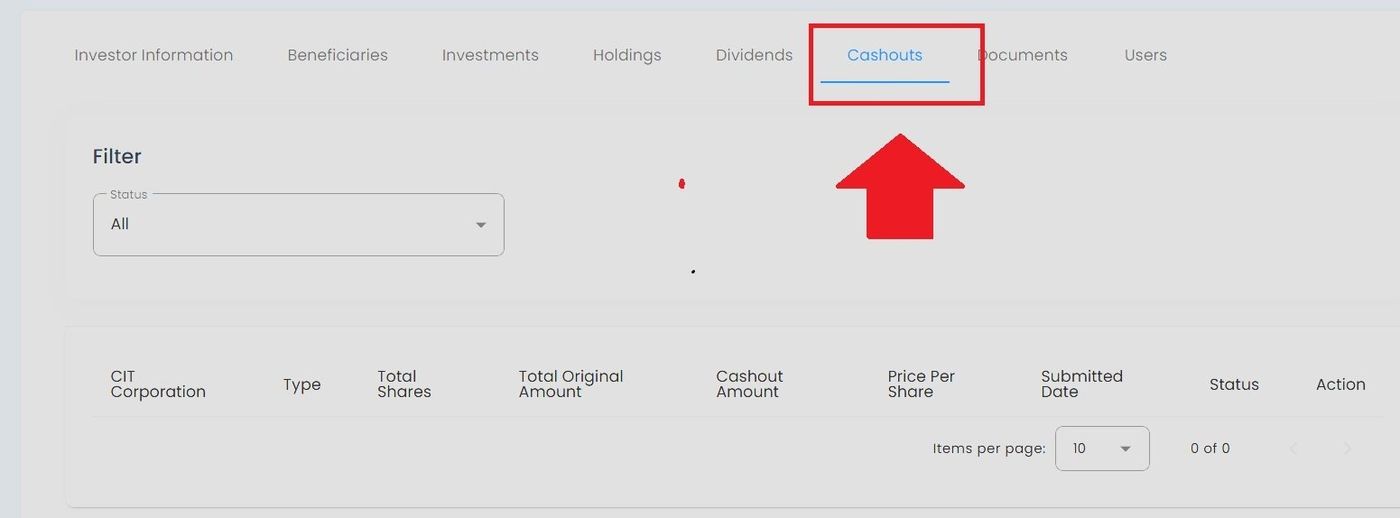
Cashouts Tab Location#
Features#
The Section: Cashouts section allows you to:
View complete cashout transaction history
Track pending and completed withdrawals
Monitor payment dates and amounts
Filter transactions by status
Review price per share at cashout time
Cashouts Table#
The Table: Cashouts List table displays all withdrawal transactions for the investor.
Columns: Cashouts List Table#
The Column: Columns for the Table: Cashouts List table can be found at the top of the table:
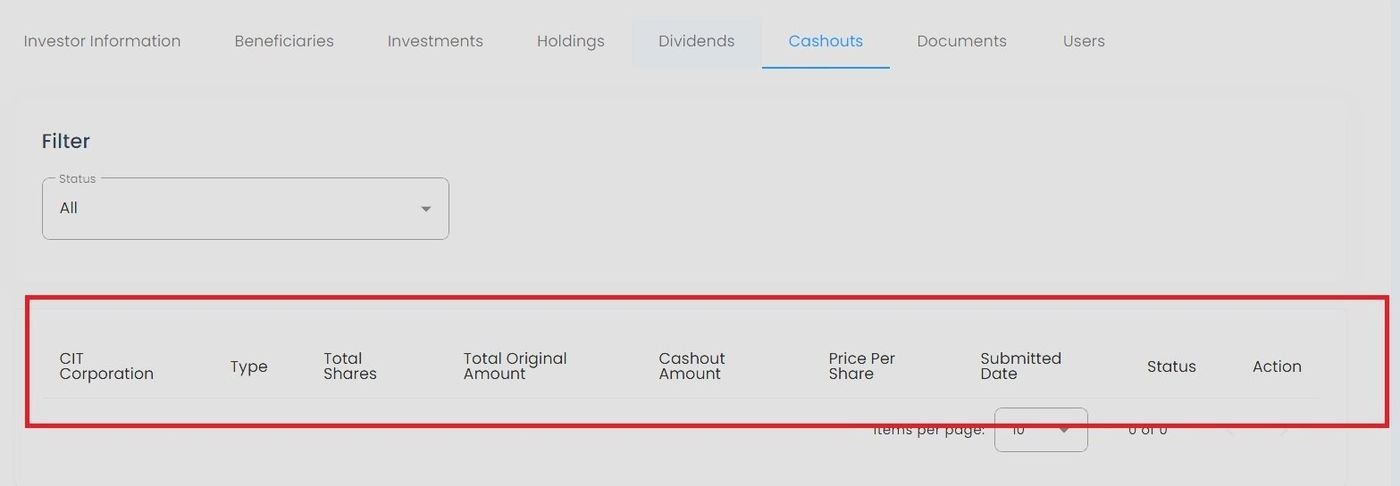
Cashouts Table Column Headers#
Column: Transaction ID - Unique identifier for the cashout transaction.
Column: Request Date - Date when the cashout was requested.
Column: CIT Corporation - The corporation from which shares were cashed out.
Column: Shares - Number of shares cashed out.
Column: Price Per Share - Price at which shares were cashed out.
Column: Total Amount - Total cash amount of the transaction.
Column: Payment Date - Date when payment was issued.
Column: Status - Current status of the cashout transaction.
Filter Options#
Filter by Status#
To filter cashout transactions by their processing status:
Action: Select the Status dropdown filter:
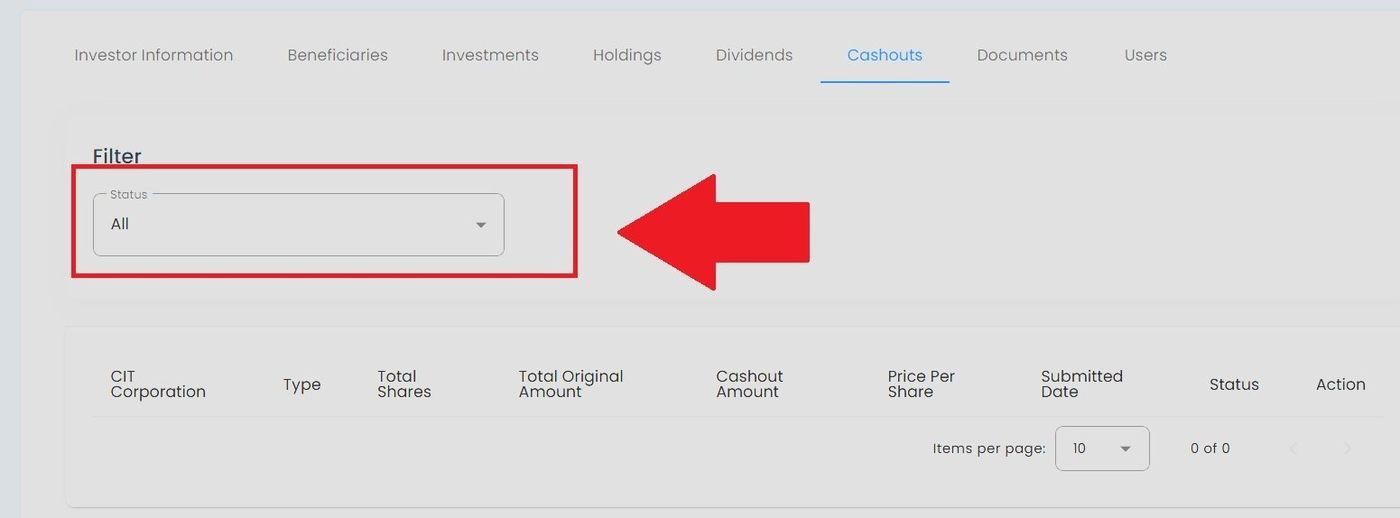
Cashouts Tab, Status Filter Location#
Action: Choose from the expanded dropdown options:
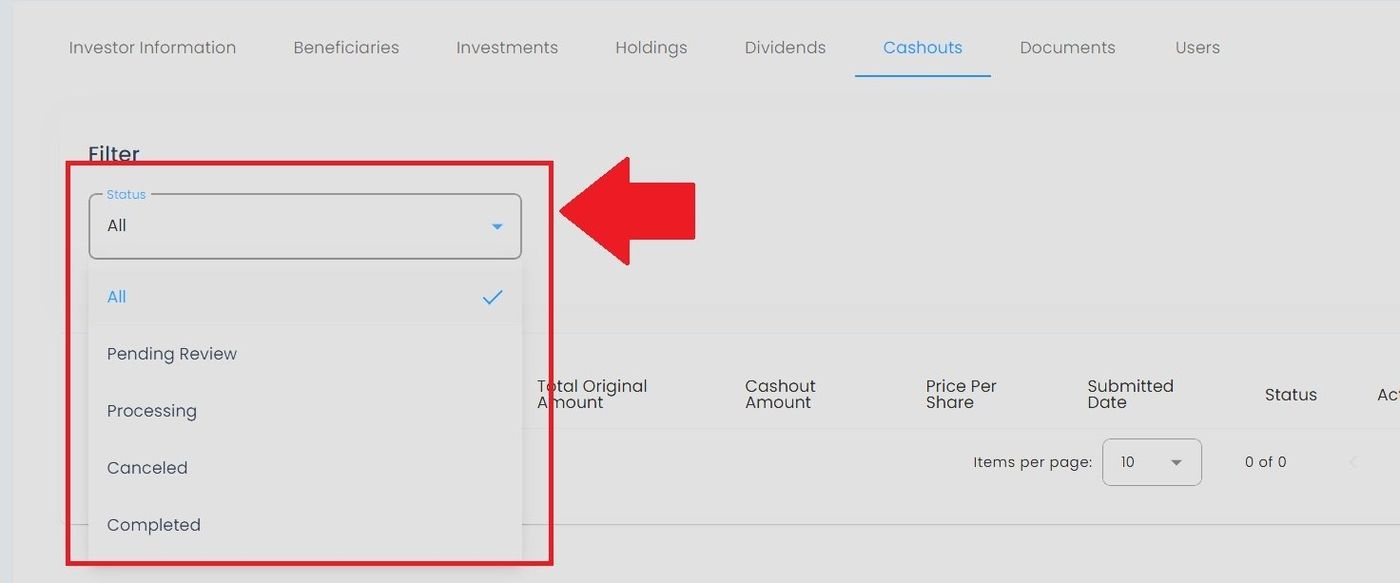
Cashouts Status Filter Options#
Available Status Options:#
Item: All - View all cashout transactions
Item: Pending - Cashout requests awaiting processing
Item: Processing - Cashouts currently being processed
Item: Completed - Successfully completed cashouts
Item: Cancelled - Cancelled cashout requests
Important Information#
Note
Cashout transactions typically take 3-5 business days to process after approval.
Important
Once a cashout transaction is marked as “Processing,” it cannot be cancelled. Please review all details carefully before submitting a cashout request.