
Add New User#
These instructions are generally applicable to any page that has an Action: Add New User button.
To add a New User:
Click the New User button at the top right of the screen.
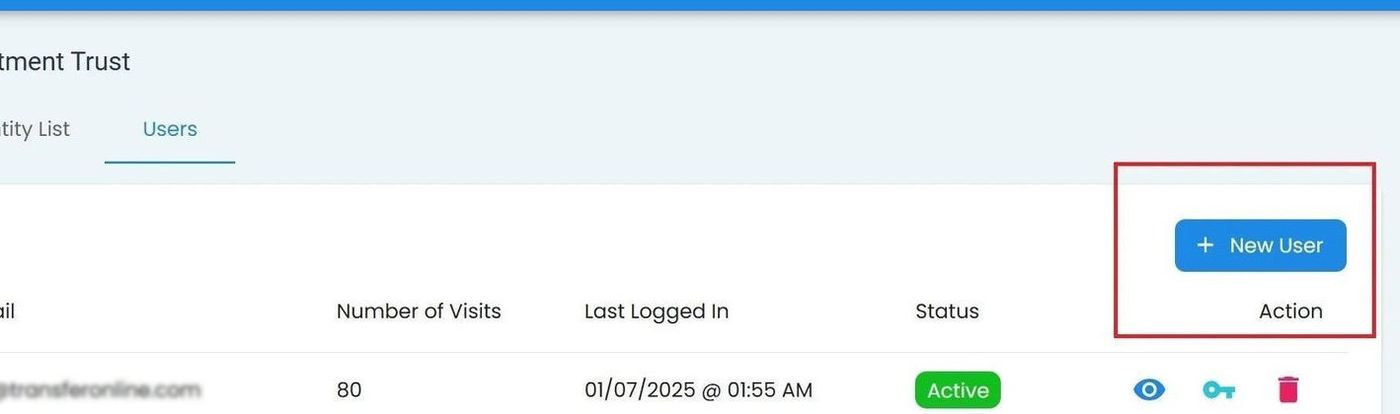
Sponsorship Organization, Users Tab, New User Location#
Fill out the required fields.
Note
All three fields are required:
Email
First Name
Last Name
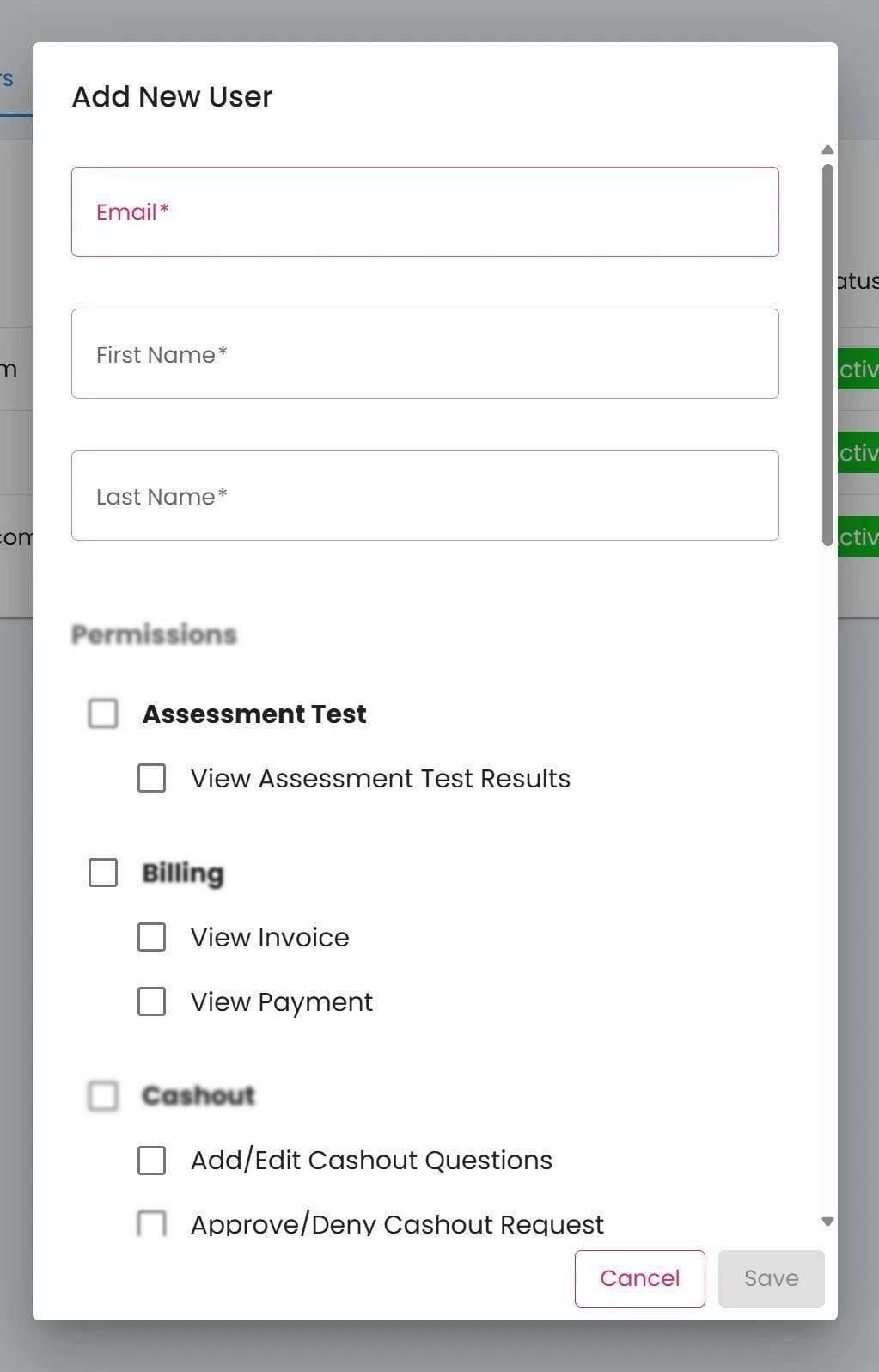
Sponsorship Organization, Users Tab, Add New User Popup#
Select desired permissions for the new user.
Note
Possible permissions vary depending on the type of account you are adding.
Action: Click Action: Save to add the new user.
Action Complete
The new user has been added to the system.