
Onboarding Reminders#
The Section: Onboarding Reminders section explains how to configure reminders related to the onboarding process, including both pending uploads and pending approvals.
Overview: Onboarding Reminders#
The Onboarding section contains reminder configurations related to the onboarding process, divided into two main categories: Pending Upload and Pending Approval. These reminders help ensure that all necessary documentation is submitted and processed in a timely manner.
Pending Upload#
This section allows you to configure reminders for documents and information that need to be uploaded during the onboarding process.
Header Location#
The header clearly identifies the Pending Upload section.
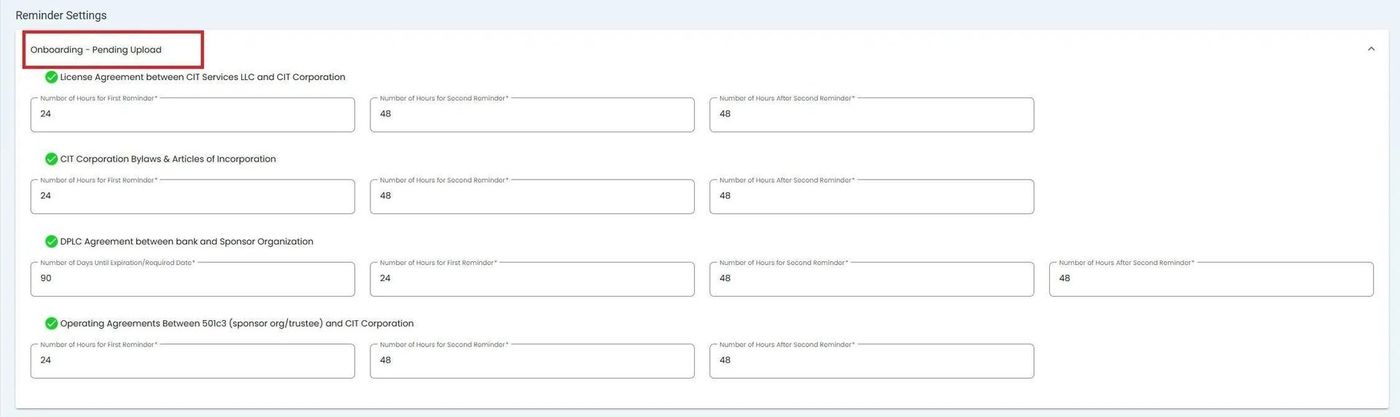
Header location for the Onboarding Pending Upload section#
Configuration Options#
The body of this section contains all available reminder settings that can be configured.
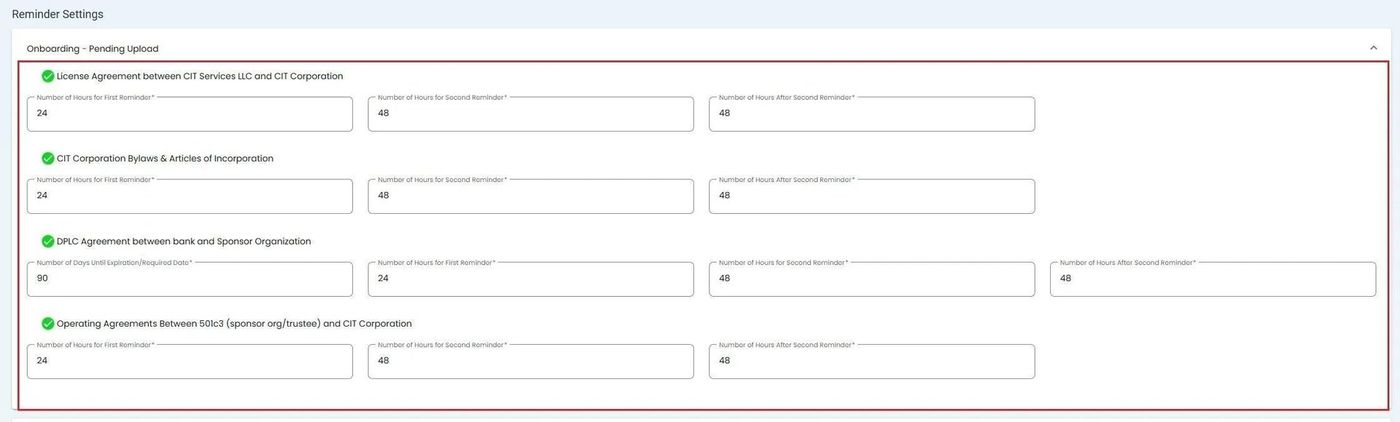
Available reminder configuration options in the Pending Upload section#
Note
Each green checkmark is associated with an entire section. The rows that immediately follow contain the specific reminders that can be set for that section.
Pending Approval#
This section allows you to configure reminders for documents and information that have been submitted and are awaiting approval during the onboarding process.
Header Location#
The header clearly identifies the Pending Approval section.
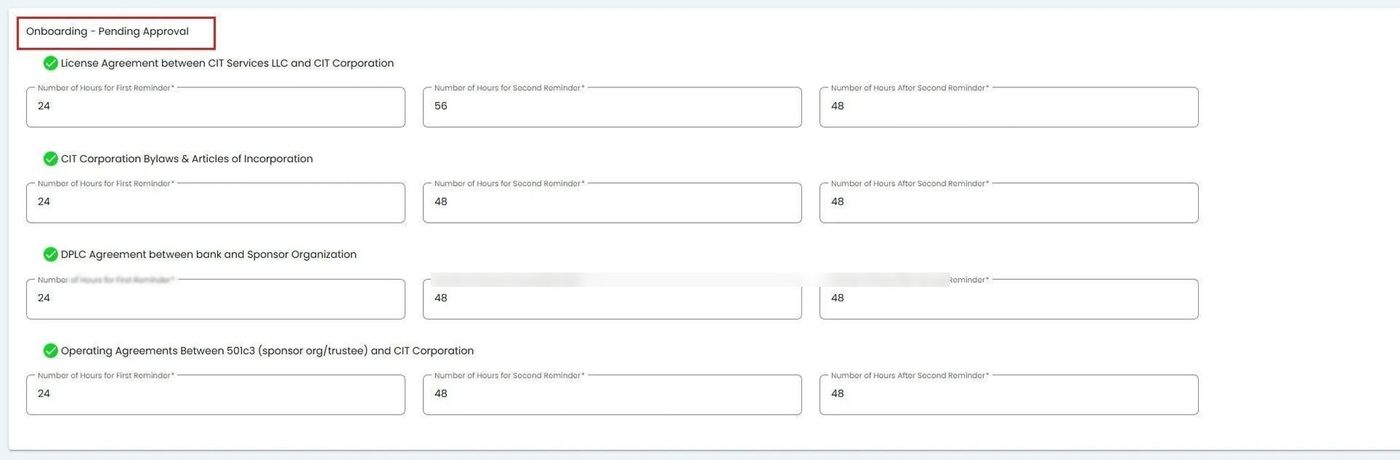
Header location for the Onboarding Pending Approval section#
Configuration Options#
The body of this section contains all available reminder settings that can be configured.
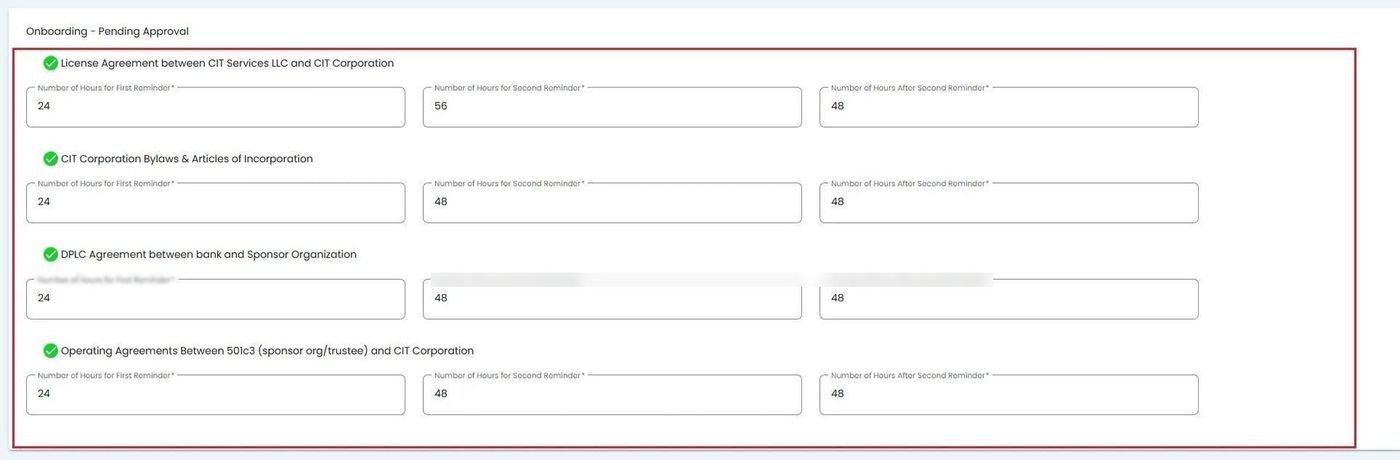
Available reminder configuration options in the Pending Approval section#
Note
Each green checkmark is associated with an entire section. The rows that immediately follow contain the specific reminders that can be set for that section.