
Generating the Issuer Balance Report#
This section describes how to generate and download the Issuer Balance Report.
Location
Report > Issuer Balance
Generating the Report#
To Generate the Issuer Balance Report:
Navigate to the Section: Issuer Balance section from the Report category.
Action: Select a sponsor organization from the Item: Sponsor Organizations dropdown.
Action: Select a CIT Corporation from the Item: CIT Corporation dropdown.
Action: Click the calendar icon next to the Item: Cutoff Date field.
Action: Select the desired cutoff date from the calendar picker.
Note
This report does not display data on screen. The report data is only available in the downloaded PDF file.
Downloading the Report#
The Issuer Balance Report can be exported to PDF format for sharing and archival purposes.
To Download the Report:
Generate the report by selecting a Sponsor Organization, CIT Corporation, and Cutoff Date.
Locate the Action: Download in PDF button.
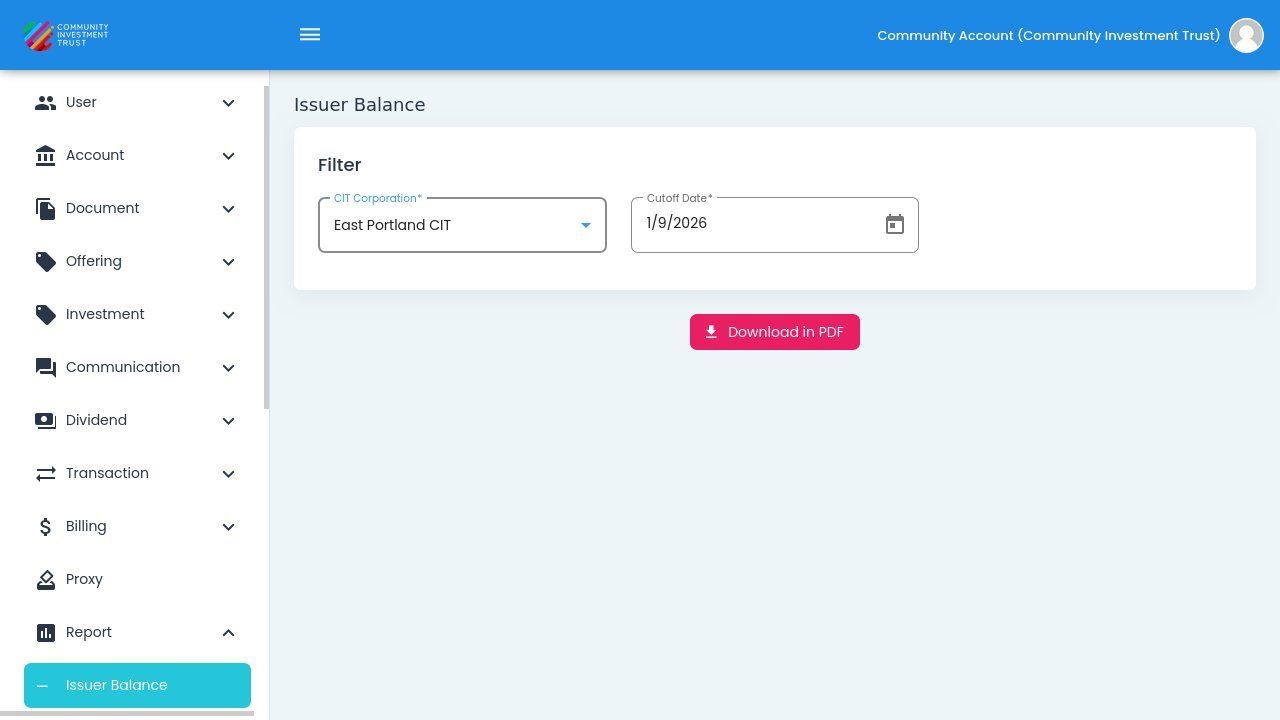
Download in PDF Button Location#
Action: Click the Action: Download in PDF button.
The PDF file will download to your default downloads location.
Action Complete: Report Downloaded
The Issuer Balance Report has been downloaded as a PDF file containing the complete financial summary for the selected criteria.
Note
The PDF includes financial data for all offering years with metrics calculated as of the selected cutoff date.
Using the Downloaded Report#
The PDF export is useful for:
Sharing financial summaries with board members or stakeholders
Including in periodic financial reports
Archiving point-in-time balance snapshots
Comparing balances across different cutoff dates
Compliance and audit documentation
Comparing Different Time Periods#
To analyze how balances have changed over time:
Generate and download the report for a specific cutoff date.
Change the cutoff date to a different point in time.
Generate and download the report again.
Compare the two reports to see how key metrics have changed.
Tip
Create reports at consistent intervals (monthly, quarterly, annually) to track investment performance trends over time.