
Action: Reply to Message#
Send a reply to the message sender directly from the message card.
How to Reply to a Message#
Action: Click the Action: Reply button on the message card.
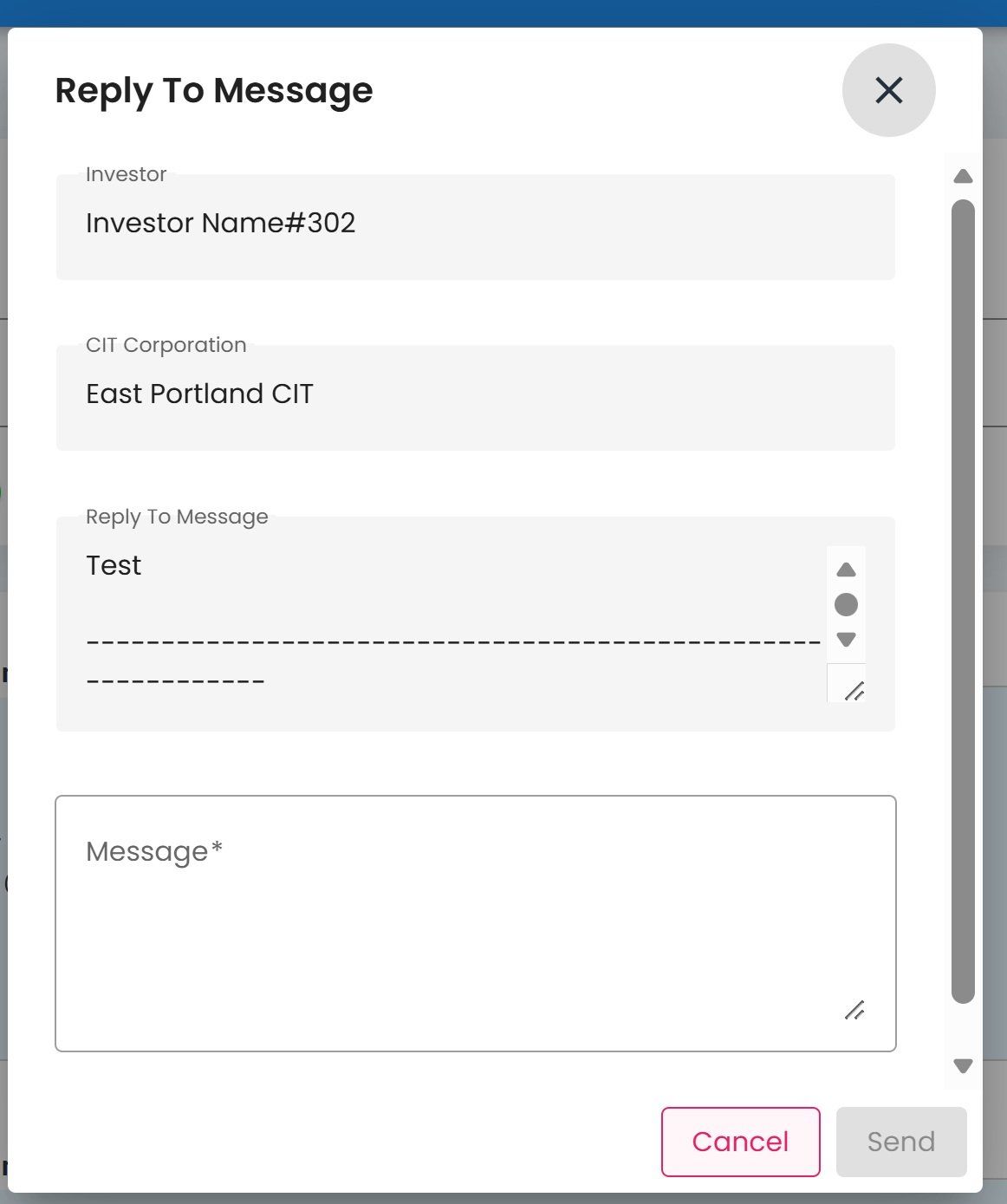
Reply to Message Dialog#
Action: Type your reply message in the text field.
Action: Click the Action: Send button to send your reply.
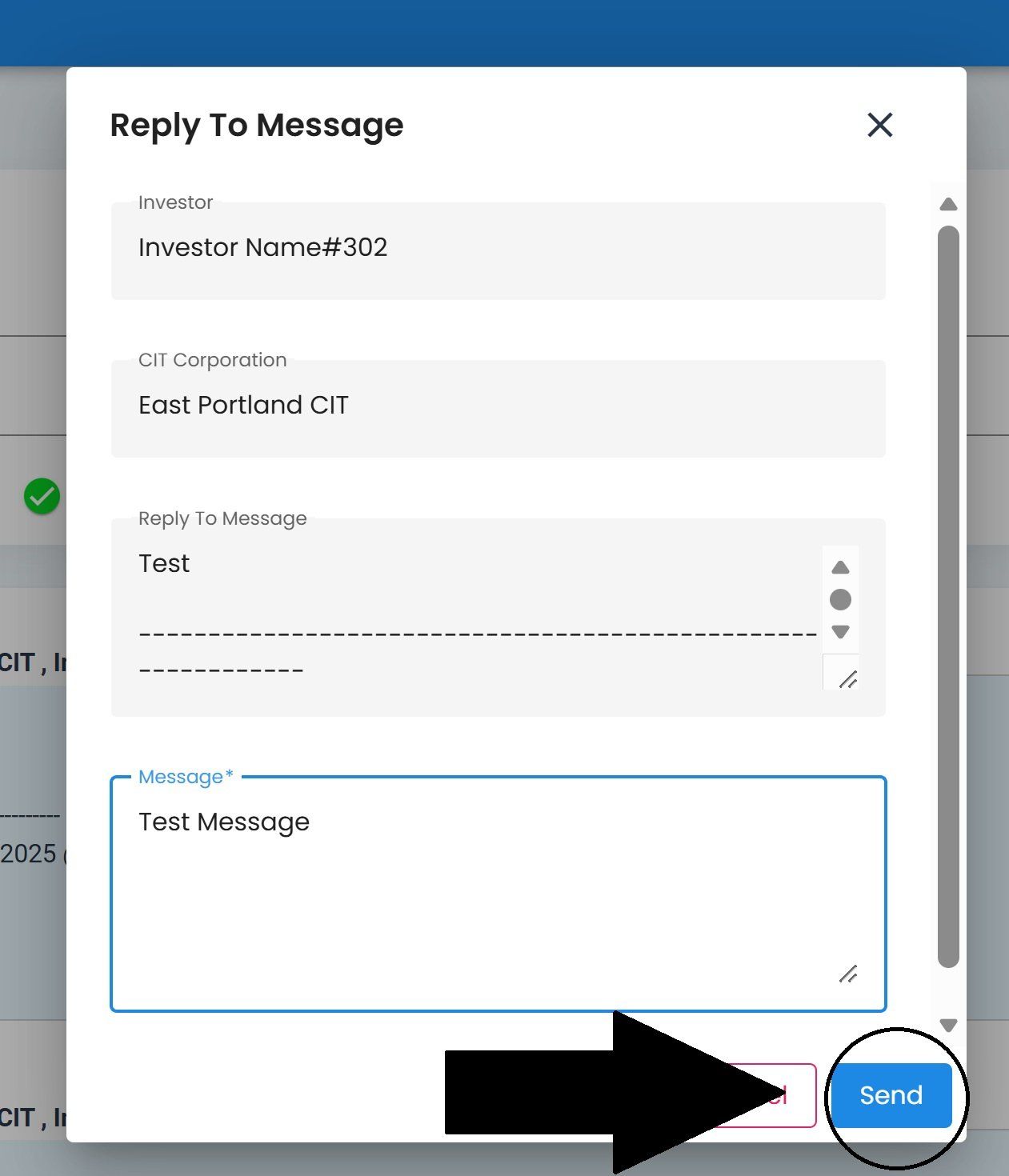
Reply to Message, Send Button Location#
Action Complete
Your reply has been sent to the original message sender.