
Payment Credit Details#
The Section: Payment Credit Details page displays detailed information about a specific payment credit record.
Accessing Payment Credit Details#
Click the Action: View button (eye icon) in the Column: Action column of the Table: Payment Credit List to open the details page.
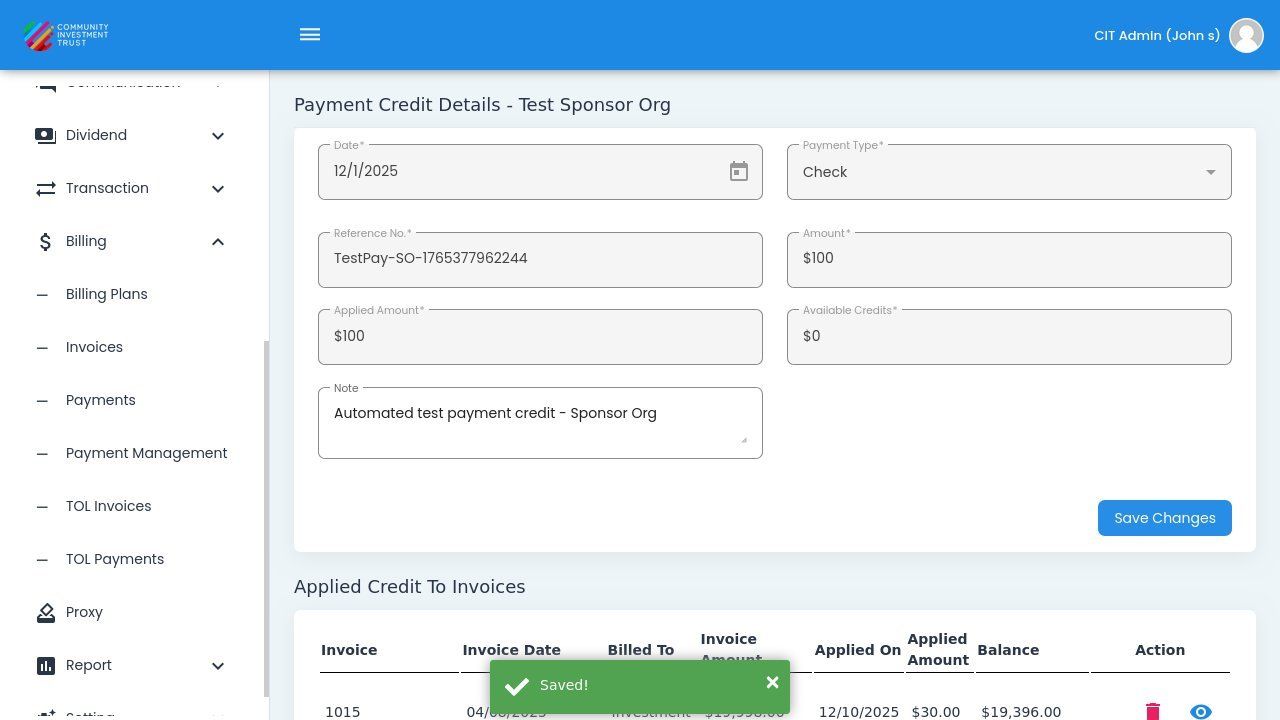
Payment Credit Details Page#
Payment Credit Details Fields#
The Payment Credit Details page displays the following information:
Status: Date - Date when the payment was received.
Status: Payment Type - Method of payment (Check, VISA, Wire, etc.).
Status: Reference No. - Reference number for the payment transaction.
Status: Amount - Total payment amount.
Status: Applied Amount - Amount already applied to invoices.
Status: Available Credits - Remaining credit available to apply.
Status: Note - Additional notes about the payment.
Payment Type Options#
The field indicates how the payment was made:
Status: Check - Payment made by check.
Status: VISA - Payment made by VISA credit/debit card.
Status: Wire - Payment made by wire transfer.
Status: ACH - Payment made by ACH transfer.
Applied Credit To Invoices#
The bottom section of the Payment Credit Details page displays the Table: Applied Credit To Invoices table, which shows how the payment credit has been applied:
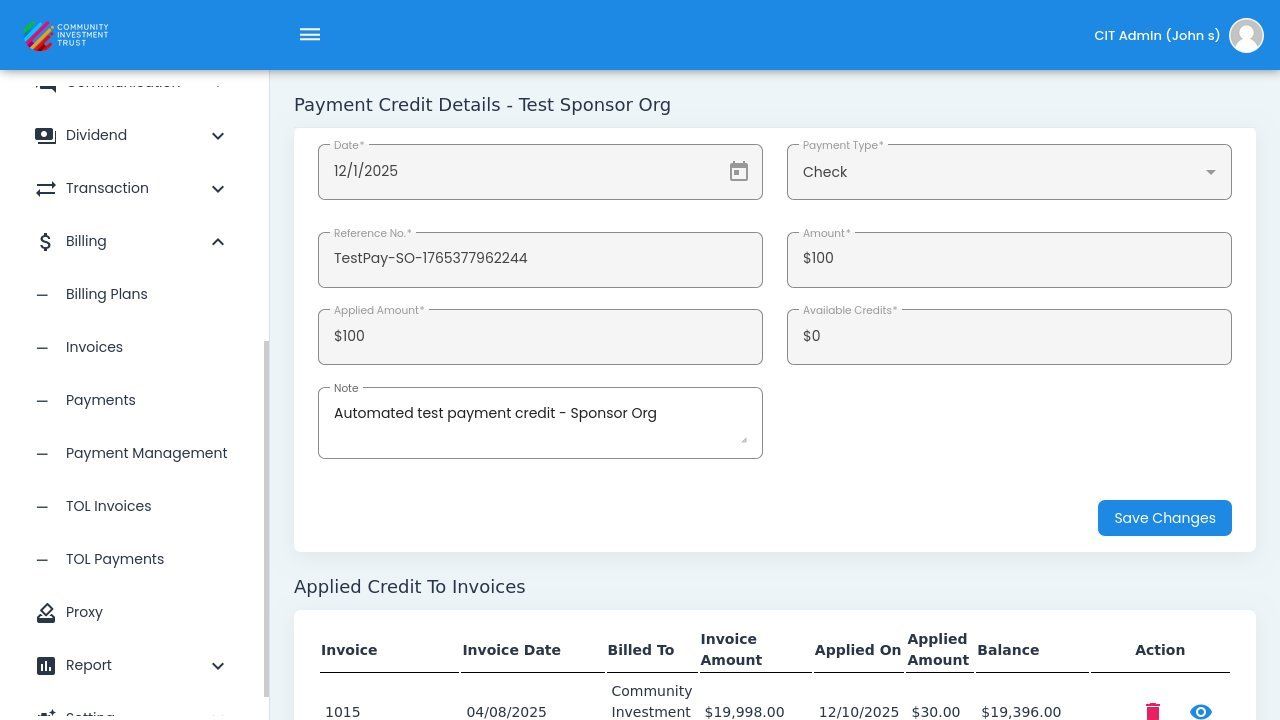
Applied Credit To Invoices Table#
Column: Invoice - Invoice number the credit was applied to.
Column: Invoice Date - Date of the invoice.
Column: Billed To - Entity billed on the invoice.
Column: Invoice Amount - Original invoice amount.
Column: Applied On - Date the credit was applied.
Column: Applied Amount - Amount of credit applied to this invoice.
Column: Balance - Remaining balance on the invoice.
Column: Action - Actions available (delete, view).