
Issuer Balance Report#
The Section: Issuer Balance Report provides a comprehensive financial overview of investment offerings, showing share sales, investment totals, and gains for each offering year.
Location
Report > Issuer Balance
Features: Issuer Balance Report#
The Section: Issuer Balance Report allows you to:
Report Location#
The Page: Issuer Balance page is located in the Report category in the Item: Primary Sidenavigation menu.
Don’t see the Primary Sidenavigation menu?
See How to Toggle the Primary Sidenavigation menu for more information.
Report Filters#
Before viewing the report data, you must configure the filtering criteria.
Sponsor Organization Selection#
Action: Select a sponsor organization from the Item: Sponsor Organizations dropdown.
CIT Corporation Selection#
After selecting a sponsor organization, Action: select a CIT Corporation from the Item: CIT Corporation dropdown.
Cutoff Date Selection#
The cutoff date determines the point in time for calculating balance figures.
To Select a Cutoff Date:
Locate the Item: Cutoff Date field.
Action: Click the calendar icon to open the date picker.
Action: Select the desired date from the calendar.
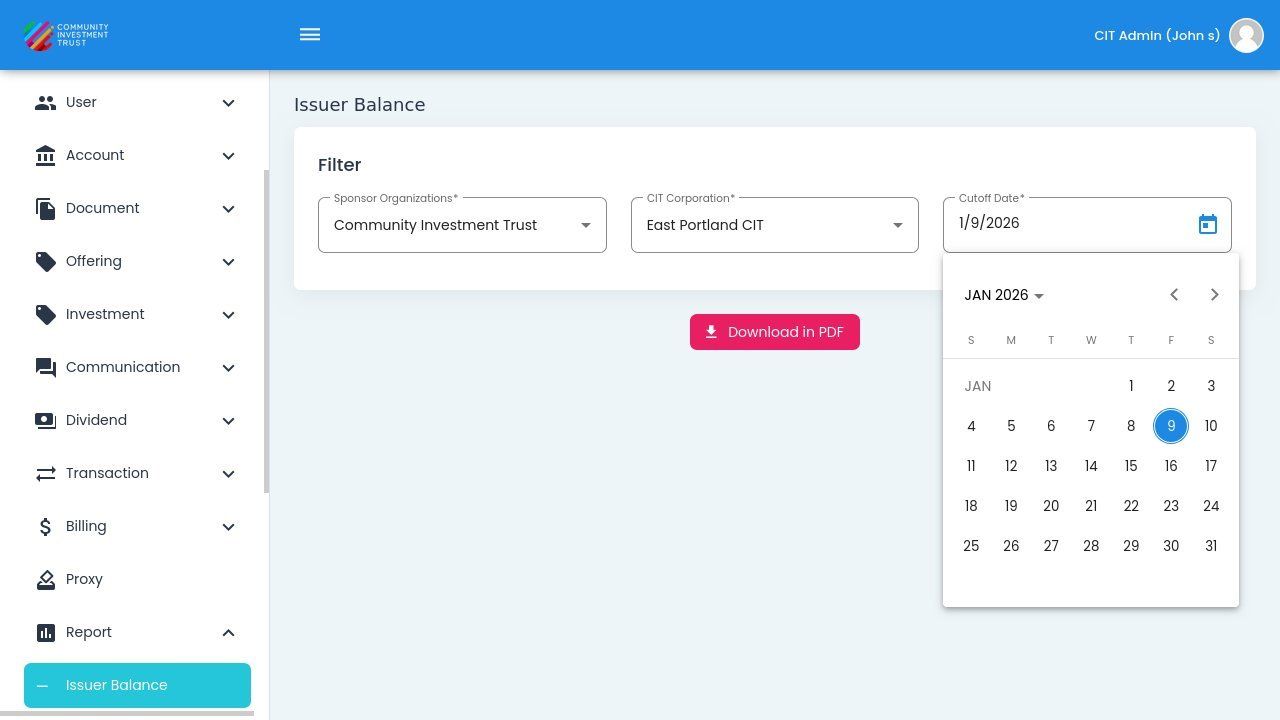
Issuer Balance Report Filters with Calendar Picker Open#
Note
The cutoff date affects all calculated values in the report. Balances are calculated as of the selected date.
Issuer Balance Data#
Once all filters are applied, the report displays financial data organized by offering year.