
Edit Billing Plan#
This section describes how to edit billing plan records.
Accessing the Edit Dialog#
To edit a billing plan:
Navigate to the Billing Plans section
Locate the record in the Table: Billing Plans List table
Action: Click the action button
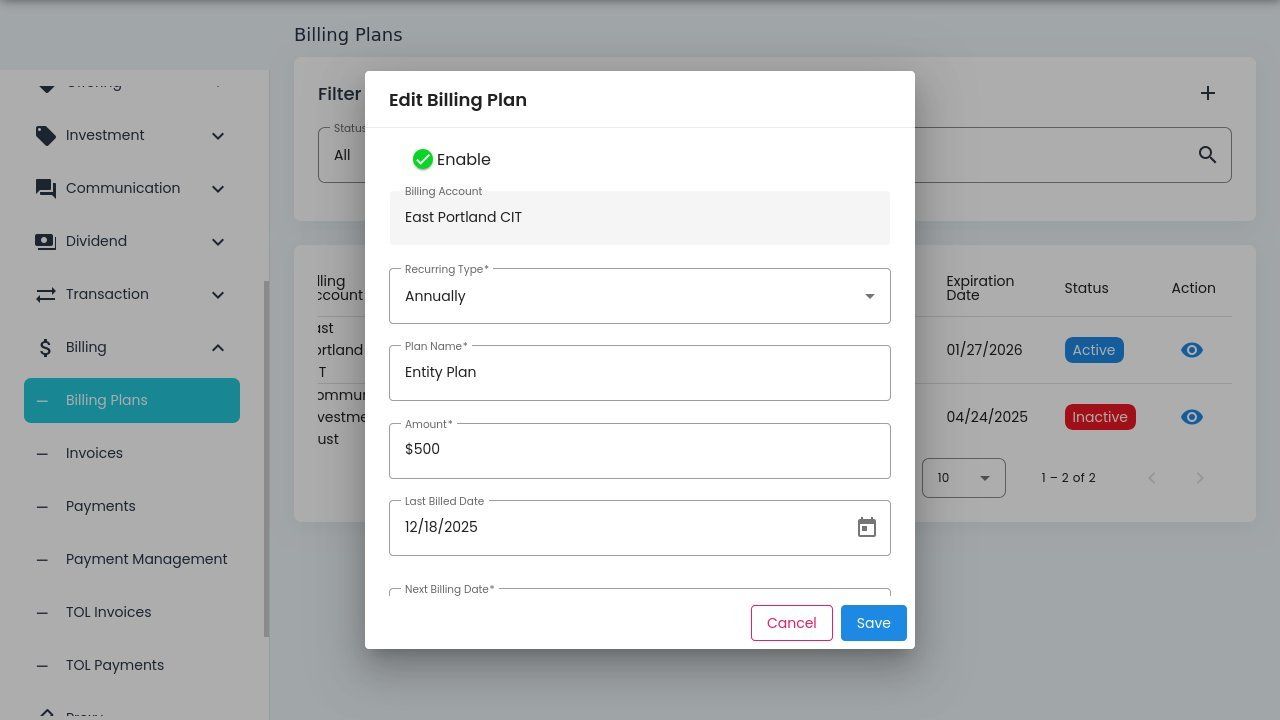
Edit Billing Plan Dialog#
Dialog Fields#
The Edit Billing Plan dialog contains the following fields:
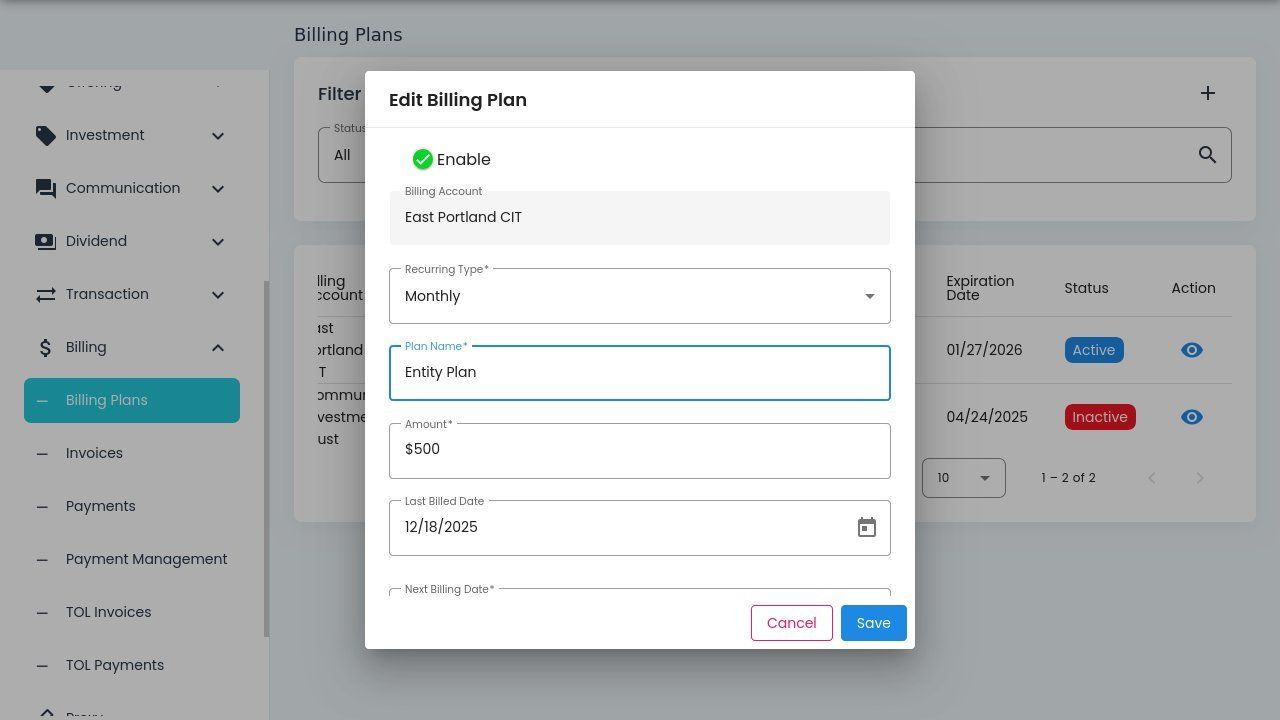
Edit Billing Plan Dialog Fields#
Available Fields#
Status: Plan Name - The name identifier for the billing plan.
Status: Amount - The billing amount for each billing cycle.
Status: Last Billed Date - The date of the most recent billing.
Status: Next Billing Date - The scheduled date for the next billing cycle.
Status: Expiration Date - The date when the billing plan expires.
Status: Note - Additional notes or comments about the plan.
Recurring Type#
The dropdown allows you to set the billing frequency:
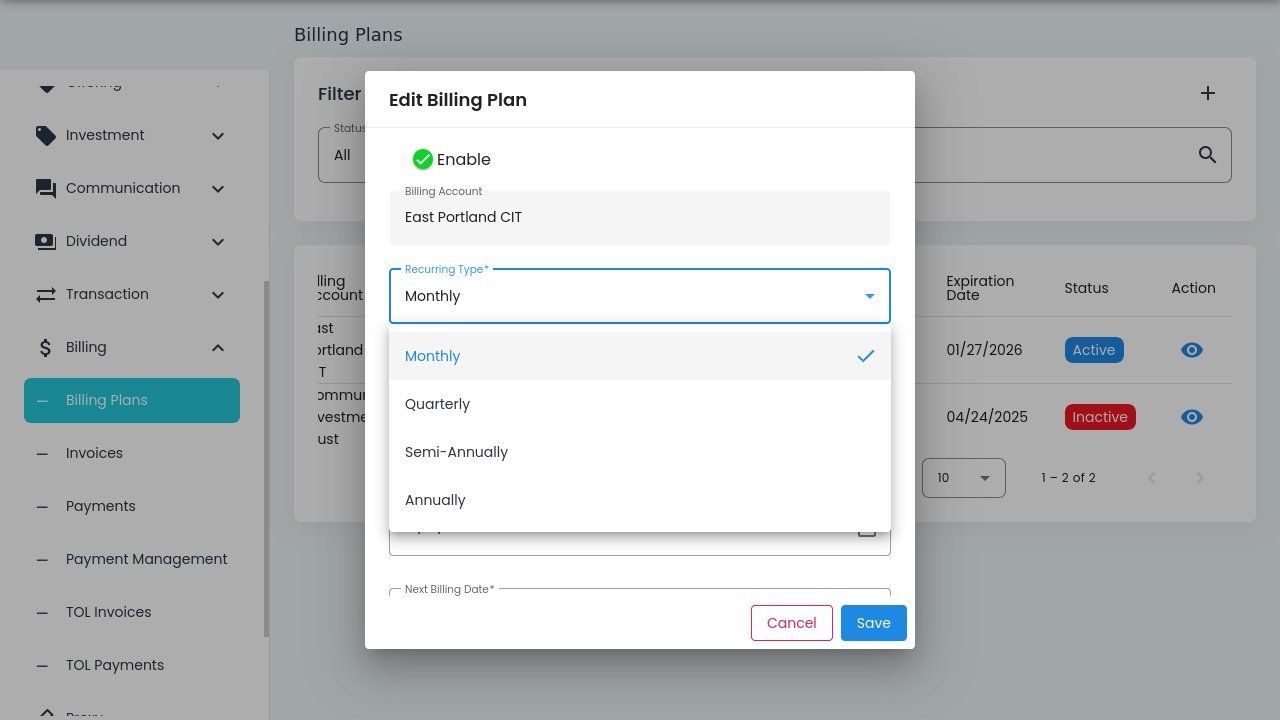
Recurring Type Dropdown Options#
Recurring Type Options#
Status: Monthly - Bill on a monthly cycle.
Status: Quarterly - Bill every three months.
Status: Semi-Annually - Bill every six months.
Status: Annually - Bill once per year.
Saving or Canceling#
After making changes:
Action: Click to apply the changes
Action: Click to discard changes and close the dialog
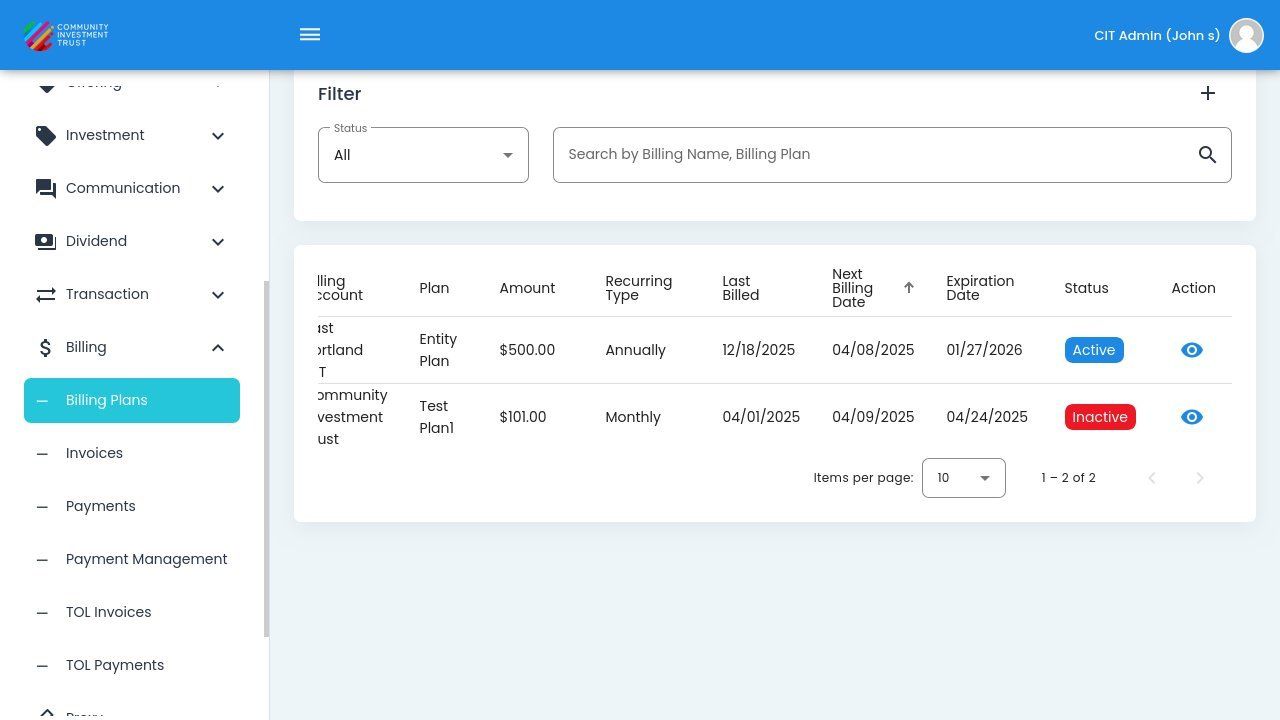
Dialog Cancelled Without Saving#
Note
Changes to billing plans take effect on the next billing cycle. Past billing records are not affected.