
Filter Options#
Filter the Transaction List Report by Item: Transaction Type, Item: Date Range Type, and Item: Date Selection to focus on specific transaction records.
Filter Section Overview#
The Filter section contains organization selection and filtering options:
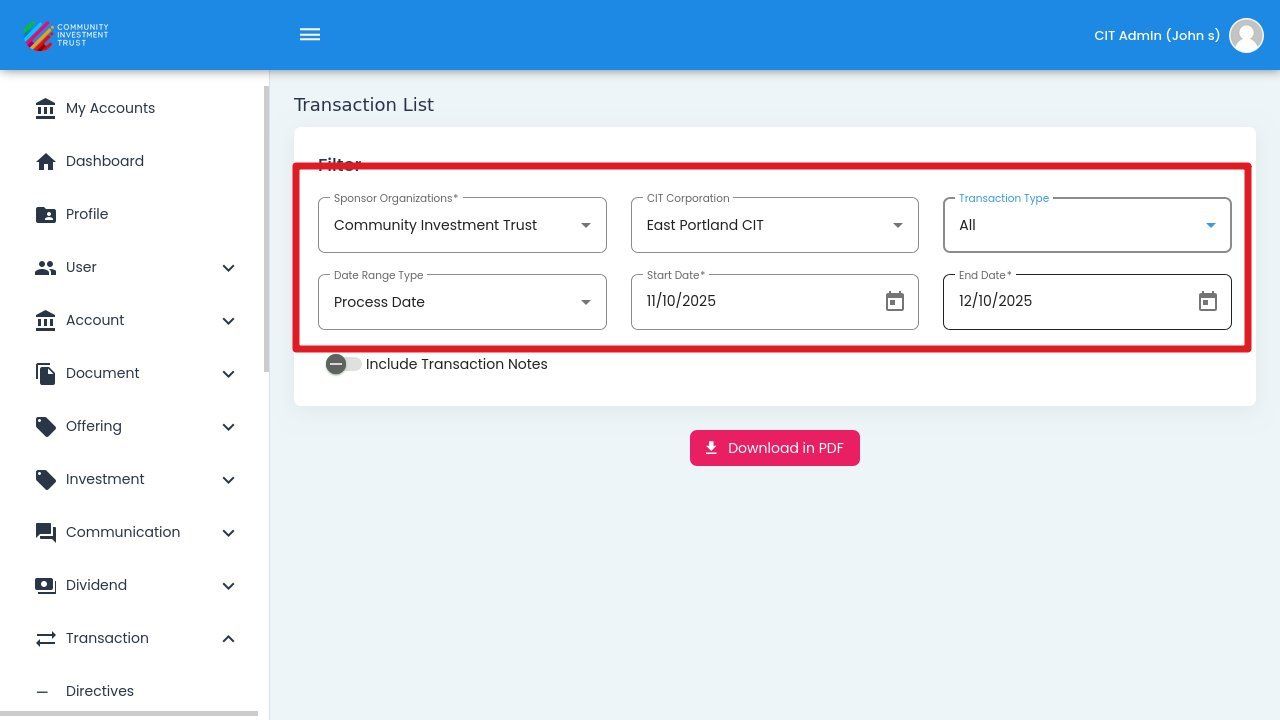
Filter Section Location#
Transaction Type#
Select from the following transaction type options:
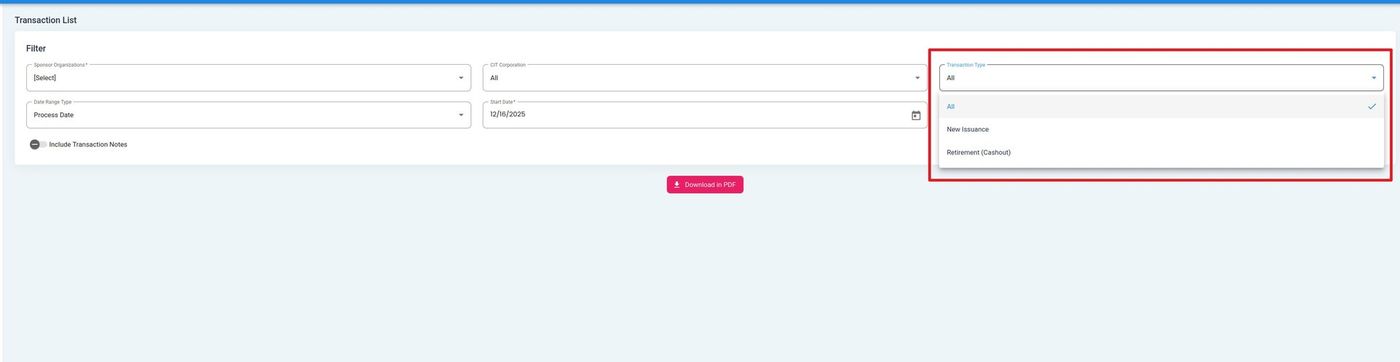
Transaction Type Filter Dropdown#
Status: New Issuance - Show only new share issuance transactions.
Status: Retirement (Cashout) - Show only retirement or cashout transactions.
Status: All - Show all transaction types.
Date Range Type#
Select from the following date range type options:
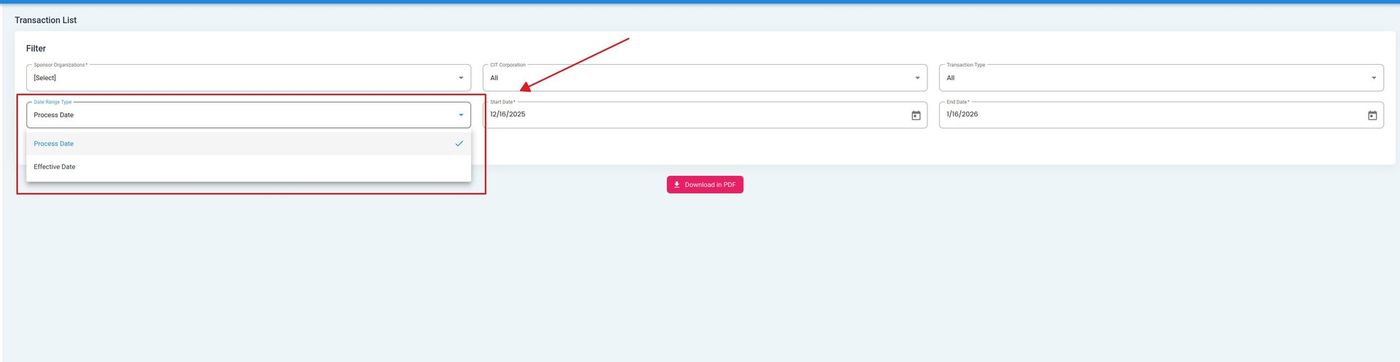
Date Range Type Dropdown#
Status: Process Date - Filter by the date transactions were processed in the system.
Status: Effective Date - Filter by the effective date of transactions.
Date Selection#
Use the date picker to select the date range for your report:
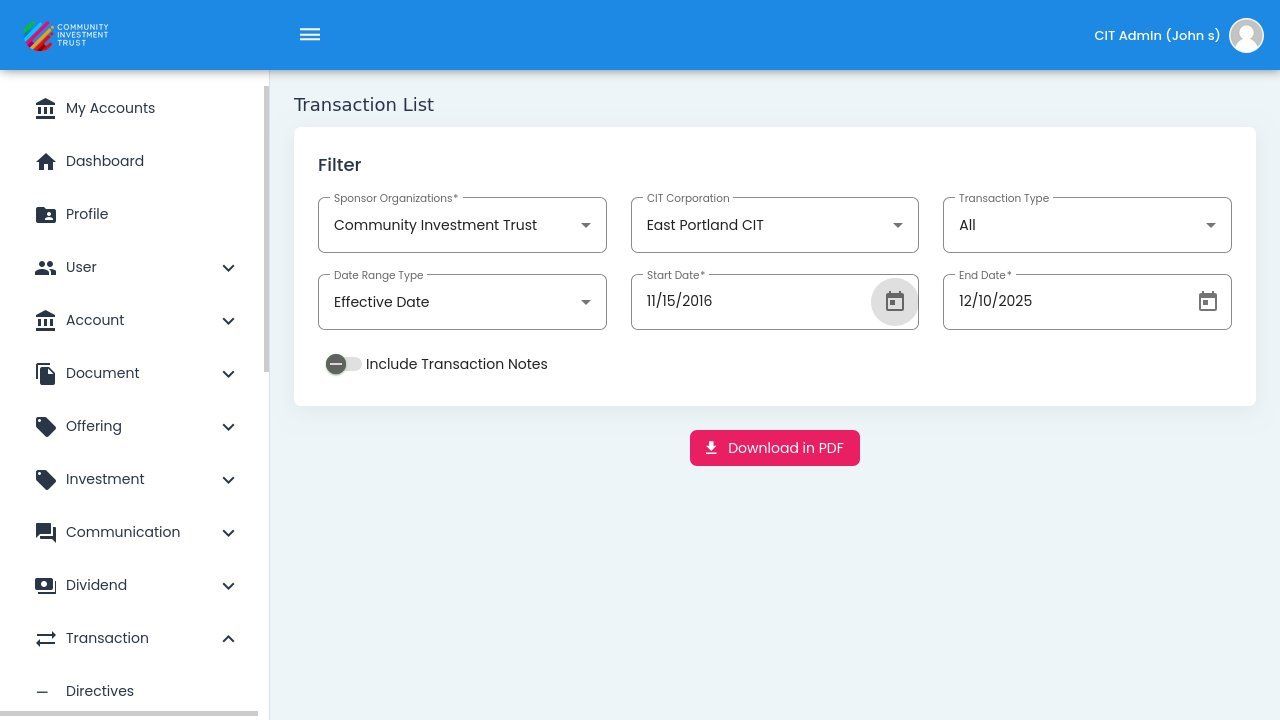
Date Range Selection#
Include Transaction Notes#
Toggle this option to include transaction notes in your downloaded report:
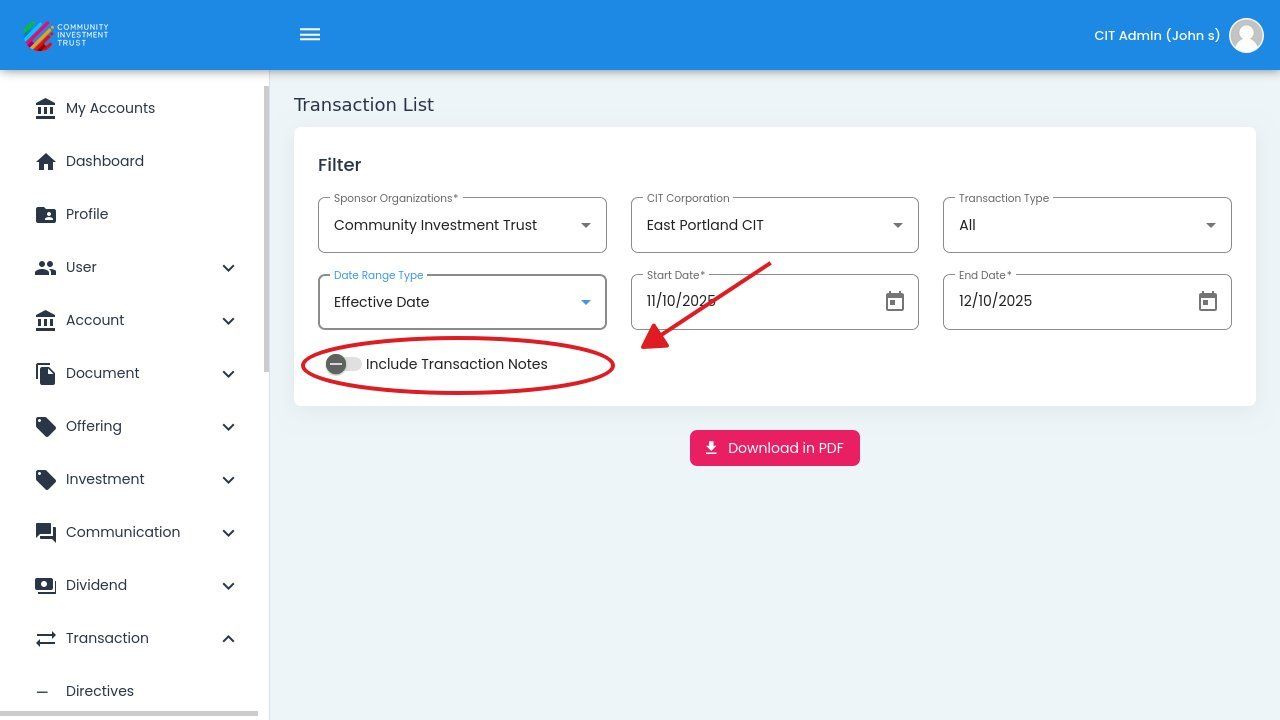
Include Transaction Notes Toggle#
When enabled, any notes associated with transactions will be included in the PDF report. This is useful for tracking transaction-specific comments or processing details.