
View Details: Cards Explained#
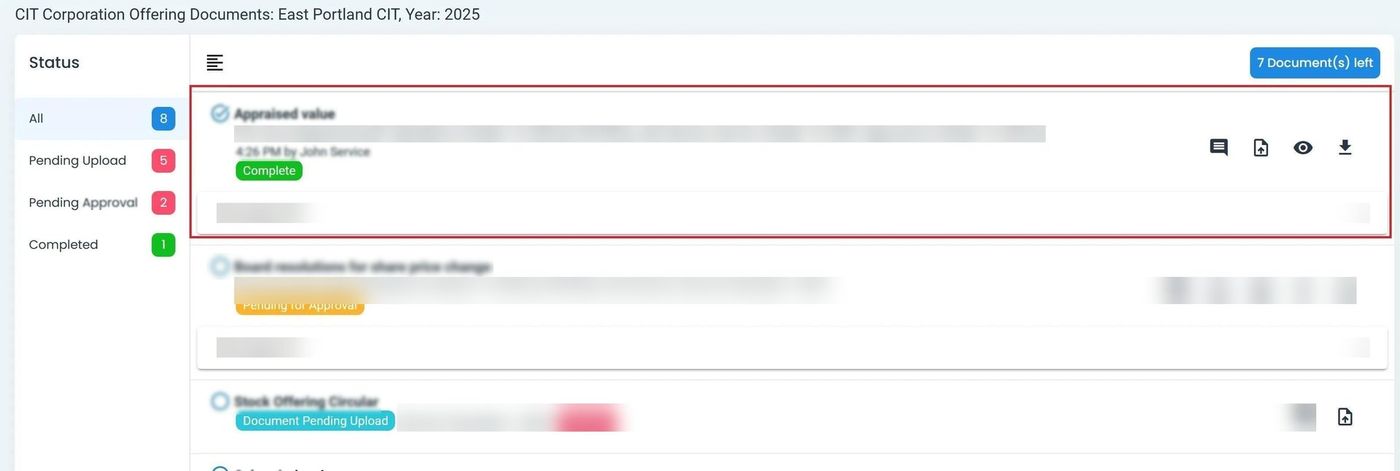
Each card displays information about a document:
Column: File Name - The name of the uploaded document file.
Column: File Type - The format or type of the document (PDF, DOC, etc.).
Column: Date - The date the document was uploaded.
Column: Time Uploaded - The time the document was uploaded.
Column: Uploaded By - The user who uploaded the document.
Column: Status - The current status of the document (Upload Pending, Pending Approval, Completed).
Column: Approved By - The user who approved the document (if applicable).
Column: Messages - Any messages or notes associated with the document.