
Dashboard Tables: Features Explained#
These instructions can be applie to either table in the Dashboard.
See the Table of Contents below for everything the Table: CIT Corporation Summary table provides.
How to Filter Table#
Step 1: Find and Action: Click the Item: CIT Corporation Summary Dropdown.

Dashbaord, CIT Corporation Summary Section#
Step 2: Select a Item: CIT Corporation from the dropdown.
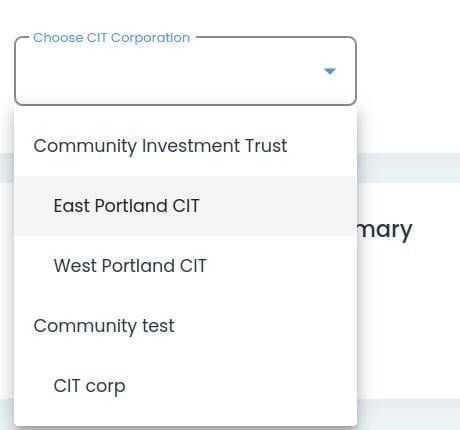
Dashboard, CIT Corporation Summary Dropdown Expanded#
Action Complete: Table Expands
The table will expand to show the CIT Corporation details.
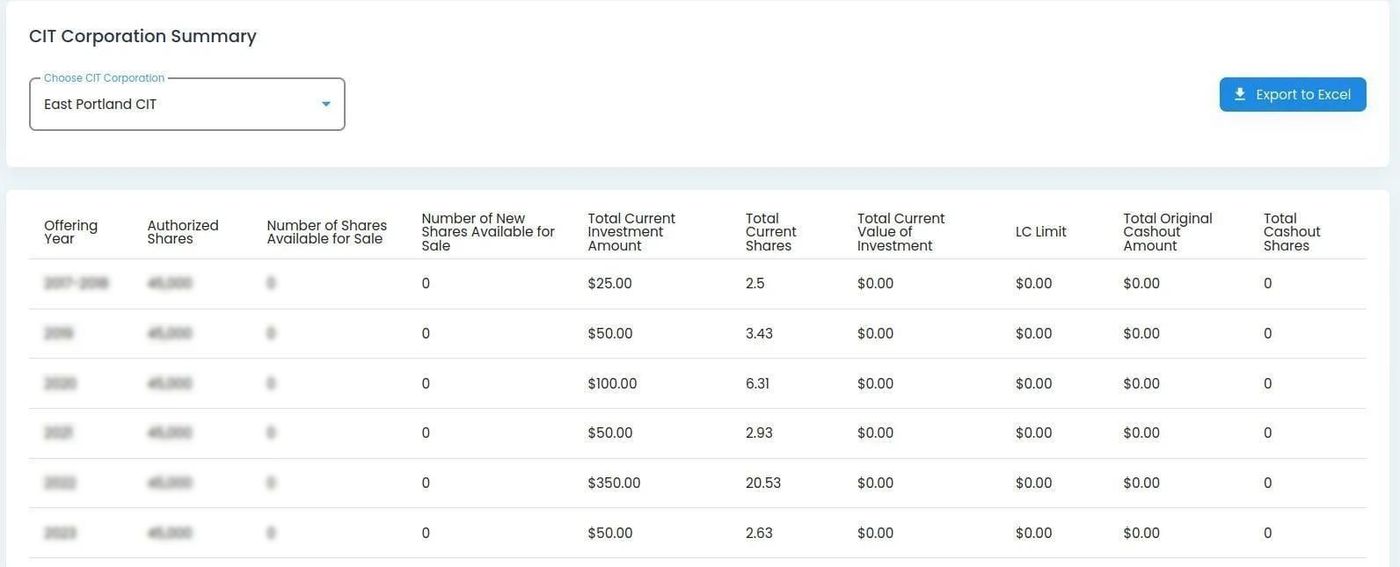
Dashboard, CIT Corporation Summary Table Expanded#
How to Export Table#
You can export the table as an Green Option: Excel file once the table is filtered by CIT Corporation.
To do so:
Step 1: Find and Action: Click the Action: Export to Excel button
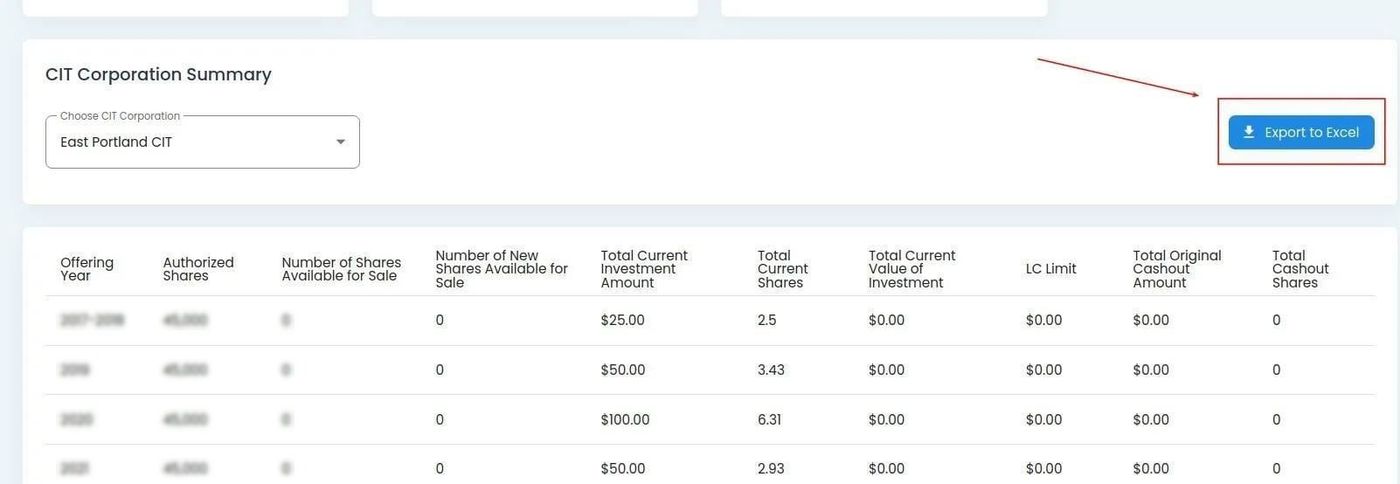
Dashboard, CIT Corporation Summary Table Export Button Location#
Action Complete: Export File Successfully Downloaded
The Green Option: Excel file will be downloaded to your default download location.